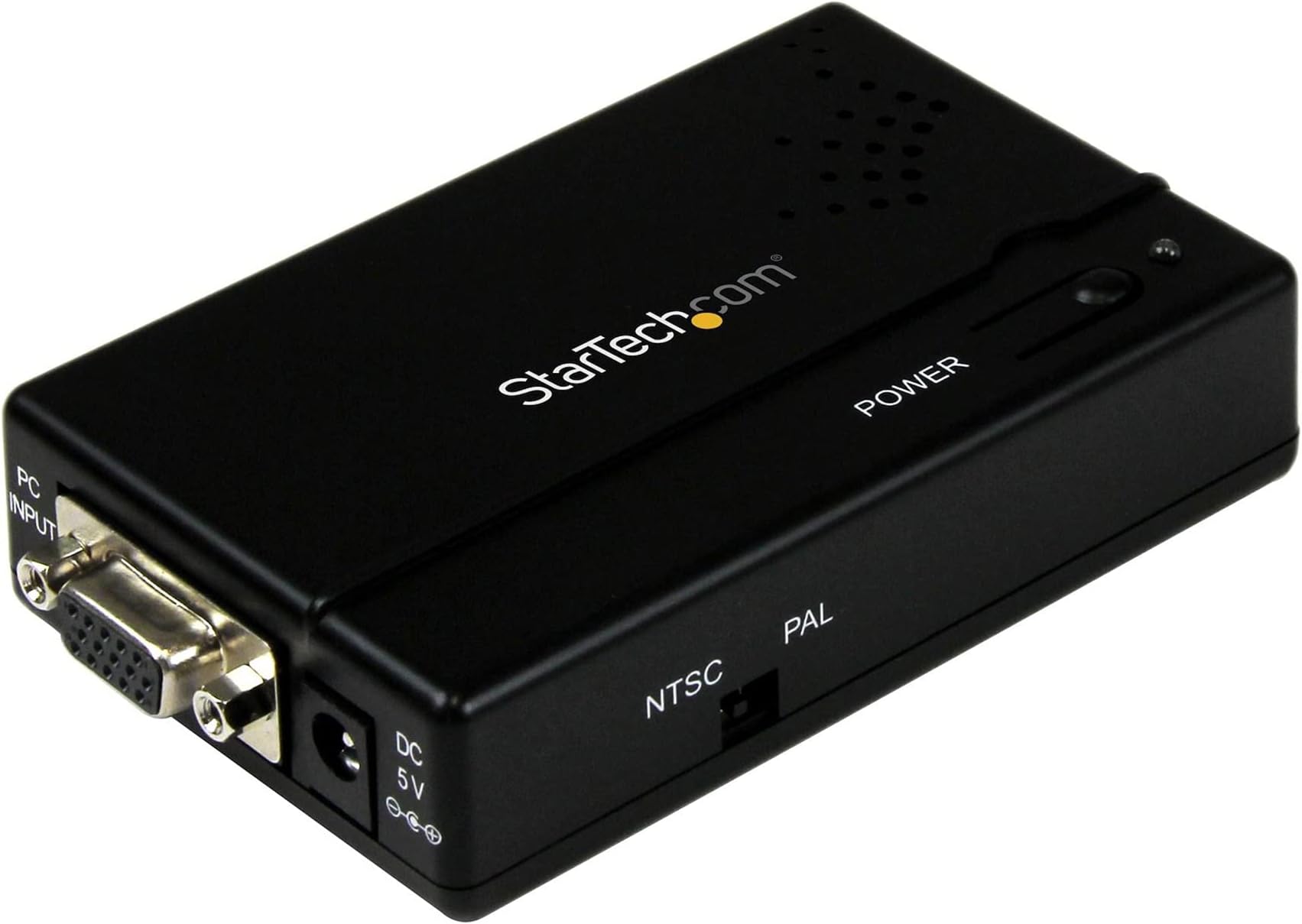
Works well. You simply connect in the cables, it has very strong sturdy sockets, it is a little unit. You press a button and the red light goes green, and it starts up in a couple of seconds, and you get an absolutely perfect screen, hi-resolution on your TV. No diminution in quality can be seen, in fact it appears better than the original using a monitor, and on the TV it appears better. This is the top of the range model. I haven't used the cheaper models, but I have heard by all reviews of those cheaper models that they flicker, need tuning in, don't appear lined up properly, are full of static interference. The cheaper you get, the worse the picture is. It is worthwhile purchasing this startech model, as you eliminate all those problems in one go. It does PAL or NTSC by a switch on the box. You may want to obtain a VGA splitter (VGA to 2xVGA with power supply), as it does not have a pass through VGA signal, so you can't also have the picture on the monitor at the same time as the TV. VGA splitter's are very cheap to buy. This is because if you want to operate the computer by the old TV, you can't read the text without pressing CTRL + - to increase the size of the Windows text. This is not the circuits fault, it is because the TV is only about 640x512 resolution, so even when the box has perfect converted the picture, the TV itself can't display fine resolution above 640x512. What it does is convert from a resolution of about 1920x1200 to the nearest it can get at 640x512. All the colour codes are worked out by the circuit, saturation, hue, brightness, to give the most perfect picture. If you read all the other reviews for the lesser models you'll see the problems they have. It is worthwhile getting this model if you don't want such problems. It has 2 outputs, composite video Yellow, and Svideo. Both work perfectly. The yellow Video out when connected to a working TV Video In socket, produces a perfect picture instantly. However, I have another old TV where if you connect ANY video cable it always produces a black screen (i.e. an old TV that doesn't work properly), I am an electronics engineer who is always messing around doing tests that you shouldn't do, and I tried foolishly connecting the yellow lead from the startech box into the video in socket of this old TV, I kept it connected one minute (and there was no picture as there is no picture when I connect ANY video signal to this old TV, but I wanted to see if the startech box can PRODUCE a picture when you connect it to such an old Video In socket. Old VGA to PC converters from 15 years ago, have inbuilt circuit protection for if there is a short across 0V to 1V on the video out for a short time. However on the startech model the result was it blew the yellow video out inside the startech box. It must have shorted 1Vp-p to OV. So the Startech's video out circuit can't take too much electrical strain across low resistance output loads and doesn't have any protection circuits inside, (that old circuits from the past had) and must contain very delicate microchips. Therefore only connect it to Working TV video In sockets. Thankfully the startech model also provides SVideo. I connected it to this instead and it worked. If you have an another old TV that has a yellow socket Be careful not to connect the yellow cable to a TV that doesn't work, even for a short time. Circuits today are far more delicate than the ones of the past. Connecting using the yellow video as I have stated, if connect to a proper undamaged Video In socket, will produce a perfect picture. Using Svideo, I think it generates Red Green Blue video signals and the picture is slightly better. You can connect the Svideo into a dvd recorder if you do not have Svideo on a TV, and then send the signal through a scart cable to your TV. So the startech box provides this backup video out if you damage one of the outputs by misuse. Hence it has been built by proper engineers, as only engineers add a backup circuit. The power supply comes with it, and it connects to the mains and generates 5V straight into the box. The circuit is cleaver in that it actually recognizes the signal in, i.e. e.g. in PAL it recognizes whether it is PAL BDGI or whatever, or the same with the NTSC type, without need of any selection by the user. It must contain an extremely advanced Microcontroller running at around 40MHz, in order to convert this signal. Plus it must have a lot of onboard memory on Dynamic RAM chips, say about 256 Megs, in order to store the screen. It must also contain a very complex Video convertor chip. Hence ensure you take care not to short the outputs across the pins, and keep the circuit cool. It is quite heavy which proves it is advanced technology. There are chips you can get AD722 AD723 MC13777, I don't know the exact codes, but the convert VGA to PC, and cost just a few dollars. These were made about 30 years ago, hence they produce a very fuzzy output, full of rolling and interference, as they were designed to convert VGA to PAL or NTSC or SECAM, and just that, i.e. no quality just a rough signal. Sadly, a lot of companies now are buying these chips and placing them in a box with loose socket connectors. These units are so cheap and they clain to convert your VGA monitor signal to a tv signal. Don't waste your money on these devices, you will be unable to see any picture at all. On the mid range priced models (half the price of Startech's) you will find you have to adjust contrast, brightness on the TV, align the picture, and tune it in all the time before you start. The startech model rectifies all these problems for you, using hi-tech moden microchips (which, as I've stated cannot take any circuit shorts due to their delicacy, i.e. a cheap circuit would have ancient chips which can take a lot of power and shorts. Just like an advanced pc, you cannot be rough with it, connecting it to old devices with basd sockets, like you can with old devices of the past. Also being so delicate in the microchips, make sure you do not short the mains supply, nearby, e.g. blewing a fuse, crackling at the connection of a monitor, or lightning, or e.g. kettle switch dodgy sparking. This could blew the delicate startech circuit. It operates with a wide range of resolutions. Working out itself how to do the different complex conversions. There is no signal more complex than the VGA signal if you have every studied its specifications, hence the box accomplishes a miracle conversion, particularly the extremely fast analogue to digital conversions necessary of the voltages in the signal. The screen is generated using an onboard computer and memory system. What you get on the TV is photographic quality, extremely sharp and crisp, absolutely no flicker, perfect colour intensities and hues. It is a mastery of technology, well worth the money, and should work for years, if used properly with care. The Startech model appears to me to be the same model as the Amberry model at the hitech company in America. And amberry has boxed it in a black box instead of grey and put the startech label on it in some kind of subcontract. Where there have been sales in Taiwan and various countries. The amberry model uses 3.3V, the startech is an older model about 6 years older, when it was still 5V. The amberry model, is more expensive than startech. But as far as I can see, the startech model does all the same functions as the amberry unit, same resolutions. Do not be fooled by the resolutions that lesser cheaper VGA to PC circuits claim to do. This model really DOES do those resolutions, in the end you get what you pay for. If you want a clear sharp picture with depth and charm of colour for old televisons, get this model. Chris Fleetwood, Haworth, UK