Desertcart purchases this item on your behalf and handles shipping, customs, and support to South Africa.
๐จ Elevate your digital canvas with pro precision and custom control!
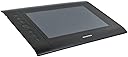
The Monoprice 110594 Graphic Drawing Tablet offers a spacious 10 x 6.25-inch active area with 4000 LPI resolution and 2048 levels of pressure sensitivity, delivering precise and responsive input at 200 reports per second. Featuring 8 programmable Express Keys and 16 Hot Cells, it allows full customization to streamline your creative workflow. Compatible with Windows and Mac OS, and USB-connected for easy setup, this tablet is an affordable, professional-grade tool ideal for digital artists transitioning from mouse to pen.

| ASIN | B00H4LAF9O |
| Active Surface Area | 10 inches x 6.25 inches |
| Additional Features | Programmable Express Keys and Hot Cells |
| Best Sellers Rank | #1,352 in Computer Graphics Tablets |
| Brand | Monoprice |
| Built-In Media | Driver/Software Utilities for Windows and Mac OS X |
| Color | Black |
| Compatible Devices | Computers, Laptops |
| Connectivity Technology | USB |
| Customer Reviews | 4.1 out of 5 stars 782 Reviews |
| Global Trade Identification Number | 00757901804335 |
| Item Dimensions L x W | 10"L x 6.25"W |
| Item Weight | 2.4 pounds |
| Manufacturer | Monoprice |
| Mfr Part Number | 110594 |
| Model Name | 10594 |
| Model Number | 110594 |
| Native Resolution | 4000 LPI |
| Number of Items | 1 |
| Number of Packs | 1 |
| Operating System | XP and later |
| Pressure Sensitivity | 2048 levels |
| Screen Size | 10 inches |
| Software Update Supported to Date | unknown |
| Special Feature | Programmable Express Keys and Hot Cells |
| Specific Uses For Product | personal |
| Target Audience | Teacher |
| UPC | 757901804335 714547237538 |
| Unit Count | 1 Count |
| Warranty Description | 1 Year |
J**E
Better than Wacom
A couple years ago, I passed on the recommendation for this particular tablet to a friend looking to buy her first tablet. The recommendation came from another friend of mine, who has used other tablets in the past and is a graphic designer by trade. She's had her Monoprice for quite a few years and swears by it, for price, functionality, and durability. Fastfoward to this year. My old Wacom Intuos started giving me a few issues. I say "started" but it was giving me a couple of the problems from jump, no matter what drivers I installed, no matter what I tried to change in settings, no matter anything. The problems just mounted and got worse until I got sick of constantly trying to coax functionality out of the Intuos (the second Wacom I've owned, the first being the Bamboo over a decade ago that gave me similar problems). I now I had 2 friends who swore by Monoprice, so I decided this would be my replacement. And omg. What a difference from my little old Intuos. A wonderful, wonderful difference. First off, I was able to get a Monoprice with nearly double the drawing area for half the price of the old Intuos. I didn't necessarily NEED a larger area, but I've been enjoying it immensely. (If you're strapped for space to use it on, that could be a problem.) Second, there are more shortcut buttons on this one than my old one (and they actually work properly; half the time settings would get mysteriously reset on the Intuos and I'd have to go in and redo them) and they are not only fabulous because they're on the side instead of along the top, but they're set for the things I need them to do with no customization needed. Third, installation of drivers wasn't any more difficult than the Intuos had been (I did take the suggestion of other reviewers of downloading Huion drivers instead of the ones bundled with this tablet). Fourth, the pen. It does require a AAA battery, which makes it slightly heavier than the Intuos pen, but at this point, I don't even notice anymore. It's also thicker, which has been really nice for my hand pain. I use 3 graphics/painting programs with regularity--an ancient version of Photoshop (it's so ancient it's old enough to vote and in another year it'll be legally allowed to drink), PaintToolSAI, and Krita. The Intuos gave me issues in all three, all the time. The Monoprice has given me exactly zero issues. (Not counting that I was 2 versions behind the newest Krita so touch sensitivity wouldn't work until I upgraded). The pressure sensitivity works like a dream, even if I plug the tablet in after starting the program; if I didn't plug the Intuos first, pressure sensivity never worked and half the time it still wouldn't even then (program reboot fixed that part of the time; system reboots were required for the rest). The pressure sensitivity also appears to work pretty well in ZBrushCore Mini (so I imagine the rest of that program line as well), from what little I've messed with it. The shortcut buttons on the tablet work consistently between all 3 graphics/painting programs, with no need for extra effort on my part to make them. This is a little less true of ZBrush; the short time I've messed with, I think the brush size buttons are the only ones that do what they say there (the zoom in/out buttons appear to both operate as, I believe, the ctrl key, so they do function in ZBrush, just not to zoom). I've found only 2 very minor downsides, which in no way affect my rating or happiness with this tablet. 1. No tilt support. But I knew that going in, and didn't really care. I didn't have it with the Intuos, and while it's a cool feature, it's not one I would use very often, if at all, anyway. 2. I haven't been able to find a wireless adapter for it (one did exist for my Intuos, but I'd be hard pressed to find it now, old as it is). Again, not a dealbreaker. I don't absolutely need it, as the cord is a good length. I just like fewer cords, but I can live with this. Coming back to the price of this one...I spent around $80 for my Bamboo back in the day, and while the Intuos was a gift a few years later (I wouldn't have gone with another Wacom otherwise) I know that model was retailing for around $100 at the time. Despite the price tag and the supposedly good reputation of Wacom, I wasn't really happy with either of them. I have nothing but good things to say about this Monoprice tablet, though. It's excellent for beginners and advanced users alike, it has good features and a nice sized drawing area, seems pretty durable (especially considering it lives in my laptop bag when not in use), and you really can't beat the price.
N**E
A Good First Tablet
I purchased the Monoprice 10594 graphics tablet a month ago as my first graphics tablet to use in Adobe Flash and Gimp. For a someone used to creating digital art using a mouse, this tablet is defiantly a worthwhile upgrade for transitioning to using a tablet. While I cannot speak for the durability of the product yet, I can give my first impressions on the features. The 10594 is a rebranded Huion H610 Pro at a slightly lower price. The drawing area is a good size to work on small details without needing to zoom in and out often. The surface texture is a smooth matte plastic that feels almost like drawing on cardstock. The 10594โs pen has around one inch of hover detection. This can feel like a lot at first and be rather finicky without a little practice to get used to moving the pen on and off the drawing surface; though this is likely an issue with transitioning to any graphics tablet. With 2,048 levels of adjustable pressure sensitivity, this tablet can be set to precisely the pressure level you feel comfortable with. The sixteen programable function buttons are very helpful for quickly changing tools, with the eight primary tool buttons being setup for Adobe software; all buttons can be configured for custom macro functionality in the Huion driver software. One issue this tablet has out of the box is that the included drivers do not work in applications, showing up as a single tool in Gimp and not at all in Flash Animator. It does work on the Windows desktop due to Windows built-in mouse emulation. These problems can resolved by installing the H610 drivers from Huionโs website, allowing the tablet to be recognized properly as multiple tools in drawing applications as well as enabling function button remapping. At this price point the 10594 is a great deal compared to similar Wacom tablets that are double the price. While it does not have all the features, such as pen tilt, of more expensive name brands, it does make for a good tablet for getting used to graphics tablets and deciding if they fit oneโs art style before spending money on a more expensive model. Overall the 10594 is a good starting tablet and works well, so long as it is setup properly. It is important to spend some time experimenting with the sensitivity settings to tailor the feel to your own preference rather than using the default configuration. I would definitely recommend this tablet to anyone interested in moving from drawing with a mouse to trying a tablet due to the ease of setup and low price.
I**E
Great Budget Option
I purchased this as a budget option since I couldn't afford a Wacom, and I was not disappointed. I opened the package to find a cable to connect the tablet, a CD with the drivers, a user's manual, the pen, a battery, and a little pen holder with a bunch of little extra nibs - just in case I manage to lose the tip of my pen. I installed the drivers from the CD (because the drivers are impossible to find) and was pleasantly surprised to see that it had the Version #8 drivers, rather than the Version #1 I was expecting. Pros: price, size, little buttons on the side, the little glove it came with, the pressure sensitivity, and it's easy to get used to. Cons: the pen middle (where you put the battery) comes unscrewed a bit too easily, so when I'm drawing it starts to feel a little loose until I retighten it, the pen has an on-off thing instead of an eraser. It's $35 less than Wacom's cheapest tablet, and bigger too. It's OK.
M**M
Pro Illustrator and Animator: You Get What You Pay For
I am a professional illustrator and animator and long time Wacom user. I am on my third personal Cintiq model, and before that I used various Intuos models going back to the 1990's. So I am very familiar with their line of products. However, I wanted to add a more portable option for my laptop so I could take some projects on the road, and my Cintiq 21UX is not remotely portable. I didn't want to shell out for Wacom's premium for something I would not be using that often. So, how does the Monoprice tablet compare? Under my Windows 10 system, it works, but it is not as well as the Wacom. This is to be expected considering the price difference between them is so large. I had no issues with the driver installing, although it is fairly bare bones. It has a slider for setting pressure, but all it seems to do is clip one end of the pressure spectrum or the other, so the most useful position is the middle. This is unfortunate because the pen has a very springy tip, but a very narrow range from which it goes from minimum pressure to maximum pressure. No matter what setting I used, my marks went completely dark way too easily, making precise drawing or inking almost impossible. The driver had no options for customizing the buttons along the tablet edge, which is unfortunate because they are all set to the most useless shortcuts ever. Why would I want a prominent button to quit the current program? You can, however, customize the pen buttons to do a few simple things (although no double left-click option for the side upper button which I find extremely useful on my Wacom). And as I mentioned, the pen tip is very springy, with a lot of 'give,' which I don't think compares well to it's natural media counterparts. I prefer Wacom's relatively stable nib. Overall, however, I do feel like I got what I paid for. Pressure does work in Photoshop CC. For people whom pressure sensitivity is not a huge issue, like vector based designers, or videographers who like to navigate with pen, this tablet should suit their needs fine. And it is very light and portable.
A**R
This thing is amazing. It's incredible
This thing is amazing. It's incredible. This thing is BETTER than any Wacom I've ever used, at a sixth of the price of the Intuos Pro. For the first time ever, I can draw in a way that actually feels like using graphite on paper. When I learned to draw, I learned to draw by moving the pencil across the paper without bearing down at all, simply using the weight of the pencil and nothing else. Trying to draw on a Wacom, with their pressure curve, was simply impossible for me. With a Wacom I feel like I have to push way too hard to get it to do anything at all, and then the difference between "finally got it to do something" and "Maxed out at 100%" is just way too short. With this thing, sure, I have to push a bit to get it to go to 100%, but how often do you actually need to hit 100% with the tool you're using? It starts working with vastly lighter pressure than a Wacom would, and there's a whole bunch of actual gradation at the lower end, so if you're like me and used to drawing with a very light touch, this tablet is a godsend. The battery in it is actually a good thing, because it gives the stylus weight, which again reduces how hard you have to bear down on it. And they're standard AAA size batteries, which is doubly awesome because you can just buy a pack of good AAA NiMHs and pretty much never have to buy another battery for it. Yeah, I miss the eraser end a little, but the pros outweigh that one con by so much it's just no contest. If you're an artist, even if you're fairly happy with a Wacom, I would urge you to buy one of these. I bought it because I'd heard the pressure curve on the UC Logic digitizer was fantastic, and I wanted to see for myself with a cheap option, so that I could see if I might like one of the many Cintiq clones that use it. Now I know I'm saving up for one, because this digitizer rocks. And I mean, honestly, even if it breaks after a year, you can buy 6 of them and still only have paid as much as you would have for one Intuos Pro, which in my opinion is inferior to this tablet. RIP Wacom. You will not be missed.
J**R
The best graphic's tablet for beginners, but get your drivers from the website.
I've worked on countless tablets in the past, including Huion, Wacom, and others. I'm a graphics designer and children's book illustrator, and have been working on tablets for over 10 years. When I say this is by far the best beginner's tablet, I mean it completely. I have had Wacom tablets completely fall apart on me, and have LESS responsivity than this tablet, for at least four times the price. This is a sturdy workhorse of a tablet, it has a large surface area, it works with every art program I've tried with it, it travels very well, and the buttons are an excellent way to navigate within the art program without taking your hands off the tablet. I've recommended this particular tablet to many artist friends, and it is far more comfortable and reliable than tablets exponentially more expensive. However, it should be kept in mind that the drivers that come with the tablet DID NOT work for my laptop whatsoever. They are about 8 years out of date from what I could tell, and were completely incompatible with modern technological updates. Go to Monoprice.com and look up this tablet specifically, download the most current drivers from there. It works beautifully afterward. An unfortunate extra step, but considering everything that is good about this tablet, still very much worthwhile. Monoprice, please update the drivers you add to the box!! It would save so much panic and frustration!!
D**D
DOA Digitizer or serious design flaw? See page 26 of this weeks National Inquirer.
I do not want to be the first person to throw down a 1-star review on this item. But under the circumstances I feel like this is the only way to warn everyone else about my experience. I read up on this item before I received it. I knew to install the drivers, restart the computer, carefully insert the battery, etc, before plugging the device in. My first reaction was positive. I showed it to one of my design employees and recommended it as an inexpensive alternative to the Wacom we were previously looking at. I began doodling, writing my name. A few pressure sensitivity issues were hashed out with some adjustments and tinkering. Overall pretty good! Then I began an actual job. The sharpened claws of a school mascot. Simple curves and lines, no problem - or so I thought. The very first curve I felt like I had Parkinson syndrome. In my mind, my hand was drawing straight lines, but on the screen a shaky uncontrollable mess was happening. I spent a good 45 seconds undoing and retrying in disbelief. I looked down and as far as I could tell these were very precise curved lines with no where near the shaking and stepping that I was seeing on screen. At first I looked to see if my pen tool was snapping to a grid or vector points on another layer - not that I could tell. I opened up a new blank white artboard. I took a ruler out. I slowly drew diagonal and vertical lines against the unwavering ruler. Horizontal and vertical lines came out perfect with the occasional slow down or acceleration that didn't match my controlled movements. Diagonal lines came out looking like squiggles or angled steps. Retracing would produce the exact same effect moving in the opposite direction. I mapped the whole digitizer. It was as if the digitizer was on a grid of polar opposite magnets and the perceived location of my stylus tip was at the mercy of these magnetic fields. I opened the box pleasantly surprised at the professional packaging and painless install. I was initially happy at the very precise and smooth pressure sensitivity. But this particular tablet is completely unusable for any use that it is marketed for. The precision of 2048 levels of sensitivity, 4000 lines per inch and 200 blazing reports per second is completely lost when they are being directed at random across the canvas because the digitizer is so borked.
C**M
Hellava fantastic purchase. I'm still surprised at how good it is at this price, easily compares to higher end products.
Really really good. Completely floored by the responsiveness, build quality, aesthetic beauty, and ease and comfort of use at this price range. Having used a Wacom intuos 3, and intuos 4, this does not disappoint at all. In fact, **** Wacom for their exorbitant prices when there are options like this on the market. Super easy to set up and customize the way you want, satisfyingly sensitive, and filled with useful, comfortable to press customizable buttons and hotspots. Huge active area without obnoxiously sized borders to take up desktop space. And it doubles as a really great mouse pad, and I don't even know if that's an intended feature, but Wacoms also do but their "paper" surface doesn't feel as good. It's awesome and does no damage to the tablet. Sorry if I keep comparing to the Wacoms Intuos line, but those are the only other tablets I've used. The weakest points I have to say are the lack of a wireless adapter, but get a long usb cable (not that the cable it comes with is short, it's about the length of your average phone charger cable) and you'll never notice. And the pen is a little light feeling even with the battery, though nothing of the tablet feels fragile. If you care that much there's another bigger better one for sale and it's around eleven bucks, another bargain when compared to replacements for other tablets. The worst thing I've experienced is a glitch where occasionally the line you're drawing is set at maximum pressure for a second, but it's nothing ctrl-z won't fix and I've used it for near six hours today and it's only happened twice, that's the worst thing, and if you think that that not happening is worth the hundreds and hundreds of $ for other "better" tablets then more power to you. The real score is four stars for the reasons stated previously, but I figured since no one has given it a chance enough to leave a review, it deserves the product placement when sorting by score. I'm super happy I took the chance and it has turned out as well as it has, and buying from monoprice directly on amazon, it came packaged so securely with so much packing material that it bordered on ridiculous. And it's something I'm grateful for having seen how shipping companies treat packages. Super good, give it a shot. Everyone but the most stickler customer should be happy, and even then.
P**4
Monoprice Tablet - Impressed
I'd looked at a few drawing tablets on Amazon before deciding to take a chance on this Monoprice tablet. This was primarily because I didn't want to spend any more than I needed to and at under ยฃ30 I figured it must be worth a punt and could be returned if it turned out to be a lemon. On top of that, the pictures indicated to me (as did another reviewer kindly point out) that it does indeed look like the drawing tablet that's branded as the Huion 610 Pro at a higher price point. The tablet arrived the following day after ordering with Amazon Prime and was nicely packaged in a Monoprice retail box with battery operated pen, battery, usb lead, driver disc, instructions and some spare nibs housed in a container that doubles as the tablets pen rest. I took the advice of another reviewer and didn't bother with installing drivers from the supplied disc - instead I downloaded drivers from Monoprices website as well as Huions. The thing that was immediately clear to me was that though the drivers are essentially the same Huions appear to be a newer version of the tablet drivers compared to those supplied by Monoprice. It was the newer Huion version of the driver that I installed though both drivers are otherwise identical in providing the same functionality and options for the tablet. Once installed on my Windows 10 desktop the tablet and pen interacted immediately with my computer which was a relief. Drawing with the pen on the tablet appears immediate, responsively smooth and seamless. My principal reason for wanting a graphics tablet was for photo editing within Photoshop Elements and initially the tablet wouldn't interact effectively with the program at all. I looked at the driver options and unchecked "Support Tabletpc" and this straightaway rectified interaction issues within Photoshop Elements. Checking or unchecking this option within the driver dialogue seems to be one way to counteract issues that could arise when using this tablet within certain programs though as another reviewer has suggested, the program you use may also need you to tell it to interact with a tablet through its own preference setting options. Bear in mind that these drivers need to be installed BEFORE you connect the tablet to your computer using the supplied USB lead. All in all I'm happy as the tablet is working well for me on my Windows 10 desktop and represents great value for money at the price I paid for it (I'm so pleased that I wasn't tempted by some of the recent lightning deals that would have encouraged me to spend more). Any issues you might encounter are likely to be driver related and I concur with another reviewers thoughts on this and would suggest using the newer Huion drivers if installing onto a Windows 10 machine. Its a shame the pen isn't rechargeable and requires a battery, but for the price and for what I want to do, I can happily live with that but rest assured I'll update this review should the tablet suddenly fail or stop doing what its supposed to do.
F**T
Great product and amazing price. Can't beat the value
Well, I must say I am very impressed with the quality of the product and the ease of installation. Much easier to install than the old Wacom it's replacing with Win 10. Much cheaper price. I have used it in Photoshop so far and it does the same as the product it's replacing. Haven't sketched with it as it's not something I do very often
A**R
ุงูุญุฌู
ุณูู ุงูุงุณุชุฎุฏุงู ุุงูุญุฌู ูุจูุฑุูุงูููุณุฑ ุจุณููููุง
E**O
Ok
Ok
O**A
Putting pressure on the competition
Bought as was a huge upgrade from my old wacom bamboo one (CT430). Active area is huge for a start - just a bit smaller than a sheet of A4 paper. The pen has a nice "weighty" feel to it, which sounds daft but trust me on this. Despite being a cheaper brand tablet this feels anything but cheap! Pressure is picked up as much by the pen's retracting nib as much as the surface. I understand that might not be for everyone, but for me, it made it feel much more like using a brush or pencil and helped me achieve better line variation. Pen is battery powered with AAA battery and has an on/off switch. Only issue there is it would've been better if it were rechargeable as I've spent around 8-9 hours with it and it feels like it's becoming a bit laggy as the battery is depleted. Pen also has a hard nib, which looks like the one my bamboo was packaged with, so it might fit other nibs. All in all, I can't really fault this tablet! It's got some amazing specs for the price and is comparable to the Wacom Intuos Pro 4 but a lot cheaper! Tablet drivers can be a but finicky as others have said, but as long as you uninstall any previous tablet drivers and install these ones BEFORE you plug it in, then it's a breeze. After seeing how well this works, I doubt id go back to Wacom.
Trustpilot
1 month ago
1 month ago