🆒 Stay cool, stay ahead — the ultimate laptop chill zone for pros on the move!
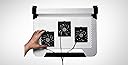
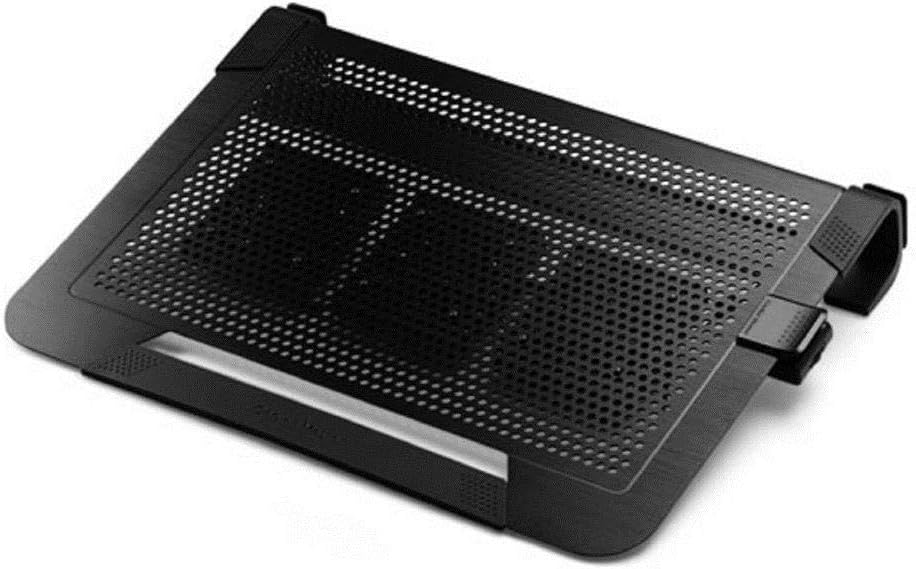
The Cooler Master NotePal U3 PLUS is a versatile laptop cooling pad featuring three adjustable 80mm fans (950-1800 RPM, 15.42 CFM each) that target heat zones precisely. Its lightweight, durable aluminum frame maximizes airflow while providing an ergonomic typing angle to reduce wrist fatigue. Doubles as a protective carrying case with rubber pads and a safety strap, supporting laptops up to 19 inches. Ideal for professionals and gamers seeking quiet, efficient cooling and portable protection.
| ASIN | B00ED3WMTC |
| Best Sellers Rank | #601 in Laptop Cooling Pads |
| Brand | Cooler Master |
| Built-In Media | cooling pad |
| Color | U3 Plus |
| Cooling Method | Air |
| Customer Reviews | 4.3 out of 5 stars 2,498 Reviews |
| Enclosure Material | Aluminum, Rubber |
| Global Trade Identification Number | 04719512042885 |
| Item Dimensions L x W x H | 17.1"L x 3"W x 13.1"H |
| Item Type Name | Laptop Cooling Pad |
| Item Weight | 1.1 Kilograms |
| Manufacturer | Cooler Master USA, Inc. |
| Material | Aluminum, Rubber |
| Mfr Part Number | R9-NBC-U3PK-GP |
| Model Number | R9-NBC-U3PK-GP |
| Number of Fans | 3 |
| Product Dimensions | 17.1"L x 3"W x 13.1"H |
| UPC | 069991996990 803982787309 884102022050 |
| Unit Count | 1.0 Count |
K**S
Good quality cooler stand that does the job.
Pros: Works great and is very quiet, even with fans at maximum speed. Using it on an Alienware 17 R4 i7-7820hk. Have checked it on a game that pushes the cpu hard, and on stress tests, both before and after using this cooler. In standard, non-overclocked mode, the temps are running around 7-10 degrees celsius cooler than without the cooler stand. When overclocked to 4.2ghz, with the laptop fans running at full, it does hit 98 degrees celsius at times, compared to around 100 degrees without the cooler stand. That would be as fast as I would overclock it for any length of time without doing a cpu repaste. I also tested it at 4.4 ghz, and temps were around 100 degrees celsius. For this laptop, 4.1ghz seems to be the ideal overclock, as temps stay in the low to mid 90s celsius with the cooler stand, depending on what you're doing. Before, without the cooler stand, even 4.1ghz overclock was approaching 98 degrees or so. So it seems to be doing its job, as I wanted to keep temps below 100 degrees, even when overclocking mildly. Depending on what you're doing, and how much of an overclock you're running, the cooler stand does seems to drop the temps between 2-8 degrees celsius, on a consistent basis. And running the cooler stand fans on high is no problem, as they're still whisper quiet. The moveable fans are easy to place where you want them, so you get the maximum cooling in the areas that you want it. So far, my laptop has not slipped on the stand....it has some rubber on the forward and backward part of the stand, which seems to be doing a good job at gripping the laptop so far. Since I only overclock it at home attached to my large monitor and using an external keyboard/mouse, I can always use the strap that is provided if it does start to slip on the stand. I did also check out using the laptop and its keyboard, and the angle of the cooler stand is not too much.....my hands seemed to still be comfortable, and typing and using the touchpad seemed to be just fine at that angle. I could see the laptop maybe slipping some if you were doing some hard gaming on the laptop using its keyboard. Cons: Nothing so far Would highly recommend this to anyone needing something to cool your laptop 2-10 degrees celsius. Keeps things below the max operating temps, even when mildly overclocked. 4.4ghz was even achievable, and the laptop still stayed just under 100 degrees celsius for the majority of the time. But, as I said before, I wouldn't do that kind of overclocking on a continuous basis unless I repasted the cpu. Overall, I am very pleased. For under 50 bucks, this stand does a nice job in helping keep temps manageable, even with mild overclocking, and the moveable fans are a huge plus. Edit: After doing more testing with Timespy, I am able to overclock to 4.2ghz with consistent temps below 98 degrees celsius. I have a feeling that a lot of this might be due to ambient temps, as my computer room was around 72 degrees F when I did my earlier tests. I normally have my window open a bit, with a small fan running to bring down the ambient temps(as my desktop is an old Athlon 2 970 that I have overclocked to the hilt, and it produces a lot of heat). So after bringing my computer room ambient temp down to around 68 F, I can overclock to 4.2 ghz with temps on HWmonitor around 97-98 tops on a consistent basis after the timespy benchmarks and stress tests. Before the laptop cooler, I couldn't do that, as temps were hitting 100 C and slightly above. VERY PLEASED!!!! Edit, 11/13/17: After fooling more with fan placement on the cooler stand, and updating the bios of my Alienware laptop, I am now running 4.2ghz overclocked, with temps averaging in the mid 80s to low 90s, with the occasional spike to 94.
E**S
Solid Cooling Solution with Customizable Fans
Solid Cooling Solution with Customizable Fans The Cooler Master NotePal U3 Plus has been an excellent addition to my laptop setup. The aluminum frame feels sturdy yet lightweight, and the built-in handle makes it easy to carry around. The three fans are the standout feature—you can slide and position them exactly where your laptop tends to get hottest. For me, placing one directly under the CPU area made a big difference in keeping temps down during longer gaming and work sessions. Noise is minimal, especially compared to the built-in fans ramping up under load. It’s more of a gentle hum, which is easy to tune out. The design also gives the laptop a slight tilt, which feels more natural for typing and improves airflow. I appreciate that it doubles as a protective carrying case when traveling, adding to its practicality. If there’s one small thing to keep in mind, it’s that the fans draw power from a USB port, so you’ll lose one connection unless you pair it with a hub. That said, the cooling improvement is well worth it. Bottom line: A well-built, effective cooling pad with customizable fan placement—great for anyone looking to extend laptop performance and comfort.
V**R
Good product
I use the product for my 17" laptop. Product fits the laptop properly, with minimum overhang. It's lightweight and cools the laptop well. I think the combination of fans, aluminum honeycomb, and the fact that the fan placement is adjustable, are complimentary benefits. My system reads a few degrees cooler than if I were working on the desk alone. The only issue is that the laptop slides. Not noticeably; it's like a slow creep. I say SLOW creep for emphasis, because a creep is already slow, but this creep isn't perceptible. It's just that if I position the laptop higher up on the cooling pad, about 30 mins later, it'll be lower down. The pad has a rubberized surface, but it's not as effective against creep as it should be. A front lip would have been effective. Otherwise, good product.
R**R
A SUPERB PRODUCT THAT WILL KEEP YOUR LAPTOP RUNNING COOL
This is a VERY well designed and effective cooling mat! It comes with 3 narrow muffin fans whose speed can be regulated from 900 to 1800 rpm. The fans can be easily arranged on the underside of the mat to provide cooling where most needed based on the location of your laptop heat sources - using a button on the side of each fan to release and attach 4 corner pegs on each fan to fit into the pegboard type surface of the mat. The fan noise is not much louder than the ambient noise level of the laptop and this can be controlled by adjusting the speed of the fans - one control adjusts all fans. The aluminum construction of the mat acts as a heatsink to draw heat away from the laptop to be blown away by fan action - cool air being drawn into the front under surface of the mat and blown out the left side. The mat has been designed to slope to the upside by about 2 inches and allows space for concealing an external hard drive and perhaps a usb hub to reduce clutter on the desktop. I have anORICO® High Speed 4-Port USB hub and a toshiba 1tb external drive concealed under my mat. The mat is completely stable on my desk with rubber feet that extend almost the entire upper and lower edges of the mat. An elastic 1 inch band is included to secure the laptop to the mat if desired and the "C" shape of the underside of the mat allows the laptop into fit this "slot" and be secured by the elastic band for easy convenient transport. The above features also make possible the stability and cooling on a soft surface such as bed or balanced on the legs while sitting. The mat has rubber "stubs" on either of the back corners of the mat so that excess cable can be wrapped around them to help keep cables stowed and neat. At about $38 with tax, this mat is on the higher end of the scale, but the outstanding performance of the mat justifies the added expense. So far, I am completely delighted by my purchase. My previous mat left my laptop running hot. With cool master pad, my laptop is now COOL to the touch. A final note - be sure to take time to regularly vacuum the cooling mat surface and fans as well as the cooling vents on your laptop. No laptop or cooling mat will run cool if clogged with dust.
R**B
Very good cooling pad. Highly recommended
I have been looking awhile for a cooling pad that fits my laptop properly. I have an ALienware 17 R3, which is a 17 in laptop, and is actually 17 inches wide ( including borders). So most cooling pads out there, although they claim can fit a laptop up to 17 inches, were actually slightly small ( most were around 16 in wide). As i was trying to find a proper cooling pad, i came upon this one and ordered it. So far , i am very happy with my purchase. One thing that i want to point out first, and this applies to almost all cooling pads, is that you have to keep in mind how these things work. They basically blow wind, using fans, towards/away from your laptop ( either towards the intake vents/exhaust vents, the bottom, side, etc). what most cooling pads, including this one DON'T do, is actually cool the air. ie, it increases ventilation. The air they blow is basically ambient temperature , so the actual cooling depends greatly on your ambient temperature ( if the laptop is in a hot area, then you will have less cooling. If the laptop is in a cool area, then you will have greater cooling). Having got the basics out of the way, let me now discuss this actual product. fist, it is wide enough to fit my laptop comfortably, both on width and depth. The laptop sits ( in the rear) at almost 3 inches of elevation, which kind of ensures good ventilation and air flow. It is made of aluminum ( in my case black), with multiple holes in it that serve 2 functions : 1) allows the placement of the fans anywhere on the underside if the pad, 2) allows air circulation and movement to the laptop. It is not too heavy, which is good for transportation, and it acts as a sort of carrying case in which you put the laptop inside of it, and secure the laptop with the elastic strap ( helps take less space in a backpack mainly). my first gripe with this is that the aluminium could have been a bit thicker, but it does the job.the front part as well as the back feet have a rubber coating which helps prevent inadvertent scratches the surface/table. My second gripe is that i wish the fans were a bit stronger. Don't get me wrong here, they do a good job in moving air, but stronger is always better. power to the fans( all three) is through the USB port, which functions also as a pass through USB in case you want to attach something else to that port. the fan speed is controlled by a wheel on a clip, which i have clipped tot he left side of the pad ( for convenience mainly). the fans can be arranged in whatever configuration you want ( the main plus for this pad), to help target the heat zones of your laptop. I have 1 under each intake vent in the back of my ALienware, and 1 in the middle of the laptop under the CPU. In the end, i would definitely recommend this cooling pad. Just keep in mind, it is not small.
J**E
I loved the older model of the u3
I loved the older model of the u3 (R9-NBC-8PCK-GP), these newer ones do not have the lower holes, in the older model I put in 1 inch nut and bolts to hold the laptop from slipping down, hope the next version put those holes back in all the way down like the older model gonna keep it, may just drill the holes myself someday, for now just moving new fans to my old model, as been using this for years and no issues, may look on ebay for old model as backup, but they are metal, so the frame should last a long time anyways edit, ended up drilling new holes, this worked great, also add rubber end caps to the ends of the screws, keeps laptop from slipping down
R**L
COOL BEANS! CoolerMaster takes the guesswork out of cooler mats for laptops!
Metal construction and triple fans that are literally a snap to custom-place - plus you can mount the USB pass-through dongle on either side of your laptop! If you want a high quality cooler mat, you can trust CoolerMaster. I am totally satisfied with this, bought to supplement the triple cooling in my new ASUS ROG Strix Gaming Laptop. I don't see a way to increase/decrease the fan speed - and the 'instructions' were very brief. Moving the fans is incredibly easy, you depress a release button on the fan itself, and it pops out of the mounting holes so you can easily reposition it as desired! FANTASTIC design. The metal is very nice and pulls heat away from the laptop. The tilt stand allows cool room air to be sucked in and then forced upward towards the base of the laptop. I asked ASUS if they recommended a chill mat - and they were quite positive in saying YES. Given what notebooks cost these days, I thought investing in a quality chill mat was a smart idea. This unit (combined with my very heavy gaming notebook) is NOT designed to cool YOU off while using the notebook on your lap. Rather it is designed to cool the NOTEBOOK off as it will heat up during intense gaming. Nice and quiet which is important to me.
M**T
Excellent cooling platfom for daily needs -- GAMERS need to understand what this can and can't do.
I looked at many different products and read tons of reviews before select this CoolerMaster for my HP 17" laptop that I use to play various graphic intensive games, video editing, and some number-crunching that constantly over-heats my laptop. My last Laptop cooling pad fan was in the middle and did not cool the upper-right side of my laptop where the heat really is. It was big, bulky, and loud. It did not cool my laptop during peak game play. I am sure the fan could move the volume of air I needed, but it wasn't where my laptop needed it. I found myself propping the fan in odd angles to get the cooling to line up with the laptop fan. I chose this product because to the easily movable fans and adjustable fans. Out-of-the-Box I was amazed at the solid construction and ease of clipping on the fans exactly where I needed them. I was seriously disappointed with its lack cooling-power. The cooling power of this device more resembles a "Gentle Refreshing Breese" rather than a "Gaming Laptop" cooler. During my research of this product I found one reviewer who shows tissue on the fan just sitting there. This is really accurate, the fans are totally under-powered and will not move tissue paper covering all 3 fans blowing at the same time... A serious con for somebody who really needs to cool a gaming laptop. If you need a product to simply provide air-flow with not a lot of noise while you listen to music, search the internet, read email, and the most taxing game you play is solitaire, this will do the job nicely. These fans were totally adequate for this task while not playing any games or doing any number crunching. This product is well-built and sturdy for most any laptop. It is light and not very bulky. It is a GOOD product for every-day use. If you are a gamer and have ever updated your computer just to play the latest game (and are for some insane and crazy reason are still using a laptop) the fans on this cooler will never do what you want them to. They can not move enough air when you are maxing out your CPU. Out of the Box, this is NOT for anybody that has serious cooling needs. Now, that being said I would buy this again. Because of its open design - it is basically a metal mesh - you can easily find a fan that moves the volume of air you need and place it exactly where you want it to go. In the back of the platform you have a solid 2 inches of clearance. My solution is an external USB fan. In the end, this product is a fantastic cooling platform that allows you to custom fit fans to suit most-any cooling needs. This product gets 2.5 Stars for the fan power and 5 Stars for the design.
D**G
Very pleased customer
My laptop: MacBook pro 15 in. I have searched far and wide for a good quality cooling mat that would look great on my desk without having to break the bank. After reading a lot of reviews on many different products, I chose the U3 and, let me tell you my friends, I am not disapointed at all! The movable fans are perfect for any type of laptops and you can also target any area/component that might get hot depending on what you do with your device. It is very easy to move and lock them with the simple push of a button. I use my laptop do a lot of multitasking on different monitors and after some time if I had to many programs running, my CPU would get really hot and the computer would shutdown until I let it cool a bit. Haven't had any problem since I got the the cooling mat. The product's quality is phenomenal... you can't really go wrong with Cooler Master. The mat is sturdy, nothing slips and it's also very ggod looking on the desk next to the monitor. Also the price is more than affordable for what you get. If you are looking for a good cooling mat that you can keep for a long time and customize to your needs, look no further this is for you. I totally recommend this product and would by it again as a gift anytime.
B**.
Durchdacht
Ich möchte hier keine technische Expertise schreiben sondern nur kurz meine Erfahrung mit dem Gerät zusammenfassen: Das Teil ist absolut logisch aufgebaut. Es erklärt sich alles von selbst, man muss nichtmal in die (gute) Kurzanleitung schauen: Beim Anstecken der Lüfter wendet man natürlich keine Gewalt an, sondern Fingerspitzengefühl. Dann klappt es perfekt. Der Raum unter der Auflage ist für Kabel und Lüfter ausreichend, egal wo man sie anbringt. Die Klemme für die Kabelführung lässt sich anbringen wo auch immer man sie nach den Bedürfnissen des Laptops benötigt. Den Lüfter höre ich nicht, aber ich spiele mit Headset. Ohne Headset ist er leise. Der Winkel ist sehr angenehm, das Laptop bedient sich viel besser wenn es hierauf plaziert wird als auf einer ebenen Fläche. Ich benutze die 19'' Variante mit einem 15,6`` laptotp. Kann ich nur dafür empfehlen. Wer den Platz hat um den 19er coolermaster hinzustellen sollte auch für 15,6er laptops hierauf zurückgreifen. Denn der 15,6er Laptop passt perfekt in die Mitte des Kühluntersatzes. Man könnte fast meinen, er wäre genau hierfür gebaut worden (und nicht für 19er laptops). Die Kühlleistung ist sehr gut. Mein Laptop läuft auch bei Maximallast nicht heiss damit (dank der variabel monierbaren Lüfter!! - danke an den Entwickler, genial!). An jeder Ecke durchdacht: Der belegte USB-Slot wird durch eine Kupplung im Stecker nicht "verbraucht". Stabil, effektiv, sieht gut aus, durchdacht, hochwertig, funktionell - was will man mehr? Ich bin begeistert.
S**S
Idéal pour un 17" ASUS INTEL I7...
Dépasse, de chaque côté latéral du PC, de 1 cm... Paraît costaud, les matériaux semblent de bonne qualité, SOBRE (rare de nos jours), les 3 ventilateurs se clippent aisément et rapidement sous la grille, sont absolument silencieux . La "puissance" du pouvoir de rafraichissement n'est peut-être pas hyper puissante mais la trilogie des ventilateurs fixables sous les endroits "chauds" (à déterminer soi-même) laissent une grande mobilité d'action quant à ce "rafraichissement" de la machine et le métal du PC (sous celui-ci) reste FROID !!! Donc, cela fonctionne correctement. N.B. 1 : Ni le surpoids de ce socle ni l'encombrement éventuel ne sont gênants (également bien conçu pour le transport)... N.B. 2 : La "sangle" (vulgaire bande élastique -en tissu élastique mal cousu-, de 3 ou 4 cm de largeur) est très efficace pour éviter tout glissement de la machine hors de son socle lors de son utilisation. En résumé : IMPECCABLE & TRES BON RAPPORT QUALITE / PRIX ; -bien plus efficace, robuste (qualité matériaux) et esthétique (sobriété oblige) que les KLIM acquis auparavant !-
E**E
Calidad Cooler Master y enfriamiento rápido
Es grande, de calidad, aguanta un portátil grande y el caudal de aire es generoso. Lo he probado en tres equipos, dos que tienen entre 7 y 8 años y un notepad de unos 5 años. Los dos primeros, de 15,4 y 17 siempre he sido muy escrupuloso con ellos, usando aire comprimido para limpiar bien de polvo, desmontando y aplicando pasta antitérmica y demás cuidados. El de 17 lleva un micro AMD que suelen calentarse bastante. Tal y como lo tengo es raro que suba más allá de 65, pero los he visto ponerse a 70 nada más comenzar a trabajar. Con la base Cooler Master las temperaturas máximas que vi ayer eran de 53, manteniéndose de media en los 40-42, que para ese AMD es un buen número. El de 15,4, un HP con i3 estuvo de media entre 33-34 grados. El pequeño no tiene ventilador, si no disipadores, se mantuvo 3n unos 50 grados, suele irse casi 20 grados más sin ventilación. Así que la base cumple en ese sentido. Por otro lado la calidad es buena, de aluminio, los ventiladores son fáciles de colocar donde más falta hacen, el ordenador se agarra perfectamente y no se mueve y encima no pierdes el usb. Es grande pero no aparatoso. Espero que dure, tengo otra base thermaltake que dejó de funcionar al año de tenerla. Ojo, una base no es la panacea, hace su trabajo muy bien, pero si tienes los disipadores llenos de pelusa y el micro con la pasta reseca va a ser difícil que notes una gran diferencia, si no es así sí que puedes notar más de 10 grados de temperatura, aparte de que discos y equipo en general se mantiene fresco, alargando su vida.
A**N
Böylesi yok
Daha önce kasa kullanan biri olarak laptopların sıcak çalışmasına bir türlü alışamadım, içerisinden çıkan ayarlanabilir fanları laptobunuzun alt kısmında bulunan fanların olduğu yere denk getirdiğinizde, kendi aliminyum kasası ile birlikte sıcaklığı da yayarak daha serin çalışmasını sağlıyor, daha serin bir laptop istiyorsanız, 12 cm'lik bir pc fanı alıp, usb ile adaptör çeviri ile takarsanız kasa gibi serin bir laptobunuz olur, diğer adı sanı duyulmamış soğutuculara para vermenize gerek yok, hepsini deneyimlemiş biri olarak söylüyorum.
Trustpilot
3 weeks ago
2 weeks ago