Desertcart purchases this item on your behalf and handles shipping, customs, and support to South Africa.
๐ Upgrade your home network โ speed, coverage, and control in one sleek device!
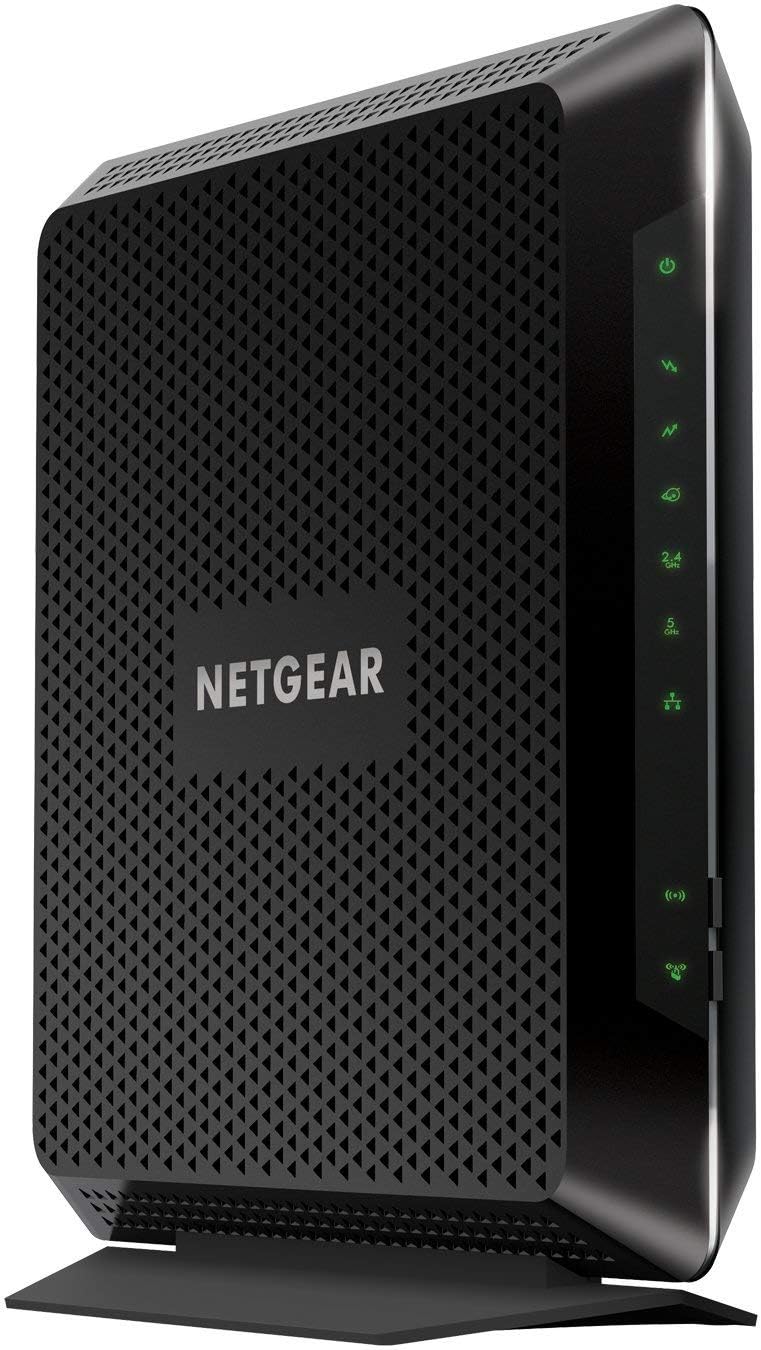
The Netgear Nighthawk C7000 is a high-performance cable modem and WiFi router combo designed for cable internet plans up to 800Mbps. Featuring DOCSIS 3.0 with 24x8 channel bonding and AC1900 dual-band WiFi, it delivers fast, reliable coverage across 1800 sq ft. Its integrated parental controls, WPA2 security, and Alexa compatibility make it a smart, all-in-one solution for modern homes seeking to ditch rental fees and enjoy seamless streaming, gaming, and connectivity.


| ASIN | B07WMRBGC7 |
| Antenna Location | Gaming |
| Antenna Type | Fixed |
| Best Sellers Rank | #6,700 in Electronics ( See Top 100 in Electronics ) #11 in Computer Networking Modems |
| Brand | NETGEAR |
| Built-In Media | Nighthawk AC1900 WiFi Cable Modem Router (C7000)^Ethernet cable^Quick install guide^Power adapter |
| Color | black |
| Compatible Devices | Printer |
| Connectivity Protocol | WiFi |
| Connectivity Technology | Ethernet, USB, Wi-Fi |
| Control Method | App |
| Controller Type | Standard Wired Controller/Wireless Controller |
| Coverage | 1800 sq ft |
| Customer Reviews | 4.3 out of 5 stars 6,769 Reviews |
| Data Transfer Rate | 1900 Megabits Per Second |
| Frequency | 5 GHz |
| Frequency Band Class | Dual-Band |
| Has Internet Connectivity | Yes |
| Is Modem Compatible | Yes |
| Item Dimensions L x W x H | 11.02"L x 3.94"W x 11.65"H |
| Item Weight | 1.6 Pounds |
| LAN Port Bandwidth | 10/100 megabits per second |
| Manufacturer | Netgear |
| Maximum Upstream Data Transfer Rate | 384 Megabits Per Second |
| Mfr Part Number | C7000-1AZNAS-cr |
| Model Name | AC 1900 |
| Model Number | C7000 |
| Number of Antennas | 3 |
| Number of Ports | 6 |
| Operating System | Mac Os,Vista,Windows 7 |
| Other Special Features of the Product | Alexa Compatible, Parental Control |
| Router Network Type | wireless |
| Security Protocol | WEP, WPA-PSK, WPA2-PSK |
| Special Feature | Alexa Compatible, Parental Control |
| UPC | 714752710819 |
| Unit Count | 1 Count |
| Voltage | 120240 Volts |
| Warranty Description | Support : 24/7 basic technical support provided for 90 days from purchase date, when purchased from a NETGEAR authorized reseller. |
| Wi-Fi Generation | Wi-Fi 5 |
| Wireless Communication Standard | 802.11ac |
| Wireless Compability | 802.11ac |
C**J
Couple of notes if never owned ur router
If you've never owned a router combo vs renting..like us.. couple of things to note. Set up NG router then from Xfinity account>add a new device app walls you thru process takes about 15 min. This turns on Xfinity service thru the NG, and turns off their device connection. Then use the Xfinity chatbot to start a return of their router. Each device...say security camera, etc.. you want to connect to NG, must enable guest wifi from the Nighthawk NG app . Hooking up devices does not work with main connection. Essentially its plug & play, booklet included explains the Xfinity process also. Excellent so far and saving us $15.99 pm that we've paying forever. ๐
A**R
Excellent All-in-One for Mid-Tier Plans โ Great Speed and Convenience
I purchased the C7000 to replace an older separate modem and router setup, mainly to reduce device clutter and improve performance for my 400 Mbps cable internet plan. After several weeks of use, I am very satisfied with the overall stability and speed. Performance & Speed (5/5) The C7000, with its 24x8 channel bonding and DOCSIS 3.0 support, handles my 400 Mbps plan effortlessly. I consistently get speeds at or slightly above the advertised rate, even during peak usage hours. The connection has been rock-solid; I have experienced zero unexpected drops or required reboots, which was a frequent issue with my previous equipment. The built-in AC1900 WiFi is powerful. Coverage easily spans my 1,800 sq. ft. two-story home, and the beamforming technology does a noticeable job of directing the signal to connected devices (laptops, phones, smart TVs). Streaming 4K video, video conferencing, and competitive online gaming simultaneously is no longer an issue.
D**.
Small footprint! Four Ethernet Ports!
Although over the years I have depended on hundreds of reviews, I have written only one other review which was for an excellent washing machine that I once purchased, I feel compelled to give a five star rating for this NetGear Modem Router Combo C7000. For those who may not be interested in the back story, I will explain that I purchased this unit from Amazon on January 18, 2025 for $99.99 as a renewed (refurbished) item and have had zero problems with it. I donโt know how to explain it, but it appears to be a brand new unit, including the packaging, but that is not all. The unit has four Ethernet ports which allow me to connect directly with my VOIP phone as well as with my security cameras. BACK STORY: Early in January of 2015 I purchased my first NetGear Modem Router Combo. It lasted ten years with zero problems. Earlier this month (January) I received a notice from my internet service provider that they were going to do a service upgrade and that there would be an outage from midnight until about 6:00 a.m. As of 12:00 noon I still did not have service, so, I I called Spectrum. The fellow told me that they had resumed service and that he would send someone out later in the afternoon. After checking he apologized saying that he would not be able to do so until late the next day. When the service worker came out, the first thing that he said even before coming into the house was โYour modem is fried.โ I asked what the upgrade was all about. He said that they increased the power. I then asked if that could have caused my modem to fail. He said โno.โ I still suspicioned that there was a connection; however, I knew that there was no alternative. I also knew that a modem is furnished with the Internet subscription, but not a router. That was going to be $10 per month. I didnโt say anything more to him, but I immediately researched Amazon for NetGear modem router combos. I then purchased a new NetGear C6230 for $133.00, which was advertised as being compatible with Spectrum. (Now being sold for $116.00.) After changing the cable and registering it with my WiFi settings, I called Spectrum to have them make the necessary changes and communicated with a very nice and patient fellow. After about fifteen minutes, much of it being on hold, he apologized for the delay and told me that that modem was not on the approved list of modem routers for Spectrum. He then directed me to an approved list of about (only) five or six approved modem routers. This list was on a submenu of a submenu of a submenu. And I believe I know why. I immediately returned the modem router combo to Amazon and they credited my bank account on the same day. I then purchased the C7000. When I returned the (large bulky) modem and the (large bulky) router to Spectrum, I cannot say that they were overjoyed. I was delayed approximately thirty minutes in completing the paperwork for returning their equipment. By having my own router, I have saved hundreds of dollars over the past ten years and at todayโs rate, if I am able to go ten years with this modem router combo I will save myself at least $1,200,โฆ probably more because their rates โ like everything else in the marketplace โ are constantly increasing. One final note. Over the years when I would turn on or turn off my WiFi service, I would notice that more than half of the modems appearing in my list had been given โcutesyโ names like Bulldog, FBI, Mexican Mafia, etc. Now, all but two have names including the word Spectrum. For example: SpectrumSetup-23. Something tells me that I wasnโt the only person who had a โfriedโ modem.
J**P
Great device, but not ......
For 5 years I have been renting some 2014 modem/router by our cable provider for 10 bucks a month!!!!! for 5 years...........do the math.........I finally got hold of one of the cable bills that my wife was paying and realized they were charging me for this monstrosity. That ended immediately, and I graciously dumped it off to the cable provider. I immediately did some research and came upon this NetGear device. The set-up was not as easy as plug and play expectations (see below), yet the activation was easy, and for what it's worth it looks much more sleeker than my prior device. The only thing I am a little upset over is the incompatibility of the NightHawk app. Apparently this particular model isn't supported by the app, that's a bit confusing and offensive considering this product says NIGHTHAWK.......With that said, you go into a rabbit hole of trying to get into the settings of your router due to the fact that the nighthawk app isn't compatible. I had to do some research and reading this will save you folks some time. Delete the Nighthawk app, and download the Netgear Genie app, it's an older iteration of the Nighthawk app that is no longer supported by NetGear but still functions. OR...., you can type in the IP address that is taped on the back corner of the Nighthawk into your search browser and that will direct you to the settings! Hope this helps!
R**Y
Netgear
The Netgear Nighthawk was easy to set up. So far it is working as expected.
I**N
Works Spectrum July 2025, refurb units die easy
Edit to 1 star, the unit died within 48 hours of use, but thatโs just hardware failure, Iโll leave up the previous stuff I wrote: Works for Spectrum July 2025, important steps: 1. Do not let them give you "symmetrical speed" no matter what plan you choose, slowest or fastest, it cannot be "symmetrical" 2a. You have to do an internal activation on this modem/router combo first before spectrum activation, and Firefox does not work for it, you have to use Chrome, or Safari or Edge I guess would also work since they're chromium 2b. Attempt to connect to the router either using the supplied ethernet cable or using the wifi password on the label, then type into chrome 192.168.0.1 or the routerlogin address (this step is explained in the included instruction paper) 3. First thing that will come up is it will make you change the default password, easy, you just have to do it. 4. Only now can you activate spectrum, it will basically automatically do it if you've already called them, but when it says on screen "this will take 10 minutes" that is true, just keep waiting, it will work. I went back to firefox for this, and you should use firefox in general, it has the best adblocker extensions. 5. Spectrum activation screen then says "we need to restart your modem" and it will automatically do that. 6. Spectrum activation screen then says "failed to restart" but it actually works, just close the screen then, check your favorite websites, should be working.
B**L
Netgear nighthawk is a really great product
Title: Great Modem Router Description: I bought this because I was tired of paying my ISP provider for renting theirs and not being able to use the USB port. I connected an external drive to have a mini network. Works great for streaming files and music to all my devices. The modem setup was easy and straightforward. I really like the nighthawk app as well as the web interface. I feel confident that my network is secure and that I have the control to use everything the way I want to.
W**R
Recommend this device to anyone.
Very easy to set up in about 25 min. Works great and has great download and upload capabilities and I have 10 devices pulling from it. net gear had been the only brand I have used for the past 20 years. Never had a problem with any of them. Would recommend to anyone looking for a new one.
Trustpilot
1 week ago
1 month ago