Desertcart purchases this item on your behalf and handles shipping, customs, and support to South Africa.
🎨 Elevate your art game — where precision meets vibrant creativity!
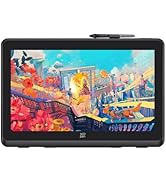
The XPPen Artist13.3 Pro is a professional-grade 13.3-inch full-laminated drawing tablet featuring a 1920x1080 FHD display with 123% sRGB color gamut, 16384 levels of pen pressure sensitivity, and 60° tilt recognition. It includes 8 customizable shortcut keys, a Red Dial for intuitive control, and a battery-free stylus with lag-free tracking. Compatible across major OS platforms and creative software, it’s designed for artists seeking precision, vibrant color accuracy, and enhanced workflow efficiency in a portable form factor.


| ASIN | B07VPHR6GD |
| Active Surface Area | 75.875 square inches |
| Additional Features | Portable |
| Best Sellers Rank | #10 in Computer Graphics Tablets |
| Brand | XP-Pen |
| Built-In Media | 1 x Battery-free Stylus, ,1 x Pen Holder,8 x Replacement Pen Nibs, 1 x Cleaning cloth, 1 x Black Drawing Glove, 1 x Quick Guide, 1x 13.3 Inch Display, 1x 3-in-1 USB Cable, 1x USB Extension Cord, 1 x Adapter, Stand |
| Color | Black / White |
| Compatible Devices | Windows 11/10/8/7(32/64bit), Linux, Chrome OS,Mac OS X 10.10 and above. |
| Connectivity Technology | USB |
| Customer Reviews | 4.5 out of 5 stars 3,422 Reviews |
| Display Type | LED |
| Item Dimensions L x W | 9.84"L x 15.37"W |
| Item Type Name | Graphics Tablet Screen, More Than 10 Inch Portable Display Device |
| Item Weight | 2 Kilograms |
| Manufacturer | XP-PEN |
| Mfr Part Number | Artist 13.3Pro |
| Model Name | Artist 13.3Pro |
| Model Number | Artist 13.3Pro |
| Native Resolution | 1920x1080 |
| Operating System | Windows 10/8/7 et Mac OS X 10.10 (et versions supérieures) |
| Pressure Sensitivity | 16384 Levels |
| Screen Size | 13.3 Inches |
| Special Feature | Portable |
| Specific Uses For Product | Online Education,Digital Drawing,Professional Design, Video Edition |
| Target Audience | Student, Teacher, artist, designer |
| Unit Count | 1.0 Count |
T**.
Great Drawing Tablet!
After trying two other drawing tablets from competitors, I went ahead and tried my luck with this one. I LOVE IT!! I love how responsive the pen is and how accurately it responded to my drawing. I drew the above image which was quite detailed in less than an hour because it responded so well, it was like sketching by hand! Love that I can now draw directly to my computer using Photoshop and have digital art I can use to make my adult coloring books. My first coloring book has sold over 100 copies in less than 3 weeks! People love the detailed artwork to color and enjoy. This XP-Pen will be a vital part of my future successes as I create more coloring books for people to enjoy! The screen is very nice, colors look great, pen tracks precise and easy to setup and get running! Only downside is having to be attached to my laptop with cords, but that is a small negative when it increases my production 10 fold! Now I don't have to draw on paper (and start over if I make a mistake), scan in the image and then edit it to the proper format and dpi to make digital art. Can't wait to see what I can produce with this tablet! Nice thing about drawing digitally is if you make a mistake - you can instantly undo it and not have to start over with a clean sheet! This tablet is worth it's price! I've been a graphic designer for 25 years and find this jewel to be a great asset to my design skills. Now that I am retired, I can draw whatever I want for myself and earn a nice passive income from it!
P**P
Amazing!
I LOVE this drawing tablet! It is my first ever one, and it is so high quality and easy to use. I was mostly a traditional artist and I got this last summer, and it felt like I was doing art like normal on my paper/canvas! It’s been a year since I owned it and I’ve had little issues with it. There are some instances where the screen glitches but it happened like three times in the span of a year. It is smooth drawing on the screen, and the pen pressure is great, and it is lightweight so I can pick it up comfortably without struggle (even though it mostly stays in the same area). I’ve never had a problem with the battery since it’s always connected to my laptop! In all I love this drawing tablet, it helped me easily transition from traditional to digital, and I can tell it will last even longer!
G**Y
Professional Artist-Love this
I've tried a lot of digital art projects, and let me just say this is the best value you can get and it's not like you're getting a basic value. I have an Ipad Pro 11inch 4th generation that I use as well and it is the only thing I would put above this drawing pad. You get everything with this drawing pad, the color is spot on, the pen is great (very similar to Wacom tablet pens), pen lag isn't really a thing that you have to worry about either, the buttons are easy to use, it isn't touch screen so you don't need a glove but it does come with a glove, it plugs right into your computer or laptop and you're ready to go. This thing really is the best you can get at this price but also it compares to the best Wacoms as well. If you're on the fence or don't know which one to get this is the one you won't regret, it. For new artist this is perfect but also for artists that have been in the industry for a long time this is also great. I recommend getting Krita on your computer if you're new to digital art and working in there first then moving onto other programs if you'd like to. Mainly because Krita is free and works well with this product. The only thing I would have done differently is buying a bigger screen but really this size is perfect for pretty much everything. I really love the product I bought one for my sister as well and she has been able to really get into art again because of it. I hope this helps anyone looking around and that is unsure of what to get. Also for anyone with confusion drawing pads hook up to laptops and computers and the screen on your laptop is what shows on the drawing pad screen making it easy to draw. Don't think this is like an ipad that works souly on its own. Anyways 10/10 love it, go for it!
M**L
Great gift with a lot of value for it's price
I purchased a drawing tablet as a birthday gift for my teenage sister, and it has proven to be a high-quality device that enhances her artistic abilities. Here's my detailed review of the product. Let's start with the pros. The drawing tablet offers a significant upgrade from a regular drawing pad without a display. The high-quality construction and features make it an excellent choice for artists looking to take their digital art to the next level. It provides a more immersive and intuitive drawing experience, allowing my sister to express her creativity with greater precision. The package includes everything required to start using the product right away. It comes with gloves, a pen, and a generous supply of replacement tips. These accessories ensure that users have everything they need to begin their digital art journey without the need for additional purchases. The inclusion of multiple replacement tips is especially convenient, as it extends the longevity of the pen and allows for different drawing techniques. Another advantage is the availability of online support and setup guides. The drawing tablet has a wealth of online resources and tutorials, making it easy to find assistance and guidance when needed. This is particularly helpful for beginners or those new to drawing tablets, as it provides a helping hand in getting started and understanding the various features and functions. The supporting software provided with the drawing tablet is user-friendly and offers a wide range of options. It strikes a good balance by catering to both beginners and more proficient artists. The software provides enough features and customization for those with advanced skills, while still being accessible and approachable for beginners. This versatility allows users to grow and adapt their digital art skills as they progress. Moving on to the cons, one aspect to consider is the number of cables involved in the setup. Once fully connected, the cables can be a bit visually unappealing, detracting from the overall aesthetic of the drawing tablet. However, this is a minor concern compared to the functionality and performance of the device itself. In terms of setup, it's worth noting that it may require some troubleshooting. Getting the display working perfectly may take a bit of effort and patience. While this can be a bit frustrating initially, it's important to understand that drawing tablets often require specific settings and configurations to work seamlessly with different computer systems. Once the setup is complete, the overall experience is well worth the initial troubleshooting. In conclusion, the drawing tablet has proven to be a high-quality device that offers a superior drawing experience compared to traditional drawing pads. It includes all the necessary accessories for immediate use, and the abundance of replacement tips ensures long-lasting functionality. The availability of online support and setup guides is a valuable resource for users, and the accompanying software strikes a good balance between simplicity and advanced options. While the number of cables may not be aesthetically pleasing and the setup may require troubleshooting, these minor inconveniences are outweighed by the overall performance and functionality of the drawing tablet. If you're looking to elevate your digital art or provide an impressive gift for an aspiring artist, I highly recommend considering this drawing tablet.
J**N
Surprisingly good!
I honestly wasn't expecting much, but to my surprise this is actually a very functional and practically priced drawing tablet.
K**Y
My search for a great drawing tablet is finally over
I'm a seasoned designer and have been working on expanding my skill set in illustration and pattern design. My search for a drawing tablet has been a little bumpy. I started with the iPad Pro, and dropped a big chunk of change on it feeling confident I would love it. I wanted to use it with AstroPad so I could draw in Adobe Illustrator via my laptop, like a regular drawing tablet. Unfortunately, I hated the experience - the Astropad connection wasn't smooth enough for me and most importantly, the feeling of the Apple Pencil against the iPad glass made my skin crawl. I thought I would get used to it, but I never did, and my iPad ended up collecting dust. So I started looking into dedicated graphics tablets. I initially bought one from a different brand. It was a model that didn't have a display screen. I really liked the way that one felt; worlds better than the iPad. But the drivers for that one were super buggy and unreliable. So I sent that one back too. Finally, I decided to take a chance on the XP-Pen Artist 13.3 Pro and I am SO glad I did! The instructions for installing and setting up the drivers & controls were on the website and super clear (I'm on a Mac running Mojave). I was able to easily map all the buttons to the controls I wanted in Illustrator, and I was happily drawing no more than 40 minutes after opening the box. I've been using this tablet for a few days now and it's been smooth sailing. The display is big and beautiful and there's no lag. The screen feels great to draw on. Not exactly "like paper" as some have said, but it definitely feels nice. Nice glide but with just enough resistance to feel like an authentic drawing experience. I am very happy with this purchase. PROS: • Display is big and beautiful • Zero lag • Pen feels great on the screen • Easy to set up • Comes with lots of accessories Cons: • The 3-in-1 cable works great but feels bulky, especially if you are using the tablet anywhere other than a desk. But that's just what wires are like, I suppose. For me, the tradeoff is worth it b/c wires mean there's never any lag or connectivity issues. • It was a pain to find a case for this. I wish XP-Pen made one for this size tablet. I ended up purchasing this one and it's worked out well: https://www.amazon.com/gp/product/B07JC8MZH1/ref=ppx_yo_dt_b_asin_title_o01_s00?ie=UTF8&psc=1
A**L
13.3" semi-comprehensive review
so, after using the same no-screen drawing tablet (Gaomon M10K Pro) for YEARS, i eventually outgrew it; i decided to look into a screen tablet, and i landed on this. i'm only half a week into using this thing, but i've used it enough to write a semi-comprehensive review and list the pros/cons as honestly as i can. this review will also be edited as i use the tablet more or if i run into any problems as i was researching, these were my must-haves for a screen tablet: ✓ left-handed friendly ✓ around the same working area as my previous tablet (M10k is 10" x 6.25", this tablet is around 11.5" by 6.5", pictured below). also because i have limited desk space ✓ price-friendly, preferably ≤$400 (I got this thing for like $200, it was on sale + used coupon) ✓ scrolling wheel (M10k put me on it, I use it SO often so there's no way I could do without it) ✓ battery-free pen ✓ more than like 4 shortcut buttons (again, M10k put me on it) ⚠️ i would like to preface this by saying this is my first SCREEN tablet and therefore have nothing to compare it to. however, Brad Colbow on YouTube has a great review on the 13.3" and 12"; i recommend watching that for a more physical demonstration of the tablet's features/capabilities, as well as a fair comparison to its competitors. pros: ➤ 1 ) price i got this for around $200 (sale + Amazon coupon); this is an amazing price for something of this size and performance level. this tablet's working area is around 11.5" x 6.5" (13.3" diagonally), while name-brand screen tablets of smaller sizes run twice, thrice the price of this. i'm very happy that i got something in this price range for this size, it fits nicely on my desk (pictured below) while also not breaking the bank ➤ 2) easy transition from a non-screen tablet, beginner-friendly as described above, i purposely picked a tablet close to the size of my old one to make this transition as easy as possible. if this is your first tablet in general, this is a completely reasonable pick as even name-brand, non-screen tablets run upwards of >$50-200 nowadays. if you are considering another size: i would say anything between 12"-16" is reasonable if you don't want something massive (i also have limited desk space so i decided not to opt for the 15.6"). ➤ 3) easy setup + adaptability within ten or so minutes, i was able to quickly transfer all my shortcut keys & get started pretty much right away. i took the advice of another review & used the power adapter since i wanted this thing on 100% brightness. if you already have 2 monitors, i would also recommend using the power adapter as to not overwhelm your PC (my GPU doesn't have integrated graphics, so i can only use the HDMI on my motherboard— i only have 1 HDMI, 1 DisplayPort, and 1 DVI-D port.) SPEAKING OF ADAPTERS: IF you only have one HDMI port and can't use it for this tablet, this tablet MIGHT work with a 4K Displayport (Male) to HDMI (Female) adapter; please check your PC's specifications, you wouldn't want to buy this tablet only for it to not work with an adapter. DVI-D to HDMI adapters probably won't work (i think DVI-D doesn't transmit information the same way DVI-I or DisplayPort can). i would honestly recommend just reconfiguring your setup so that the tablet can go into the HDMI port, and plug in any extra monitors with Displayport/DVI-D adapters; any extra adapters between the tablet and your PC might result in lower quality/calibration issues (which I get into with the cons below). IF YOUR LAPTOP/PC DOES NOT HAVE HDMI OR DISPLAYPORT, I WOULD NOT RECOMMEND BUYING THIS TABLET. a USB to HDMI adapter might not even work at all, it'll just be a hassle to return this thing once you find that out. ➤ 4) screen responsiveness the responsiveness of the screen is awesome! my artstyle includes very quick hatching/precise lines so i needed something with little lag and great precision. this fits the bill! the pen pressure levels and responsiveness are standard for its competitors, but it's definitely impressive at this price ➤ 5) extra items again, for the price i purchased this for, the extra items are very much appreciated and bumped up my satisfaction points. the 3-in-1 adapter is awesome for cable management and not having a million wires coming from the tablet. the extra pen nibs are awesome; however, upon reading the reviews, it seems that other people's nibs are running out quite quickly because of the friction with the screen protector. i ended up adjusting my settings so that i don't have to press as hard on the screen to preserve both the nib and the protector. i have a heavy hand while drawing, so i'm gonna stay conscious of that per the other reviews meh: ➤ 1) non-adjustable stand despite there being a ton of extra items included, the stand is probably the least impressive of the bunch. it only has one setting and isn't at the angle i'd prefer it to be. i ended up putting a notepad underneath it (pictured below) so that it can be more comfortable, and i'd recommend that others do the same if you're uncomfortable. also, make sure the stand clicks into place before setting the tablet on it... i'm a dummy and i didn't properly click it into place, and the thing collapsed after i set the tablet on top ➤ 2) calibration confusion/tilt as stated above, if a DisplayPort adapter ends up working with this thing, you might end up running into a few calibration issues. furthermore, if you're unplugging the HDMI often, you might run into the same issue. while i was reconfiguring my setup, i felt that i had to recalibrate this thing every time i unplugged it or changed it to a different port. i ended up configuring my setup so that it can stay plugged in 24/7, but ik many artists only plug in their tablets when they intend to use it. if that's the case for you, i would be cautious— if your calibration messes up each time you replug, it's gonna get annoying. i saw a couple other reviews saying something along the same lines but i guess it depends on whether you're patient enough for it. recalibration takes like 30 seconds but i quickly got annoyed even doing it a couple of times. as for the pen tilt problems: if you're using the stand and you often have your pen tilted, i would recommend calibrating the tablet with a tilted penhold instead of doing it straight-on (if that makes sense). idk it might just take some getting used to but it threw me off before i realized the problem ➤ 3) wheel click (subjective) the wheel makes a clicking noise when you spin it. i personally like the noise (its kinda ASMR lol) but i can see why someone would quickly get annoyed. if you're going to be using the wheel often and you hate that type of noise, don't drive yourself crazy— there are other screen tablets with wheels out there at a similar price. OVERALL: i'm impressed! despite having this thing for under a week, i've been using it every day and have collected a fair list of pros and cons thus far. i'm going to keep the packaging for the off-chance I'll return it by the end of the month but i doubt that'll happen since i'm pretty satisfied. i'm super anxious when it comes to buying new and expensive things; i researched like a dozen other tablets and I think this was the best choice for me! beginner or not, if you are looking for a screen tablet in this price range (with these specific features) i'd recommend giving this thing a chance last updated 11/2/2023
R**2
Fantastic for ALL
Overall Review: AMAZING product. An honest-to-god 5/5 stars. Purchased: May 3rd Review: May 20th with daily use After trying to determine if any of the less expensive display tablets would be fine to use over Wacom, I decided to give this one a shot. With one very very minor item aside (that seemed to self-resolve), I could not be happier with my purchase. I'm not a professional artist but I do a lot of work as my own hobby, and I'm convinced that anyone from beginner to pro would be very happy to use this. If you're wondering if a 700+ Wacom is worth it, I couldn't say. But I could confidently say that this being a fraction of the price is giving me the performance that I would have hoped for from a 700+ Wacom. - If you're new but confident that you will get a display tablet/confident that you will continue working with digital tablets, this product is for you. - If you're familiar with non-display tablets but have interest in upping your game, this product is for you. - If you're getting into professional work but don't have the money for "industry standards", this product is for you. If you're a professional who's Wacom died and you don't have the money to just get a new one, this product is for you. - If you are brand new to digital tablets, you might want to start on a cheaper option without a display. - If you are a professional who worked with industry standard equipment, I can't say if this is a suitable replacement for you since I've never had a Wacom display tablet. That said, I love this thing more than my non-display Wacom. In-Depth Review: What I use: OS: Window 10 22H2 CPU: Intel i7-10700F @2.90GHz GPU: NVIDIA GeForce GTX 1660 Ti RAM: 32GB Software: Clip Studio Paint 2.0 EX Tablet Model: Artist 13.3 Pro #1 Things to know beforehand: - Make sure your graphics card can support multiple monitors, as this acts as a second monitor. - The connector is HDMI. I didn't know this at the time, so I needed to get an HDMI to DP adapter. A passive adapter works fine for me, but depending on your setup, you may need an active adapter. - Since this is acting as its own monitor, it requires its own power. - This will also require a USB port to actually control it. - Once you get it set up, be sure to calibrate it properly using the XP Pen Dock Tool - If your normal monitor display is a different resolution, use the "Extended" display. Otherwise if you intend to mirror your display, your main display will need to be 1920 x 1080 to match the tablet. #2 On receival: I was blown away by the packaging, as everything was wonderfully pre-packaged. It includes: - A Microfiber cloth to clean the display - Cleaning wet pads to clean the display - Screen-protector partially pre-installed (simply remove the cover) - A palm glove (a little small if you have larger hands but still works just fine) - Cylindrical Pen housing . Contains EIGHT extra nibs as well as a nib remover under a screw cap. The other side is a screw cap for your pen. Very nice presentation overall. - The pen itself. Standard two button. Not terribly heavy, but it doesn't feel cheaply light either. Larger handle and tapers to a smaller top-end. Comes with a nib, meaning you have the 1 as well as the additional 8 replacement nibs. A lovely surprise and while nibs aren't the most expensive thing, I love that I don't have to worry about it for a long long while. - The Tablet. Feels like a good weight with 8 buttons(decent clicking feedback) and a scrolling wheel that clicks for each movement. The display doesn't feel flimsy, and the whole thing feels like it could maybe survive a minor drop (not that I'm going to test that theory) - The cables. Power (USB Type C to outlet), HDMI, and USB. - Display mount. Very simple, but it does the job. It doesn't seem to have different settings, but the mount works just fine sitting on my desk. #3 Setup: - Drivers installed with no issues on Windows 10 22H2 - Pentablet Configuration tool - FANTASTIC. All buttons are programable, including the wheel. Configuring how I wanted the tablet to function in relation to my OS was VERY simple. There are a lot of additional features in the tool that I don't really need, but it seems to have a lot of flexibility. - Clip Studio Integration: I didn't really have to do anything special at all going from my Wacom Intuos to My XP Pen tablet. I did very minimal calibration on Clip Studio and haven't felt the need to fine-tune the calibration yet. - The endcap of the pen case can also be used something as a pen holder. The base is relatively stable and the pen sits in it nicely. #4 Using the Tablet: - It was remarkably easy to go from a non-display tablet to this one. If you are going from a basic tablet to a display tablet, you may find the transition to be quite easy and even pleasant. - Physical feedback: While its not as "gritty" to feel like paper, there's still enough to not be totally off-putting. I've been using this thing a LOT since I got it (maybe over 100 hours?), and the nib still looks virtually untouched! - Distance Response: The display responds with a reasonable distance before being seen as "touching". Instances where I found that it was "touching" before or after I put the pen down were fixed by adjusting the settings of the pen/brush on the software, meaning that overall if you do have issues with this, its likely fixable in your art software of choice (tapering, speed of line, pressure, etc) - Buttons: The buttons don't stick on the display, and the wheel is a godsend. The pen's buttons are... a little annoying if you have a larger hand, but I've simply set the first pen button to "no input" to avoid most issues. If you pay attention to how you hold the pen, you can avoid it, but its a pain to have to undo what you did, adjust your hand, then work again. - Display Quality: Honestly, I don't have an eye for this kind of thing, but the color in relation to my monitor seems to be very close. You can adjust the temperature of your lighting, and I feel like its mostly if not completely true to color. - Feedback: I've felt no sense of delay in feedback that was unwanted, visual or otherwise. #5 Issues and product feedback: - Upon getting it set up, I have one little pixel on the display that wasn't dead but maybe... malformed? Upon looking for it again I can't even find it anymore, so its possible that it was a portion of the display that was pressing on the pixel that corrected itself. - The pen itself doesn't feel small to use, but the buttons make it evident that its meant for smaller hands. having the pen's buttons embedded into the pen would be a wonderful change to avoid accidental clicks. - The buttons on the tablet are fine, but I do wish they protruded just a little more to make them easier to find without looking. The buttons do have a few "braille" marks on them, but they don't feel that different from each other. - The pen cylinder house is LOVELY, but I think it would be nice to have it with a flared endcap so the endcap can be used to hold the pen without tipping over (or if it could be attached to the mount!). - Made In China. I personally don't care about this, but some people might. Even if the product itself was manufactured in another country, the chip and components have a 99%+ chance of being from China. Sorry to say but good luck finding computer parts manufactured in <your country here>. Most of these "negative" items are personal preference, and I wouldn't say they imply any true issues with the product itself. #6 Items I cannot confirm: - Support for Linux (such as specific distros, driver availabilities, packages/dependencies) - Support for Windows 11, Windows 8.1, Window 7 (Windows Server if you're using that for some reason?) - Support for Mac OS - Functionality with other Digital Software (Photoshop, Illustrator, GIMP, Krita). I've had Krita work with cheaper random tablets, but I can't confirm for this one. Presentation: 5/5 Quality: 5/5 Setup: 5/5 Configurability: 5/5 Customization: 5/5 Use of Product: 5/5 Comfort: 4/5 (if my hands were smaller, this would probably be 5/5) Value: 5/5 Overall, this product was worth absolutely every penny. I can't say how it compares to Wacom or other "budget-friendly" display tablets, but I can say that I have no feeling of wishing that I tried another brand instead. MAYBE there is a benefit for larger resolutions/true-color-quality with higher end tablets, but I've had absolutely no issue with this one. For 250ish dollars, XP Pen really made this thing feel like I got a bargain.
K**T
It works so good!!
I’ve drawn digitally for 8 years now and this is my first screentablet and I love it so much! It works so well!! ❤️❤️❤️
P**O
melhor impossivel!
perfeito, só tive algumas dificuldades para montar
A**O
La XP-PEN Artist 13.3 Pro: un sogno per aspiranti artisti e professionisti del disegno!
Ho regalato a mio figlio, appassionato di disegno professionale, la XP-PEN Artist 13.3 Pro, e non potrei essere più soddisfatto dell'acquisto. Questo tablet grafico ha trasformato la sua creatività, portando i suoi progetti a un livello completamente nuovo. Schermo eccezionale da 13,3 pollici Lo schermo Full HD offre colori vividi e una straordinaria precisione visiva grazie alla gamma cromatica del 88% NTSC e 178° di angolo di visione. I dettagli emergono con chiarezza, e il rivestimento antiriflesso riduce l'affaticamento degli occhi, permettendo sessioni di disegno più lunghe. Mio figlio ama come lo schermo sembri un foglio reale, rendendo l'esperienza immersiva e naturale. 8192 livelli di sensibilità alla pressione La penna senza batteria è uno degli aspetti che lo ha conquistato. Gli 8192 livelli di sensibilità alla pressione permettono di creare tratti precisi, con una risposta immediata e fluida che replica fedelmente il movimento della mano. Dal tratto più sottile alle ombreggiature intense, ogni dettaglio è sotto controllo. Inoltre, la penna supporta un’inclinazione di ±60°, ideale per sfumature e tratti dinamici. Tasti di scelta rapida personalizzabili Gli 8 tasti di scelta rapida e la rotella rossa intelligente sono comodissimi. Consentono di impostare scorciatoie per le funzioni più usate (zoom, rotazione, cambio di strumenti, ecc.), velocizzando il flusso di lavoro. Mio figlio li usa per passare rapidamente da uno strumento all'altro, migliorando la produttività e il divertimento. Compatibilità e prestazioni La XP-PEN Artist 13.3 Pro è compatibile con Windows e Mac, e funziona perfettamente con software come Photoshop, Illustrator, Krita, Blender, Clip Studio Paint e molti altri. Mio figlio, che usa principalmente Krita e Photoshop, ha trovato l’integrazione immediata e senza problemi. La connessione tramite cavo 3-in-1 riduce il disordine sulla scrivania ed è facile da configurare. Design portatile e pratico Con uno spessore di appena 11 mm, il tablet è leggero e portatile, perfetto per portarlo a scuola o in giro per progetti artistici. Nonostante la sua leggerezza, il dispositivo è robusto e ben costruito, un vero mix di qualità e praticità. Un’esperienza creativa senza limiti Da quando lo usa, mio figlio è entusiasta. Che stia creando illustrazioni, dipinti digitali o grafiche professionali, la XP-PEN Artist 13.3 Pro gli permette di esplorare nuove tecniche con facilità. Ha persino iniziato a sperimentare con l’animazione, sfruttando la precisione e la fluidità del dispositivo. Conclusione La XP-PEN Artist 13.3 Pro è il regalo perfetto per chiunque ami il disegno digitale, dai principianti agli artisti professionisti. Offre prestazioni di altissimo livello, funzionalità avanzate e un’esperienza utente che stimola la creatività. Mio figlio non solo la adora, ma ne parla come di uno strumento indispensabile per il suo percorso artistico. Se stai cercando un tablet grafico che combini qualità, innovazione e ispirazione, non cercare oltre. La XP-PEN Artist 13.3 Pro è un investimento che vale ogni centesimo
I**.
Súper recomendable
Está perfecta! Me encanta
A**R
Good Graphics Drawing Monitor.
This is the first Graphics Drawing Monitor I have ever bought and I love it.
Trustpilot
1 month ago
2 months ago