Buy anything from 5,000+ international stores. One checkout price. No surprise fees. Join 2M+ shoppers on Desertcart.
Desertcart purchases this item on your behalf and handles shipping, customs, and support to South Africa.
๐ก Elevate your home office with wireless freedom and secure callsโbecause your space deserves smart connectivity.
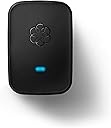
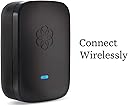
The Ooma Linx is a wireless phone jack extender designed exclusively for Ooma Telo and Office VoIP systems. Utilizing advanced DECT 6.0 technology, it delivers encrypted, interference-free connections for phones and fax machines anywhere in your home. Lightweight and easy to install, it supports advanced telephony features like caller ID and call waiting, making it an ideal solution for professionals seeking flexible, reliable, and secure home communication without the clutter of wires.


| ASIN | B00A35WSEI |
| Answering System Type | Digital |
| Brand | ooma |
| Built-In Media | Cordless Telephones with Answering Device |
| Color | Black |
| Compatible Devices | Ooma Telo, Ooma Office phone systems, telephony devices (phones, fax machines, home alarms) |
| Conference Call Capability | basic |
| Customer Reviews | 4.4 out of 5 stars 1,042 Reviews |
| Dialer Type | Tone Dialing |
| Enclosure Material | Plastic |
| Global Trade Identification Number | 00892943002629 |
| Is there Caller ID | Yes |
| Item Dimensions | 7.3 x 4.6 x 2.2 inches |
| Item Weight | 5.6 ounces |
| Manufacturer | D&H |
| Material | Plastic |
| Mfr Part Number | OOMA Linx |
| Model Number | OOMA Linx |
| Multiline Operation | Single-Line Operation |
| Phone Talk Time | 2 Hours |
| Power Source | Corded Electric |
| Telephone Type | Cordless |
| UPC | 892943002629 |
| Unit Count | 1.0 Count |
| Warranty Description | Manufacturerโs warranty can be requested from customer service. Click here to make a request to customer service. |
B**2
Linx and Ooma. Finally a VoIP service that works WELL with a fax and costs less than others
As a current user of multiple Ooma Telos, and multiple Linx units, I'm very satisfied with the Linx performance. For years, I've been forced to keep a traditional land-line available for use with a fax machine. Ooma Linx is a game changer for me with that respect. More on that in my review. First things First - A Linx REQUIRES that you purchase an Ooma Telo and use the Ooma Phone Service. The Linx ties to the Telo,and uses the phone service from Ooma. Because it's wireless, you don't need to run phone lines everywhere. Because it's digital-wireless, you get very good noiseless audio from the system. The Like the Ooma, the Linx has a phone jack which allows you to use traditional land-line type phones with it. These items can be answering machines, fax machines, corded phones, wireless phones, caller ID boxes, and possibly (although I have not tested this) devices like DirectTV boxes or TiVo boxes. In a nutshell, the Linx provides a remote wireless phone jack for your Ooma system. Pros: 1. Wireless. Linx lets you have a phone jack virtually anywhere in your house without running cables. 2. Digital. the wireless communication between the Linx and the Telo is digital, meaning less noise, better range, better security. 3. Encrypted. While some equipment may be "digital", not all equipment is encrypted. Linx uses DECT6.0 encryption. This means nobody can snoop or listen in on any of your calls. 4. Status light on unit. If it's glowing blue, you are good to go, if not, you can determine what's up by the color. 5. Fax machines WORK with Linx. There is a configuration - but they work great! 6. Existing traditional phone equipment works with the Linx. 7. VERY flexible configurations. I could go on and on about what Oomas benefits are but this is a review for the Linx! Cons. 1. If you lose power,you lose your phone line. Ooma & Linx (and your internet as well) require power unlike traditional phone lines. I recommend connecting your internet equipment & ooma to a UPS (uninterruptable power supply). 2. In the pros, I list that a fax machine will work, and that is absolutely true. However, like modems, fax transmissions have evolved to take advantage of better phone lines and can now utilize faster phone line connection speeds than older fax machines could. When using a VoIP service such as Ooma or Vonage, you will not be able to use your fax machine at the fastest possible settings. It's not a bad thing but it is something I should mention. I have had zero issues sending and receiving faxes using a newer type fax machine with Ooma, Just remember this if you are expecting the absolute highest speed from your fax. (If you want/need that, then stick with a traditional land-line - or use a service) In a nutshell, I recommend the Ooma, the Linx, and the service for anyone who wants reliable, inexpensive, and flexible phone service without a traditional land line.
M**9
Easy Setup
I purchased this so I could use a 2nd phone number I have with my Ooma Premier Service strictly as a fax number. Setup was easy and the fax was working within a couple of minutes.
P**3
Good product, but here are some cautionary comments that haven't been included in other Reviews
All the good stuff that people have said about the Ooma Linx is true. No need to repeat it all - however we must add that we heartily concur. That said, there are a few features that could stand improvement, or at least tweaking. The most prominent of these is the LED lighting on the unit. Of course it is absolutely necessary, and serves many important purposes. That said, the LED bulb(s) are simply too bright. As in they could be decreased by a bazilliondy-five candlepower, and still do what they have been designed for. As in, these lights could be used to line the runways at JFK to guide the jets in safely. As in.. oh, never mind. You get the idea. Mind you, this is not always a problem - but when used in a bedroom setting.. the entire room is bathed in an eerie, other-worldly, rather harsh blue glow. This is not akin to the soothing glow of a nightlight - but instead is much more similar to the emergency floodlights that automatically switch on in some public buildings when the primary source of electricity is interrupted. Yes, of course this issue could be resolved with a well-placed piece of electrical tape - but you shouldn't have to make such "fixes" to an item such as this - right out-of-the-box. Ooma would do well to consider incorporating a simple on-off switch to temporarily disable the indicator lights (not the unit itself), when necessary. This unit works incredibly well, but this is not (nor do Ooma claim it to be) groundbreaking or unique technology. As a matter of fact, it is very similar to the Wireless Phone Jack System, which was introduced in the early 1990s by General Electric (if memory serves). If you place this unit anywhere near a radio receiver, be prepared to sacrifice approximately the entire lower half of your AM band (due to interference from the Linx). That doesn't need to be inescapably bad news, however. We simply relocated the Linx to a nearby guest bedroom, and used a cordless phone connection.. keeping the handset in our bedroom, where we originally needed and installed the entire unit (with a corded telephone). Problem solved. Another interesting "feature", though not a bad one - is that we noticed the "protocol" of an incoming call to Ooma... and it's kind of fun. The phones attached to the system do not all ring in unison. They play follow the leader, as they progress from the wired connection to the DSL Modem (plugged directly into the Telo) - then to the Model HD2 Ooma handset (satellite) - and finally on to the cordless phone upstairs (referred to, preceding) connected to the Linx. 3 distinct rings, one after the other. Of course, this has no bearing on the function of the entire set-up, but it is a bit of a tickle to listen to (especially when the phones are placed far apart, and on different levels of the house (as are ours)). Basically a really good purchase. No disappointments or problems.
J**E
So the good part is
For the most part it's what I expected . Except for a few things . When someone calls the ooma directly the caller id is normal . But, when someone calls my google voice it only shows the name without the number showing . This can be an issue in many ways . If you just want to redial the number that called with a single button press ? You can't . No such issue if a phone is directly connected to the ooma box itself through a phone wire . So if you have another phone connected ? You can still know the caller id . And also a cell phone . Every once in a while it doesn't give a dial tone right away . But, this is usually fixed by unplugging the linx , then replugging it back in and letting the lights go from amber to all blue . It's not everything I thought I was getting with the device . But, the google voice menu can be that way where you have to hand dial the number you're calling , if you're not doing it from an app ? You can make it a separate line . But, even if you don't . When you pick up a phone on the linx , and another connected directly to the box ? You can't hear the same line . So the good part is , you can be on two separate calls at the same time . The con is because they are separate . It's going to make it impossible to click in on another phone ,then hang the other one up .If you call the phone number on the ooma website ? And talk to a sales representative ? They'll rent you the box for an extra $5.00 a month and send you the box for free . Bare in mind that , the caller id only acted weird with a Google voice call . With a call to the ooma number it was fine . Maybe it lost signal in certain places every once in a while . And ooma is sending me a linx for free ! This company is unbelievable ! You get five stars from me . Not counting the fact that the landline company leaves you with a non-stop barrage of harrassing calls each day ,and no way to block them . There are people that can't have a phone plugged in so that the ringing will stop. Held hostage by a phone company they're paying a lot of money to . This review still had 4 stars regardless .Update:12-28-018 I haven't had a bad experience with ooma or anything but, after listening to questions asked here from an extra extension to other things, I have to be honest .Ooma sells that you can have a $5.00 phone bill . You can skip premium if you are willing to have no way to block harrassing calls . If you need to block them ? At that point it's not a $5.00 bill , It's now a $21.00 one. Not bad except for the fact that voip providers like phonepower provide a soft phone where you can make calls on a computer and also use a softphone to do things like record the call for which cridentials are provided . This for $24.95 . Voip.ms and other voip providers can also provide a free number as a calling or texting and also a fax that is switched to email and also use an app to call from a computer. Once a $40.00 obihai is purchased , you can use the service like a home phone, or just use your cell and can have extensions and even a professional call que and hold music and also text with your number . Even though voip.ms costs $5.00 for your number a month and $15.00 in credits to pay for calls ,They go down at such a snails pace it winds up costing the same as ooma premier or phonepower . Even though ooma allows you to purchase the lynx for things like an alarm, fax,or extra number , if you don't need these things ? You need to weigh you're options . Especially since providers like voip.ms (example) can facilitate extensions and these things for free. Not just free unlike ooma , your extension for your business can be in a different country while your bill remain the same cost as ooma premiere while ooma office costs $10.00 per extension . Possibly a $50.00 bill at the end of this . While ooma requires ooma office be purchased and more lynx's . And the lynx has to be reconnected constantly , not reliable considering after ooma office is purchased , you're bill may be $50.00 a month because you require extensions for a business .In short , weigh your options because there are alot , and they don't cost alot . And the cheapest only require you use your own brain . Ooma years into existing wants to dictate to you that you don't have the right to record a phone call and you're locked into their software and hardware so you can't . And ooma lynx just randomly loses connection . You notice it when you do then have to reconnect it to the box . So if you're not even relying on it for a phone call , something like an alarm system ? You'll be dead already . Literally any other voip provider has more goodies that are actually going to matter . And for the same price .
L**W
So far so good.
I normally wait awhile before writing a review, but thought I'd share early. So far it's been good. Plug it in near the Ooma telo, press a butyon for 3 seconds and the Linx downloads any firmware updates and links with the Telo automatically. Take the Linx anywhere in the house, plug it into the wall and plug your phone and you have an extention. The only reason for the 4 star rating is I bought 2 of these. The 2nd one keeps losing it's link with the Telo. I've had to go through relinking a couple of times now. The 1st one hasn't had a problem yet. When the Linx are working, they work great. Crisp sound that to me sounds better the the phone companys landline. I waited a month before porting my number to the Ooma to make sure it's working to my expectations. So far, it's exceeded my expectations. Porting my landline number was a breeze an only took a couple if days. After I ported my number, I called the phone company to drop my landline. As a result, my phone company was going to nearly double the price of my DSL. So, I took Leo Leporte's advise and switched my DSL provider to DSL Extreme for less than I was paying the phone company. Before, I was paying just under $60/month for phone and DSL. Now I'm paying just under $30 a month ($24.95 for 3mb DSL + $3.75 for tax on Ooma). And everything is working great. Bye bye phone company! I should add that with my Roku streaming Netflix for $7.99 a month and my hdtv over the air TV, I have phone, internet and TV for under $40 / month. ================================ Updated Oct. 8, 2014: Bumping rating to 5 stars. Have had for over a year and a half and my Ooma is still going strong. Congress should get this. It might help with their communication problems.
H**O
OOMA YES!
Was slow to get on board with replacing my landline. A friend told me about Ooma three years ago and it took me a while to come around. I have the base station and needed to add this wireless for a vintage phone that was not part of my cordless set up. The Linx wireless works great. The entire Ooma is a worthy alternative for the seldom used land line. I have read many reviews in different places about the Ooma. We have basic service, paying only the taxes and cost to port our land line over to Ooma. Anything in the way of upgrades starts us back down the path of what we had been paying AT&T. With this Linx Wireless we are 100% equal to our landline service now. Tone is very good. Installation was pretty simple. No glitches at all. Have not tried it with my fax machine but I should say that the fax was hit and miss with U-Verse, also an internet phone service. But fax or not, the monthly tax charge from Ooma is all we pay.
T**M
Beware of Misleading Advertisement on this product
I bought the Linx to connect my fax component of my new HP MFP M477fdw All-In-One printer (which I also bought from Amazon). The printer rocks - even more given the price I caught on a new item from a warehouse deal. After having the old All-In-One for years and never connecting the fax - I was bound and determined to connect the fax on this bad boy. All I needed was a phone jack where one did not exist - and the Linx was my Ooma accessory that was going to solve the problem. It did - perfectly - I got a phone jack where I needed it - and the joy stopped there. If all you need is a phone jack to connect a phone, this is a 5-star device. Installation took seconds...literally. And it worked flawlessly for the phone. However, I bought this device to connect my Fax machine - and that's why I am giving this a 1-star review. Printed right on the packaging it says: Ideal for home offices and fax machines. Long story short - ANALOG Fax and DIGITAL VOIP don't mix. Let me hopefully help someone along with the struggles of making a fax machine work in the digital environment we have evolved into. First, dialing prefix *99 (with a comma to pause) remedy all the problems on the outbound side of the fax (I will let you google search why). Incoming was another story. Of the 30+ incoming attempts, only one fax was every actually received, and half of the content was missing at that. Ooma tech support first said the fax must be connected directly to the base. I asked why then does the Linx have printed on the box that it is Ideal for home offices and fax machines. Their response was then - well, a second line dedicated to the fax, (available via the Priemere service at a cost of over $100/year) is required so that I can use the phone and fax at the same time. And my response back....Slow down Tonto - no one is trying to send a fax and use the phone at the same time. The rep then went on to explain that I needed the second line so that I could have a different ring tone for the fax. Huh? Clearly I said that out loud becaus ethe rep went right into the next exuse that I had to connect the fax directly the Ooma base in order to receive a fax! The circular conversation was officially underway, and I was requesting to speak to someone in America who might actually know what they are taling about. That did not happen (getting someon ein America), but I did get an advanced tech guy on the phone who knew more than the script provided. My short story is getting long! The advanced tech support guy actually reviewed all my fax setting with me, and as it turns out, I can read and follow directions. No problems with my configuration - anywhere. I found myself again compelled to again ask why I cannot get an incoming fax to work. Is it the Linx, or is it Ooma? Well, it's not either... its VOIP in general. And that's when I learned that even Ooma publishes on their knowledge base information - if you need a reliable fax, keep the dedicated analog phone line just for that. So my fancy new All-In-One printer will be like the old device....a three-quarters-In-One.!!!! And the Ooma is being returned to Amazon as it is clear that the item does not work as advertised. Remember - the packaging has printed right on it: Ideal for home offices and fax machines. No - its not. I love Ooma for the value. Its VOIP, and a fax machine is not. The Linx works to create a wireless phoen jack, and does that much quite well - Ideal for a Fax Machine is a stretch, to put it kindly.
D**N
Out of 3 linx units one works flawlessly , the other two , not so much.
I purchased 3 linx units to replace the hardwired extensions that we have had. I've had humming interference with the hardwired extensions so this would be a good work-around. . One linx is on the same floor as the OOMA base unit. and we have had zero problems with it. Sound quality is good , etc. The other two units are in a furnished basement. They stop working every couple of weeks. The failure mode is that the blue and orange lights light up and the unit is inoperable when the phone goes off-hook. The work-around for this is to unplug/re-plug the linx unit and it will link up with the base unit and start working again. This work-around is OK for my extension where I can keep an eye on it. It doesn't really work for the other unit which is connected to our alarm system since I don't regularly monitor the linx unit to see if it is off-line. A call to tech support was less than useless. I made the mistake of mentioning that one of the linx units was for an alarm system. After that the agent tried to upsell me for their own alarm system. So the solution is to "buy more" rather than try to fix the units I already purchased. Really? Hmm seems like a trend among service providers. So I am trying to fix this on my own. I've connected the two linx units to programmable timers , which will power off the units for 1 minute every day. Hopefully, this will resolve these issues.
I**I
Works as it should
Works great with Ooma Telo II! Simply Plug it in in wall outlet near base Press registration button for 3 seconds Ooma will tall "Registration mode is activated" Then will tell registration is complete and one LED will turn blue second LED will blink orange or red for a while (do not unplug it until both LEDS are blue.. Simple and easy as it can be. Check that both devices have dial tone.. if one does not or both at the same time (if you have Premier Subscription you will have 2 phone numbers - I use one as Main which I ported from Vonage and one as fax number. Reboot base station it should work On fax machine Turn off ECM mode and decrease bound rate to lowest possible (on my fax machine it was 0) Switch to Auto-answer Test your fax for sending and receiving by faxing Print test page to HP fax testing number 1-888-473-2963 You should receive fax back in a few minutes and receive fax back from HP. I have no idea why so many people complaining that it doesn't work when it does. You get free fax features for 9.99 a months.. other VOIP companies charge from 12.95 to 29,99 months.. Why you guys complain so much when in reality you should say thank you
B**A
Very easy setup and worry free
A snap to setup and connect to Ooma base station. Plug, play and forget about it! Works seamlessly.
B**N
Good accessory - works perfect for me.
I have this set for my fax machine - works perfectly! Since we have the Premier service, I have a second number from OOMA - I use that as a separate fax line. I designated that # to only go to the Linx and it to ignore the main house line - so now I have a dedicated fax machine and fax line.
B**Y
Worked as advertised
No need to read any directions, it just worked right away. I rarely use a fax any more, so I put the fax on the same line as my home office line. Now, I have my fax working with a dedicated office line. I was using Rogers One Number and a bluetooth headset, but that was a real hassle. I now have a real phone to answer, I have a phone hooked into the back of the fax, as well as an Ooma HD2 handset on the same line. I also get unlimited North American calling because I am on the premier subscription. I was a little hesitant reading some of the other negative reviews, but this works flawlessly and solved my problems. Very happy and would highly recommend.
I**.
Worth it if you need it
The lower rating is really for the cost, and fact that this is even needed in the first place. Based on their website, they imply that using Fax/All-in-One would work with the extra expensive package that Ooma sold us. However, if you have a standanlone AIO fax, such as in your laser printer/copier, you need this Linx box, and Ooma will reward you with another over-priced piece of hardware, that could /should have easily been integrated in the main box. Once purchased, like other Ooma processes, it was not working out of the box, and required support calls, to agents who didn't even really know what this was, what it was for, or how to get it working. Escalating to higher lever support worked, and they had to resolve on their end for it to work. If you need it, you need it. But be warned, and do so when your blood pressure is normal.
Trustpilot
3 weeks ago
1 day ago