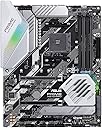
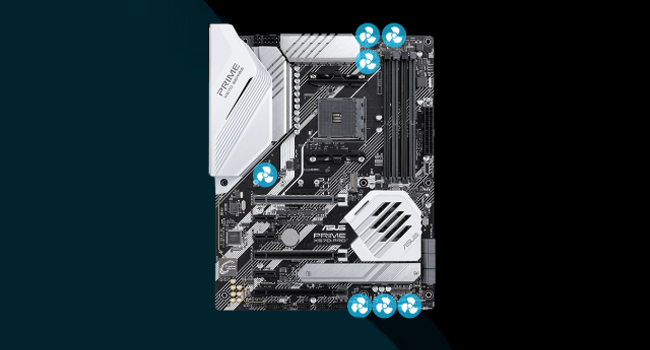
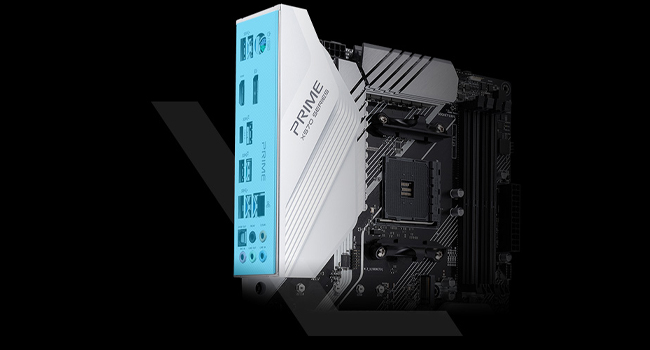
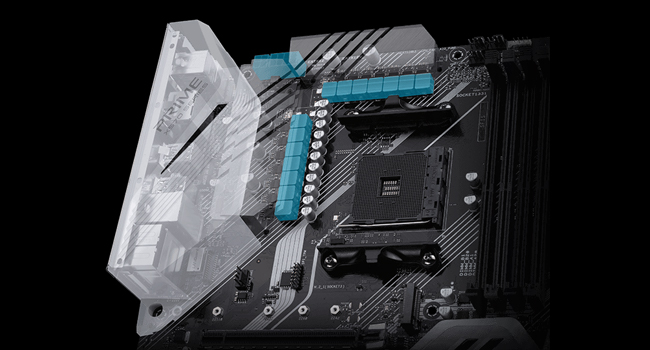
🚀 Power your productivity with ASUS Prime X570-Pro — where speed meets smart cooling!
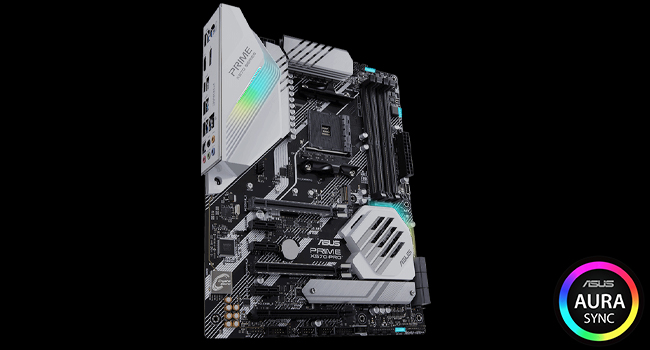
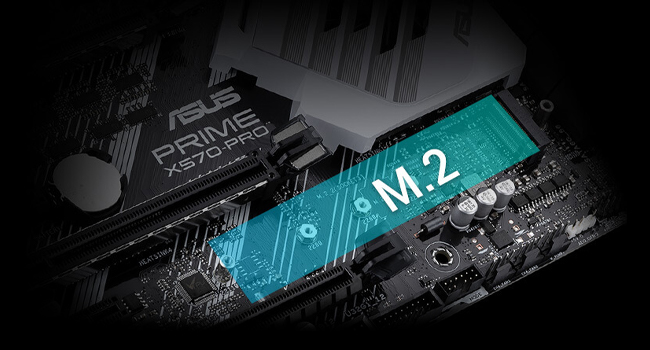
The ASUS Prime X570-Pro is a robust ATX motherboard designed for AMD AM4 Ryzen 5000 and 3rd Gen CPUs, featuring PCIe 4.0 support, dual M.2 slots, USB 3.2 Gen 2, and advanced 5-Way Optimization for intelligent overclocking and cooling. It offers stable, high-performance computing with customizable RGB lighting and comprehensive connectivity, making it a top-tier choice for professionals seeking future-ready, reliable hardware.


| ASIN | B07SW925DQ |
| Best Sellers Rank | #899 in Computer Motherboards |
| Brand | ASUS |
| CPU Model | Ryzen 5 |
| CPU Socket | Socket AM4 |
| Chipset Type | AMD 570X |
| Compatible Devices | Personal Computer |
| Compatible Processors | AMD 3rd Generation Ryzen |
| Customer Reviews | 4.6 out of 5 stars 1,716 Reviews |
| Global Trade Identification Number | 00192876254011 |
| Graphics Card Interface | PCI Express |
| Item Dimensions L x W x H | 10.74"L x 2.68"W x 13.31"H |
| Item Type Name | Asus Prime X570-Pro AM4 Zen 3 Ryzen 5000 & 3rd Gen Ryzen ATX Motherboard with PCIe Gen4, Dual M.2 HDMI, SATA 6GB/s USB 3.2 Gen 2 ATX Motherboard |
| Item Weight | 2.2 Pounds |
| Main Power Connector Type | 24-Pin |
| Manufacturer | Asus |
| Memory Clock Speed | 2133 MHz |
| Memory Slots Available | 4 |
| Memory Storage Capacity | 128 GB |
| Mfr Part Number | PRIMEX570-PRO |
| Model Name | PRIME X570-PRO |
| Model Number | 90MB11B0-M0EAY0 |
| Number of Ports | 4 |
| Platform | Windows 10 |
| Processor Socket | Socket AM4 |
| RAM Memory Technology | DIMM |
| Ram Memory Maximum Size | 128 GB |
| S/PDIF Connector Type | Optical |
| System Bus Standard Supported | SATA 3 |
| Total Number of HDMI Ports | 1 |
| Total PCIe Ports | 2 |
| Total SATA Ports | 6 |
| Total Usb Ports | 6 |
| UPC | 192876254011 |
| USB 2.0 | 2 |
| Warranty Description | 3 years |
C**Y
Sparse on mounting hardware/cables/stickers. Excellent AMD Ryzen9 3900X Platform
One of the cheaper ASUS motherboards for the new Ryzen 9 AMD X-570 chipset. Wasn't my first choice, was looking at the TUF-Gaming boards, but they were out of stock. I wasn't disappointed. It worked great out of the box. I was a little concerned as the motherboard box did not have any kind of seal on it, nor did the static-package. I carefully looked over the board, took pictures, and found no apparent damage or signs of previous use. I've build a couple of dozen systems in the past 20 years. This board is great. I am guessing most of the negative reviews are user error and/or an occasional fluke. I've yet to have a problem with an ASUS motherboard. My M4A89GTD PRO/USB3 from 2010 is still rocking away just fine...although barely starting to slow down. With regard to the Memory DDR4 mounting brackets being "cheap", only having one moving locking end, as one reviewer commented on--I honestly can't imagine that being a problem. Pushing straight down on the DDR4 DIMM as the manual shows works great, and the locking pin is secure. Honestly one of the easier DIMM insertions I've done. I don't treat my cases with kid gloves, and move systems around a fair amount, and I can't imagine the DIMMs coming out. My verdict on that complaint is that it is unfounded/exaggerated. The box is sparse on mounting hardware. Not sure if ASUS is cost cutting, or if this is because it is a lower end ASUS board (and no ASUS board is junk, they just have cheaper options), but the only fasteners included were the spacers and screws for the M.2 port. Fortunately for me the Rosewill case I bought came with mounting hardware, and I had leftover screws and such from previous builds. That said be aware if your PC case doesn't come with the motherboard mounting screws, you may be delayed in your build. They do include the ASUS "Q-Connector" in the box, which makes connecting all your PC Case's front I/O cables (Power switch, Power LED, Reset Switch, Drive Access light, Front Audio etc...) much easier. Only 2 SATA Cables come in the box. No ASUS Sticker : ( Seems cheesy, but my biggest gripe is no stickers. Guess you have to buy ROG or Tuf-Gaming to get an ASUS sticker included in the cost. Seems like their marketing folks should spring for a few cents to support brand loyalty and brand pride (I'll be ASUS until I get burned--and not by something dumb I do, but by shoddy products, which I've yet to experience--as long as they stay quality they've got a customer for life, with or without the sticker). THE UEFI BIOS worked great. I was able to update the BIOS Firmware directly from within the BIOS over the internet before I installed Windows 10. Worked like a champ. Updated to version 1005 dated 8/12/2019 without ever leaving the BIOS or having an OS installed. The only install hiccup I had was more likely due to my older defective LG BH12LS35 SATA Blu-Ray burner. It has been acting odd, not wanting to read/burn DVD's sporadically. The UEFI BIOS recognized it fine, but it seems as if there were mechanical problems. Ended up using the Windows 10 Media Creation Tools to make Thumb Drive installation media, which worked great. I was a little concerned that my new Sabrent Rocket PCIe 4.0 M.2. SSD (one of the fastest drives currently available for consumers, one of the few devices early adopters can play with PCIe 4.0 with) may not cooperate well with the motherboard, and Windows 10 install. Here ASUS could have made the motherboard manual more clear. I am not sure if I understood the instructions correctly, or it just worked. Pages 1-13, 1-21, 3-14, and 3-15 of the motherboard manual are the sections that pertain to setting up PCIe 4.0 drives (you can download the motherboard manual off of the ASUS website to pre-view this--or any other ASUS board you are considering). 1-13 briefly mentions selecting either AHCI or RAID mode for the SATA connectors. Here I was a little confused as the M.2 sockets can run in either PCIe 4.0x4 or SATA mode, and I wasn't sure if changes made in the BIOS section for the SATA changed anything on the PCIe drive, as there didn't seem to be a settings page for PCIe drives. In the end I reverted back to AHCI mode, as I needed the Blu-Ray Burner to work. My previous boards allowed some ports to run RAID and others AHCI, this did not seem to be an option. Perhaps the RAID controller software is sophisticated enough to allow some ports to run as AHCI. I don't know for sure. I briefly considered using both M.2 sockets with 2 Sabrent Rocket PCIe 4.0 drives in a RAID configuration...but that just seems silly. In the forums some users have talked about the fact that there is nothing you can really copy from this drive to, that would take advantage of its insane speed. It does boot fast LOL. Page 3-14 references NVMe RAID mode. Here I am not sure if running the PCIe 4.0 Sabrent Rocket in RAID would be selected here, I think so. It is just an enabled/disabled option. I believe I enabled it, despite only having one drive. Finally on page 3-15 the manual mentions the PCIEX16_2 Bandwidth ( the physical PCIEX16_1 slot is the one closes to the CPU socket, and the one they recommend using for a single GPU and putting a 2nd SLI GPU in PCIEX16_2, see pg 1-7). The two options for PCIEX16_2 Bandwidth are [X8 Mode] or [PCIe RAID Mode]. The explanatory note for [PCIe RAID Mode] states "The Hyper M.2 x16 card and other add-on M.2 devices all run at x4 mode, which allows you to create a PCIe RAID array." A further note below that states "Use PCIe RAID Mode when installing the Hyper M.2 X 16 card or other M.2 adapter cards. Installing other devices when using PCIe RAID mode may cause your PC to fail to boot up." I am using an other M.2 adapter card, so that is why I selected PCIe RAID mode for this setting and elsewhere. It is still not very clear to me what I was supposed to do, but she is up and running. I've yet to tweak my Memory to get the full speed out of it, currently in the default setting not using the XMP profile for the JDEC values. Benchmarking everything on defaults with Passmark puts the CPU and Sabrent Rocket in the 99th percentile both. So good job AMD with the Ryzen 9 3900X and this board seems to "play well" with that CPU right out of the box, as well as the new Sabrent Rocket (not listed on the QVL). I wasn't going to wait around for Samsungs PCIe 4.0 solution. So far very pleased with this configuration.
F**D
Great motherboard, now with debug LED
I’ve had both Asus Prime X470 and have now upgraded to the Asus Prime X570 to extend the lifespan of my system and I’m very happy with it. On my old X470 I’ve done everything from upgrading the GPU, adding RAM and even upgrading the CPU from a 2700X to a 5950X and every time it was simple with no hangups. I’m happy to say that the Prime X570 seems to be as stable as its X470 predecessor and I’m hoping it’ll get as good of a productive lifespan. These boards are imo world class motherboards in terms of stability and they are affordable. They offer everything you need and none of the things you don’t need. A couple of nice additions on the X570 Prime is the addition of a debug LED so you can figure out what is causing your system not to boot, something that the X470 Prime regrettably did not have. Another small improvement is the screws provided for screwing down the M.2 SSD can now be turned by both a small star or flat head screwdriver and are much harder to strip. Something that is very welcome since I had difficulty getting the SSD in and out of the X470 Prime as the screw driver I used was slightly older and damaged these screws very easily. Extremely frustrating… One issue I have is that you cannot move the SSD heatspreader to the top M.2 slot on the board as there isn’t a way to screw it in. My SSD is now without a heatspreader since I prefer using the top slot… Overall though the ASUS X570 Pro is a solid and stable board and at a really good price point. You won’t be disappointed. Additionally ASUS are really good at supporting these boards with firmware and bios upgrades so you’ll get a good life out of the board.
O**G
The Armoury Crate software is frustrating.
Trash...I am so sick of my RBG always screwing up. The aura/MOBO driver update doesn't work correctly in the armory crate software. I spent a lot of money on my rig. I think I have something special and it is problematic. I usually don't knock Asus, but this Aura/Armoury Crate software problem has been going on for years. Armoury Crate shows I need updates. I click on update and it tells me to reboot, so I reboot my system. Then I go back into AC and it says I need to update. It is stuck in a loop. AC won't recognize my motherboard or memory. My CPU fan, RBG strip, and memory are stuck in a hot pink color. I have had it with trying. I'm frustrated trying to fix the unfixable. The software is an online installation. They should create a standalone software that can be uninstalled and reinstalled if it gets buggy. I have been reading a lot of posts that state Asus support is horrible now. If you are making this purchase in the hope of getting a cool RBG rig, RUN. The effects aren't all that great when they are running. I think I will disconnect my fans from the RBG header on the mobo and use the presets that came with the fan kit. ASUS you get a failing grade from me. I am building a rig for a friend next week. I will stay clear of Asus this time. UPDATE: I raised my one-star rating to a two-star rating. I think I figured this out. I was frustrated, but I am stubborn. I did a clean install. When it first boots after installing Windows 10, Armoury Crate pops up asking if you want to install it. I did not install it, but I did not say no either. I installed every program I plan on using and I updated Windows 10. When I was all done the Armoury Crate window was still there. I then made a restore point. Then I installed the Armoury Crate. I only installed the device drivers. I didn't install anything else. The motherboard driver is in an update loop, but all the lights are working. The version it is stuck on is 1.01.04. It says it needs updating, but it won't. Asus please fix your glitchy software. Hire better programmers! UPDATE: I think they got it right now. I have increased my 2-star rating to a 5-star rating. Everything seems to work correctly. I am pleased to say it has not messed up once in over two months. There was an update in Armory Crate for the components and the updates went smoothly. I didn't see any difference in the way the motherboard operated. The lights all look the same and work correctly. Good job Asus. I now can recommend this motherboard.
D**S
Amazing board with excellent memory overclocking!
I have owned this motherboard for around 12-18 months now. I have built many PCs, used a lot of motherboards, and did a lot of research before picking this board. After almost 18 months of use I can say I’ve never had one single issue with this motherboard. It looks premium, has great features, USB C, some of the best memory overclocking across all X570 boards, and much much more. It comes with 12+2 power stages, duel NVMe 4.0 support, DDR4 support up to 4400mhz, multiple RGB and ARGB headers, 6 PWM fan headers plus a water pump header, USB 3.2 Gen 2 ports, and basically as good as it gets everything outside on board WiFi. That’s the only thing it’s missing. It’s ready out of the box for both Ryzen 3000 and 5000 chips with no changes needed to the bios. Speaking of the bios it’s amazing. Very easy to navigate and feature rich. I’m running a Ryzen 5800X, duel Gen 4 NVMe drives, an RTX 3080, 6 fans, an AIO, 4 sata based SSDs, and an internal wireless card. I’m using an EVGA G3 Supernova 80+ Gold 850 Watt PSU to power it all. The board takes two EPU(CPU) cables to power it but will work fine with just one as well if your PSU doesn’t have two. I overclock all my components. I enjoy tinkering and have always overclocked. This board overclocks extremely well on the CPU and even better on the memory. It even has one step overclocking where the board does it for you for some extra performance if you don’t want to. Asus fan control is fantastic too. It automatically detects rather you are using DC or PWM fans and syncs them all up. Auto adjusting their speed based on temps of your system. Very easy to flash to a new bios, and do whatever you like on this boards Bios. When you power it on there are CPU, GPU, Ram, and Boot LEDs that blink to let you know if there are any issues and at which stage in startup it occurs. The board has massive heatsink around the CPU socket and the chipset fan does an amazing job at keeping the chipset cool while being silent. I run my 5800X at 5.1ghz all cores, with all my storage drives, both NVMe slots populated with Gen 4 drives, tons of case fans, and a heavily overclocked RTX 3080 and I’ve no had any issues at all. Prior to the 3080/5800X I had a 2070 Super and Ryzen 3600X in it. Worked just the same and perfect with that hardware as well. My memory config is also 32GB of 3600mhz G.Skill. I use 4x8GB sticks so all 4 dimm slots are populated and it still runs 3600mhz CL16 without issue perfectly. I can even get them to run higher if I want but I can’t get my infinity fabric to match the speed so I leave them at 3600mhz. The board has RGB on both the chipset fan and on the top left near the your ports. You can change the colors of this to whatever you like to match the rest of your setup. It’s subtle but looks nice. Or you can have them off if you want no lighting. All in all this is an amazing board for overclocking with tons of ports and features, an easy to use bios, duel Gen 4/PCIE 4.0 support, and it looks fantastic. It’s been featured and used in many of LTTs PC builds and videos as a great motherboard for a high end machine without over paying for extra features you will never use. As I said the only thing it doesn’t have that you may want is on board WiFi. Just throw a wireless card in and you’re good to go. There are more than enough slots for one plus any size GPU or GPUs you like. I love this motherboard and it’s one of the best and easiest to use I have ever owned. My temperatures on all my components even while overclocked stay well below average using this board and my case which is designed for high air flow. The VRM cooling is excellent here. You can overclock and push any Zen 2 or 3 Ryzen based chip you like. It has a ton of USB ports both type A and C so plenty to hook up whatever you need. Support for RGB and ARGB, 6 says ports, two NVMe slots, and 7 fan headers in total counting the pump one. You can make a monster rig with this board. An amazing and fantastic looking X570 board. Another thing I forgot to mention I really like about it is one NVMe slot comes with it’s own heatsink cover built in but one does not. Many boards now both come with covers. Which you might think is good but most of the nice high end Gen 4 NVMe drives come pre installed with a nice thick heatsink already on them. So you can put it in the slot with no internal heatsink cover and rock on without removing it at the expense of damaging it. If you have an NVMe with no built in heatsink you have a slot for that too. It’s just a great all around board for any system rather it’s be for gaming or content creator/professional use. I included some pics of the box, the board, and my PC with it running on the board. If you are gonna use any Zen 2/3 based chip then have no worries and be at ease that it will 100% work just fine on this board straight out of the box. If you have any concerns as long as you don’t NEED on board WiFi and plan to use an internal wireless card or Ethernet cable then put them to rest. Order with confidence that you are getting an excellent board that will do whatever you need. I hope this review helped. Thanks for reading, check out the pics, and please leave a like if it did. If anyone has any questions just submit them and I will answer them the best I can. Thanks!
M**Y
Unleash the Power of Ryzen with the ASUS Prime X570-Pro Motherboard!
Are you looking to build the ultimate Ryzen-based gaming PC? Look no further than the ASUS Prime X570-Pro motherboard. This ATX motherboard is packed with features that make it the perfect choice for anyone who wants to take their gaming experience to the next level. One of the standout features of the ASUS Prime X570-Pro is its support for PCIe Gen4. This cutting-edge technology allows for faster data transfer rates and improved performance across the board. And with support for dual M.2 SSDs, you can take full advantage of PCIe Gen4 speeds to give your system lightning-fast boot and load times. But that's not all. The ASUS Prime X570-Pro also features HDMI and USB 3.2 Gen 2 support, as well as SATA 6GB/s. This makes it incredibly versatile and able to handle any task you throw its way. Installation is a breeze with the ASUS Prime X570-Pro. The motherboard is designed to be easy to install and configure, with intuitive BIOS options that make it simple to tweak and optimize your system for maximum performance. And with support for ASUS Aura Sync, you can customize the motherboard's RGB lighting to match the rest of your gaming setup. But what really sets the ASUS Prime X570-Pro apart from the competition is its reliability. ASUS is known for producing high-quality motherboards that are built to last, and the Prime X570-Pro is no exception. With a robust power delivery system and premium components, you can be sure that your system will run smoothly and reliably for years to come. Overall, I highly recommend the ASUS Prime X570-Pro motherboard to anyone who wants to build the ultimate Ryzen-based gaming PC. With its cutting-edge features, versatile connectivity options, and rock-solid reliability, it's the perfect choice for anyone who demands the very best. So why wait? Unleash the power of Ryzen with the ASUS Prime X570-Pro motherboard today!
B**Y
Awesome Mobo! Worked right out of the box.
My build: Case: In Win 303 Ryzen 9 3900xt Aura RGB LEDs Corsair Vengeance 16gb EVGA GTX 1060 Gen 2 RGB LEDs Asus Prime x570 More RGB LEDs Samsung evo970 m.2 Did I mention RGB LEDs? I originally tried an MSI B550 that said it was compatible with the Ryzen 3900xt but did not work. This motherboard recognized the CPU right away without updating the BIOS. Everything in my build list was pretty much plug and play. I am loving all of the options this mobo offers. Unfortunately the Asus Armoury Crate software kind of sucks. Sure, it has some basic affects and you can let it take over your Corsair RAM LEDs but it has none of the cool affects that iCue came with. Not a show stopper but I am seeing a war starting to brew over who controls the RGB headers on the board and on other devices. I also popped a TPM module into the board and I didn't have to enable it in the BOIS. It did that for me. This is my first Asus mobo and I am quite pleased so far.
L**N
Asus hasn't let me down yet
I've been using Asus boards for years and have found them to be reliable, well-built, adaptable, and good looking... this one's no different. Right out of the box I knew that my old case (with a plex window) just wasn't going to cut it. As good as this boards looks... I had to get a case with a full glass side. The black, white, and silver on the board go together really nicely, and compliment the other parts that go on the board. I had originally thought that the two small sections of RGB on this board might be un-noticeable once I got all my components installed, but that's not really the case. With the RAM, CPU cooler, and case fans all running RGB, those two spots on the mainboard look great. This is especially true when you sync them all together using Aura or the Cooler Master software (the board has two 4-pin 12v RGB headers, so this is easy to accomplish). My only complaint regarding RGB is that I would have been real happy with some around the M.2 shield. My build includes the Ryzen 7 3700X with the stock cooler, 32GB GSkill Trident-Z Neo (part number F4-3600C18D-32GTZN), Samsung EVO 960 M.2 NVMe, and twin XFX RX580 cards. For the most part the mainboard detected everything right away. The only hiccup was getting the RAM to run at its advertised speed of 3600... I had to manually tune the RAM to get this (this is normal since technically the advertised speed of RAM is generally an overclock). I also had a SATA M.2 drive (Samsung EVO 860 1TB) that I wanted to use in this build, but couldn't find any information on whether this board would support both a NVMe and SATA at the same time in the M.2 ports (all the information I found said "it might support that"). I went ahead and gave it a try, and Asus came through again... I didn't even have to manually set the drives in the BIOS. It detected the SATA M.2 and is running it along with the NVMe without a problem. My one and only complaint on this board is regarding the location of the 8-pin and 4-pin connectors. They're side-by-side at the top of the case, and since I'm a neat freak about my computer internals... I like my wires hidden (run behind the board). My wires were pretty long, but only barely reached those ports. I had to really work to get them connected. I'm not even sure if they would have reached if running them in front of the board either... It would have been nice if those two ports were somewhere lower on the board (closer to the power supply). I'm not a motherboard-engineer, though, so maybe it just isn't possible.
R**I
Good board, but a bit bulky.
I decided to do a completely black and white build with some RGB and decided that this motherboard would be a good fit. I had managed to get a Ryzen 5600X and was aware that a BIOS update would be needed. I had looked around and saw some conflicting information on various sites about whether or not this board had the BIOS Flashback button, so I took the risk and ordered it. It DOES NOT have that feature, but luckily, I had access to a Ryzen 3600 processor through a friend and was able to update the BIOS within minutes. A fair warning to all of those who want to put the new 5000 Series CPUs on here. The I/O Panel's shroud is very bulky - I have this in a Corsair iCUE 220T case with a Corsair H100i radiator on top and the radiator does not quite fit because of the shroud (though I'm sure this is more on the case than the motherboard, but some extra information for you). The RGB lighting is delightful, but I will need to explore the options more to see if I can turn the lighting off when the PC is shut down. Overall, a very nice board and would definitely recommend!
O**R
Ein Perfektes Board
Das Board ist einfach der Hammer, ohne Fehler und Probleme. Hat den 5900X sofort erkannt. Kann man nur empfehlen. Aber Leute kauft bei solchen Sachen keine B Ware !!! Wichtig
C**.
Amazing as usual from asus HOWEVER..
This is an all in all amazing motherboard and I recommend this board and ASUS to every PC enthusiast or novice like me. BUTTTTT this does not come with 5000 series supported bios which can be a scary job for new pc users and there is a bug ATM with these boards and 5000 series chips and commander pros causing USB disconnects every so often so BUYER BEWARE but these will be fixed in the near future.
R**L
Worked well
this board alread has BOIS updated
K**D
Beautiful elegant professional
It's an asus product. You know what you're buying. Looked beautiful after install. I have a cooler master sl600m and my top radiator could not fit in standard mount slots due to I/O shroud. A few custom screw holes and everything worked like a charm. Windows 10 booted flawlessly from previous x370 installation. Clean installed drivers after and system is running smooth as a diamond. Plenty of fan headers in this board, two are just for water pumps but alot of builds may not even need a pwm hub/splitter to run fans. Dual m2 slots made a huge difference from x370 board. I purchased a Samsung 980 pro with this bad boy and you can really see the difference between the 970 pro and the 980 pro. Wonderful board. Will be my beauty for a while
A**D
ممتاز
صار لي كم شهرالحين من الاستخدام الى الان الوحة ممتازة ولا احتجت لتحديث البايوس علشان استعمل المعالج 5600
Trustpilot
2 weeks ago
1 day ago