Buy anything from 5,000+ international stores. One checkout price. No surprise fees. Join 2M+ shoppers on Desertcart.
Desertcart purchases this item on your behalf and handles shipping, customs, and support to South Africa.
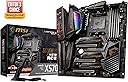
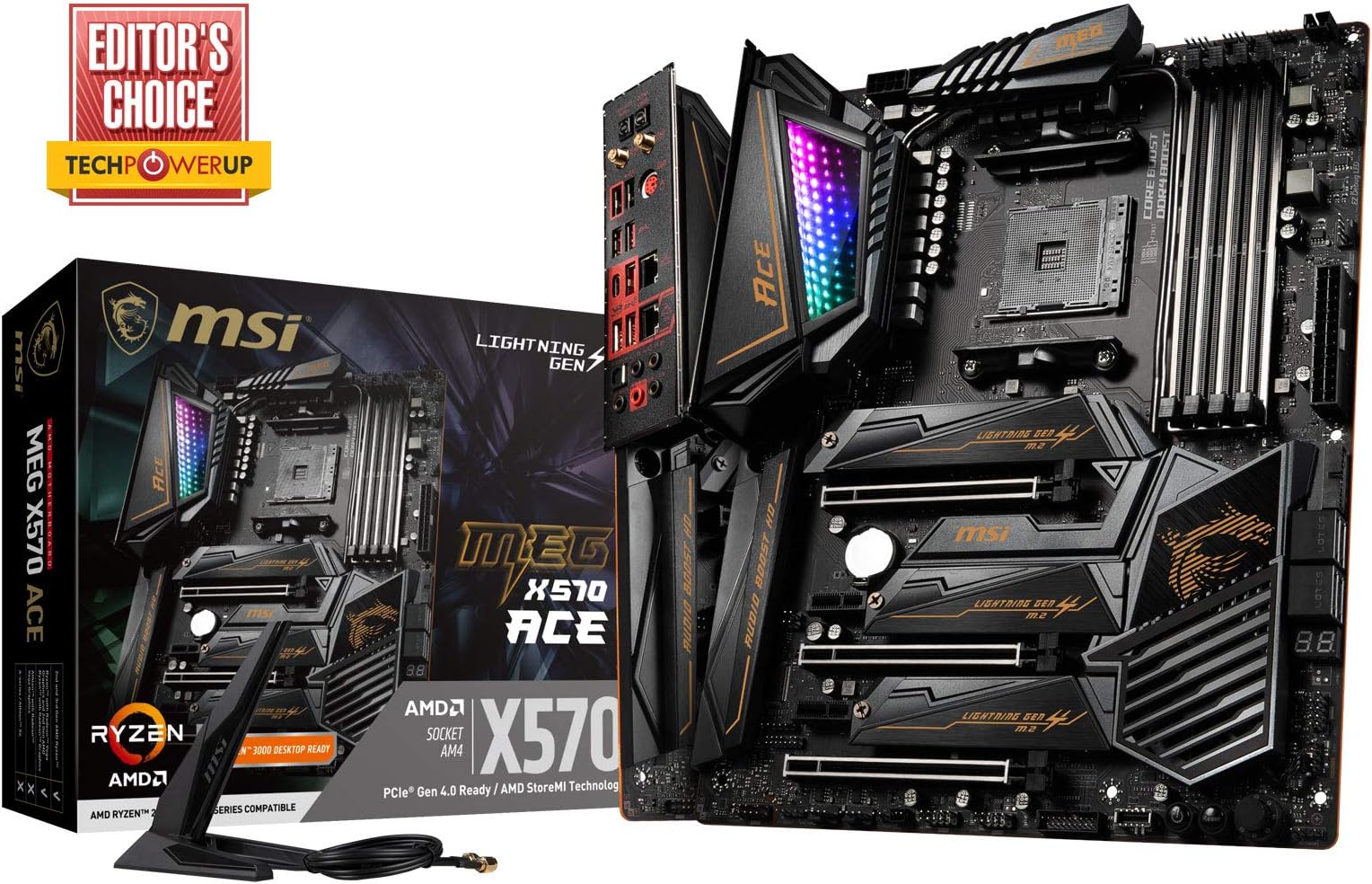
⚡ Elevate your build with MSI MEG X570 ACE – where power meets prestige.
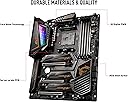
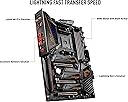
The MSI MEG X570 ACE is a premium ATX motherboard designed for AMD AM4 processors, featuring triple PCIe 4.0 M.2 slots with blazing 64 GB/s speeds, dual LAN (2.5G + Gigabit) and Wi-Fi 6 for cutting-edge connectivity, and advanced Audio Boost HD technology. Its signature Mystic Light Infinity RGB offers customizable lighting with 16.8 million colors and 29 effects, wrapped in a sleek black and gold design that screams high-end performance and style.


| ASIN | B07T3HYZ3Q |
| Best Sellers Rank | #408 in Computer Motherboards |
| Brand | msi |
| CPU Socket | Socket AM4 |
| Chipset Type | AMD 570X |
| Compatible Devices | Personal Computer |
| Compatible Processors | AMD 3rd Generation Ryzen |
| Customer Reviews | 4.6 out of 5 stars 792 Reviews |
| Global Trade Identification Number | 00824142189214 |
| Graphics Card Interface | PCI Express |
| Item Type Name | MSI MEG X570 ACE Motherboard (AMD AM4, DDR4, PCIe 4.0, SATA 6Gb/s, M.2, USB 3.2 Gen 2, AX Wi-Fi 6, 2.5G LAN, ATX) |
| Item Weight | 0.01 Ounces |
| Main Power Connector Type | 24-Pin |
| Manufacturer | MSI COMPUTER |
| Memory Clock Speed | 2666 MHz |
| Memory Slots Available | 4 |
| Memory Storage Capacity | 128 GB |
| Mfr Part Number | X570ACE |
| Model Name | X570ACE |
| Model Number | MEG X570 ACE |
| Number of Ethernet Ports | 2 |
| Number of Ports | 29 |
| Platform | Windows 10 |
| Processor Socket | Socket AM4 |
| RAM Memory Technology | DDR4 |
| Ram Memory Maximum Size | 128 GB |
| S/PDIF Connector Type | Optical |
| System Bus Standard Supported | SATA 3 |
| Total PCIe Ports | 6 |
| Total SATA Ports | 4 |
| Total Usb Ports | 22 |
| UPC | 824142189214 |
| USB 2.0 | 2 |
| Warranty Description | 3 Years |
J**S
As good as it looks!
When I initially saw the X570 ACE previewed at Computex, I fell in love with the design scheme. Black and Gold looks so much better and classier than any black/red or silver/black scheme. At that time, I was just really hoping for two things: 1) for the motherboard's performance (mainly memory OC'ing) to be as good as it looks, and 2) for it not be astronomically expensive like the Godlike or Auros Extreme. Thankfully I can say without a measure of a doubt that this motherboard performs amazingly well when it comes to memory overclocking, and it looks good while doing it. My specs are currently: CPU: Ryzen 7 3800X MB: MSI MEG X570 ACE RAM: G.SKILL TRIDENT Z Royal 3600 C16 GPU: EVGA RTX 2080 FTW3 Ultra SSD: Samsung 970 Evo 250GB With the above specs, I was easily able to hit 3733mhz CL15 at 1.35V right out of the box, and will continue to push the RAM to see what the extremes are over the next few days. At this time the motherboard costs $370, but I will say it's worth it for all the overclocking features you get like the power, reset, and clear cmos dedicated buttons, post code LED (these really helped me during my installation). The metal-protected PCIe slots are also a great thing for my case since the 2080 FTW3 weighs so much, having the slots themselves sag is a legitimate concern. Finally, MSI currently has quite a few promotions going on, so you can factor those In as well when you purchase this. Ultimately I'm really impressed with the motherboard. It looks brilliant, classy and high end. It has tons of features that actually help, and I'm excited to push this to the limit.
R**.
Love the heft and premium build quality...
Really nice build quality and everything worked well out of the box. I like the UEFI BIOS and found it straightforward to setup fan profiles and mess around with overclocking settings. MSI constructs these motherboards with thick PCB and it is plainly evident as soon as you pull it out of the box. The board is heavy, solid and has no flex to it that I noticed. I have worked with a lot of motherboards over the years and I was impressed by the heft and sturdiness of this thing. It has that feel of a quality component, well made. One complaint is with the case header. There is no label on the PCB for the pin-out, at least not one that is obvious. The manual is very clear, but I appreciate not needing to reference the manual when hooking up the case. That said, it does follow a pin pattern that has been standard on every motherboard I've used recently, but I don't have it memorized. Maybe I should do that. MSI Dragon Center software leaves something to be desired. There's nothing necessarily wrong with it, but the MSI Mystic Light feature is unimpressive. The spectrum mode is attractive and works great, but all of the other effects with the exception of solid/static don't flow well. For example, the breathing effect updates infrequently with noticeable brightness steps and one of the stages is 100% off. It looks like crap -- like herky-jerky. Thankfully, I like the RGB spectrum mode and if I used anything else it would be static lighting.
D**E
Great motherboard. The website still need some work IMO
This review is for the MSI Review Rebate Program. A review is required to receive a rebate on the products listed above. Update on 24/07/2019: I've had this for 10 days now. I've actually encountered a number of issues during these time. One of the issue I had was that my windows task manager was not showing the information of my ram. I think I figured out what the problem was.. Whoever buy this motherboard now, do not install windows 10 version 1903!! Install 1809 or older version. It seems like a lot of the programs/drivers are crashing with the new version now. After installing 1809, most of the problems I had are solved. I'll have to test a little bit more with it but for now my first advise on this is to use the board with version 1809. Furthermore, I would recommend to download the dragon center first and use their "live update" to update the drivers and move to MSI website for the rest. I'm pretty sure there could be better ways to do this but this was my favorite way on my experience. Old review from 13/07/2019-------------------------------------------- I bought this to pair with 3900X. I compared it with a few different boards in similar price range, and decided to buy this one since it has all the features I wanted and I like gold and black. The only downside I could think before buying was it has 4 SATA ports, which is enough for me. I received the item 2 days after the order. I built my new system as soon as I received it and here are my thoughts so far. Appearance: I personally think it looks actually better than I thought from the picture. I like the RGB on IO cover too. Setup: I had to download all the updates, drivers, and utilities from the MSI website since I don't have optical driver on my build. It wasn't that hard but some of the software seem to crash against each other.. I couldn't have Dragon center to work in the first few trials. It's working now without installing other drivers or utilities. Not really sure what's causing this but pretty sure MSI will fix this soon. It maybe easier if I use the CD came with the package and that's what I'm trying to do pretty soon. Performance: I've only used it for 2 days so I can't really give much experience with it but it seems it works pretty well so far. Basically, everything in my system works above average if you run it with "extreme performance" mode from userbenchmark. In general, I like it so far. It pretty much has all the features you want and BIOS is easy to use. Happy with the board and hoping to use it for a long time. Update: I tried with the CD enclosed and it works perfect now. Even though some of the drivers are not up to data, I would recommend to use the enclosed CD for the set up as of 13/07/2019.
T**Z
A great motherboard, if you're willing to pay the price.
Pros: Honestly, almost everything. I haven't had any issues yet, a month later. Great to build on, with plenty of features for all but the top-end elites of users. Overkill for basic gaming and use, but money for this particular build wasn't really an issue. Saying that, this is still an expensive board, but you get what you pay for, in this regard. Having read about the terrible temps on the cheaper 570 MSI boards, I was very bummed, as I love MSI. I decided to just pay more for an incredibly solid, mostly future-proof board, and I'm happy I did. Utilizing the PCI 4.0 with a Seagate Firecuda feels like it should be criminal, in regards to loading and transfer speeds. There are plenty of fan headers, sufficient standard USB ports, and it includes both a USB C port on the I/O with a USB C header for a front panel. I can't really comment on the VRMs, as I haven't tried to manually overclock, but I can say my 3900x auto-boosts to 4.2-4.3 right out of the box. They do look pretty beefy, however, and temps on hardware monitor lead me to believe there is headroom to push it a bit. Ram overclocked to target speeds with no issues. BIOS is accessible to newer users getting into building, but that leads us to... Cons: Voltage settings out of the box are a bit wonky, and need to be tweaked. I don't feel this is worth removing a star, as anyone spending this kind of money SHOULD know to be checking something like this after post. While not a con for me, this board only has 4 sata ports, which could be an issue for some folks. I feel the three M.2 slots negate the issue, personally. My final con also isn't really a big deal to me, but if you are going for a color theme other than red, you will need to cover the Power and Reset buttons with a little electrical tape or something, as they only shine red, and are very bright.
A**S
MSI Creates a beast!
This motherboard was surprisingly easy to install and work with. I love the fact you have 3 available m.2 slots as some of the intel and other AMD offerings only have 1-2 slots. Of course, the 4th gen PCI is a bonus, but available parts to use that full bandwidth are still a bit overpriced. One thing that I found surprising was there were no included motherboard screws (there were 3 screws for shorter m.2 cards, but no actual motherboard screws). Thankfully, I had plenty available from past builds, but do take that into consideration if it's a first-time build. I know other manufacturers have included them in the past, and given the price point, it was a bit surprising. I love the included wifi adapter, it has Wifi 6, the newest spec so it's future-proofed. My current router/modem does not support the full Wifi6 features, but it still gets a great signal, and no noticable packet drops or anything of the sort. PCI slots are well constructed and appear sturdy enough to hold some of the biggest cards. (I have a 2080ti that fits like a champ). One other thing that should be noted, is that the board only has 4 SATA ports for standard hard drives and SSDs. Other boards have put 6+ in the past, and I am using 3 of them currently, so my add-ons will be limited unless i purchase a PCI SATA board. Overall, this is a great board, I would have gave it 5 stars, because quite honestly, its one of the best boards I've seen, and I've worked in ASUS and Gigabyte boards in the past. I just feel the lack of screws and SATA ports knocked it one star, but definitely put this board on your short list for 3rd Gen Ryzen CPUs!
R**D
Out with the Old...
This review is for the MSI Review Rebate Program. With the release of Ryzen 3000, I thought it would be a great time to upgrade my aging i5-4670k system. I chose the 3800X and with my very positive previous experiences with MSI, I decided to go with the x570 ACE as it was in the price range and had the feature set I was looking for. My new system: ⦁ 3800X(8C/16T) ⦁ MSI MEG ACE X570 ⦁ NZXT Kraken x62 AIO(Yes, gotta fix the logo orientation in my pic) ⦁ 16GB Patriot Steel 3600 (2 x 8GB) ⦁ Samsung EVO 970 M.2 PCI-E SSD ⦁ Sapphire Pulse Vega 56 ⦁ EVGA 850W G3 powersupply ⦁ Fractal Define R-6 Case ⦁ Windows 10 1903! Unboxing Here is what is included in the box: ⦁ 4 SATA cables ⦁ RGB LED splitter cable ⦁ Corsair RGB and ARGB extension cables ⦁ Corsair RGB to ARGB adapter cable ⦁ WiFi antenna ⦁ M.2 screws ⦁ User manual/Quick Start guide ⦁ Driver/App CD ⦁ Sticker pack The Wifi antenna is actually impressive as it allows you to place it on a desk or stand next to your computer for better signal rather than the screw on attenas that are stuck on the rear I/O. Aesthetics ⦁ Love the black and gold PCB theme. Came from a Z87-G45 and I favor this new color scheme over the red/black. ⦁ The board looks and feels premium. Machined-aluminum heat sinks cover the M.2 slots and the VRM is well. ⦁ Mystic Light Infinity mirror on the I/O has what seems endless configurations of color schemes and patterns. They advertise 16.8 million colors and 29 effects with the app. Notable Features ⦁ 12 + 2 SOC VRM that uses IR35201 PWM controller running a 6+2 configuration with doublers. For the power stages, IR3555's are used that can handle 60A each totaling 720A. This will be more than capable of overclocking the 3950X coming later this year. ⦁ Frozr cooled chipset heatsink. It looks like MSI put a lot of effort into a good chipset cooler that will hopefully past the test of time. There is also a heatpipe from the MOS heatsink to the chipset. I personally cannot hear the fan even when my radiator/video card/case fans are set to very low RPMs. ⦁ Clear CMOS button on rear I/O. Great feature for overclockers without having to open the case to reset CMOS. ⦁ BIOS flash back. Update the BIOS without a CPU - located right below the Clear CMOS button. Not useful currently IMO. Maybe this means Ryzen 4000 will also be on AM4? ⦁ BIOS post code. Again, another great future for overclockers. Easier to troubleshoot than those silly debug LEDs. I do wish the BIOS post code was located near the top of the motherboard. At the bottom, the GPU can block the view unless your looking straight at it. ⦁ Pre-installed I/O shielding. Nice not having to mess around with those shields anymore. ⦁ MSI Boost dial. A little knob on the motherboard that allows you to use MSI pre-defined overclocking profiles. I personally have not used this yet as some users report higher-than-needed voltages when doing this. Specs ⦁ 3 x PCIe 4.0 M.2 slots. All 3 slots capable of 4x PCIe - 2 provided via the chipset and 1 via the CPU. ⦁ 4 x SATA ports that support RAID 0,1 and 10. 4 SATA ports seems low for some people, but for myself I have moved exclusively to M.2 ⦁ 2 full length PCIe 4.0 (x16 or x8/x8) slots from CPU and 1 full length PCIe 4.0 x4 via chipset. ⦁ 7, 4-pin fan headers. ⦁ Supports 4 DIMMS up to 4800 MHz. I have not tested RAM overclocking yet. Enabled XMP profile for my Patriot RAM and it worked flawlessly. Will test at a later time. ⦁ 5 x USB 3.2(Gen2, 3A+2C) + 6 x USB 3.2(Gen 1) + 6 x USB 2.0 ⦁ Intel 1 GbE LAN ⦁ Realtek 2.5 GbE LAN ⦁ WiFi/BT - Intel 6 AX200 ⦁ Realtek 8 Channel audio with audio boost BIOS Navigating the BIOS was a very familiar scene as it looks similar to my Z87-G45 BIOS screen. The layout is easy to follow, especially the Overclocking area. The only compliant I have is that there is a delay when using a USB mouse, but that is very minor IMO. Overclocking The first thing I tried out after installing Windows/Drivers/etc was overclocking. In the current state, Zen2 looks like a mediocre overclocker from other reviews and posts on Reddit that I have been following. However, I was easily able to get my 3800X @ 4.4 GHz all cores with 1.325v with all other settings auto. I tried to go to 4.5 with 1.4v, but the system would crash when trying to run stress tests. I left it at 4.4 for now, but will try to get 4.5 and mess with LLC and other voltage settings in the future. My temps under load are around 45-50C on the CPU. Chipset seems to run at a steady 54C and doesn't fluctuate much. Summary All-in-All, I love this board. From the looks, features and familiar BIOS screen I am glad I decided to go MSI once again. It is a pricey board for some people, but since I upgrade only every 5-6 years, the investment for me is worth it. Like mentioned above, only mirrors complaints I have is BIOS post code location, 4 SATA ports my be not enough for some people and the laggy BIOS when using a mouse.
A**R
3 M2 Slots, fast boot, great BIOS UI
Let me start with the bad - the board failed after about 15 months. I found conflicting information on if it had a one year or three year warranty. I got on the online RMA request system and they gave me a RMA. I got it back (or a refurbish) in 16 days and its back in my system and working great. I was prepared for the possibility of a repair bill, but none came - they did not charge me for the repair. If this would have been a cheaper board, or a board with less features, I might have just bought a new one as I do not like to be without my main system, but looking at new boards, even a year and a half later, I did not see anything that I even remotely liked as much as this one. It has three M2 slots on the board that have their own cooling fan. I have filled all three M2 slots and the BIOS detected them all automatically. I now have 2.5 TB of on-board M2 storage that have a read transfer rate of 5GB/s for two of them and 7GB/s for the newest Gen M2 that I installed. The motherboard connectors all have labels and the manual does a great job of identifying everything that you need to plug into. I have had no problem overclocking the CPU and memory through simple BIOS Settings, and there is an on-board overclocking dial if you do not want to mess with BIOS settings to do this. This is the best MB I have ever owned.
J**N
High End Board at Reasonable Price, Looks Nice
This review is for the MSI Review Rebate Program. This is my first MSI board, purchased for my 3900X. I wanted a higher end board that was reasonably priced. I liked the styling of the board with the gold and black design, the strong 12+2 VRM design, the infinity mirror effect is nice, and I liked the heat pipe on the chipset fan, which was a concern. It is very quiet, sometimes turning off completely, and I can't tell if it's on or off without looking at the fan. No issues for me with Windows 1903, which has optimizations for AMD CPUs. Purchased the board 7/7 and no issues. My only request would be the ability to change the RGB on the infinity mirror from the BIOS, as I prefer not to run extra control center apps.
M**Z
Perfeccion
Funciona a la perfeccion y hace todo lo que necesitaba, la estoy usando con 2 m.2, un gpu y una capture card, sin ningun problema
T**Y
Power and Style Combined
This motherboard is a powerhouse. Handles everything I throw at it, with great features for gaming and overclocking. Plus, the design is sleek and fits my build perfectly. Totally worth it!
A**N
Abrieron el producto
El producto venia abierto EDIT: Producto defectuoso, el chip de audio esta dañado, no recomiendo la compra de este articulo ni de este vendedor. Una lastima. Edit 2: CUIDADO: el producto es defectuoso y usado. Modulos ram, chip de audio inservibles. NO LA COMPRES.
D**.
Not Provided What was Advertised
Amazon seem to have a real issue with motherboard & CPU combos. In spite of being assured via live chat this was a Motherboard & CPU combination, only the Motherboard arrived. After a lenghty discussion with Amazon Customer Service, who were great even if their company policies are not, I was offered a refund of the MOBO & I was allowed to keep it. At no point was I offered by Amazon to meet their obligation to provide me the items as advertised on their website, as required by Australia Consumer Law & the ACCC requirements against bait advertising. I hope the ACCC pick Amazon up on this, as I just did not have the time to fight this as hard as I should have & in the end I cut my loses. A shame this happened, as this was a build for a friend & in the end they pulled out of having me build the PC as it took too long to sort out. So in the end I was left with most of the other PC parts to sell at a loss to me, as the money I got for selling the part did not cover my loss. Very disappointed with Amazon & will be reviewing whether I continue to keep my Prime membership for next year. My advice is do not pay for your Prime membership 12 months in advance. If this has happened to you, know your consumer rights & refuse to accept anything but what is advertised is my suggestion.
R**N
God tier motherboard
Bought this motherboard and works really good with 5800x3d, 3800 cl14 32gb ram and a 990pro ssd things a beast just a little downgrade from the godlike but at that price is ridiculous this does everything you need and more! I love msi!
Trustpilot
2 weeks ago
2 months ago