Desertcart purchases this item on your behalf and handles shipping, customs, and support to South Africa.
โ๏ธ Cool performance, zero noiseโyour PCโs new best friend!
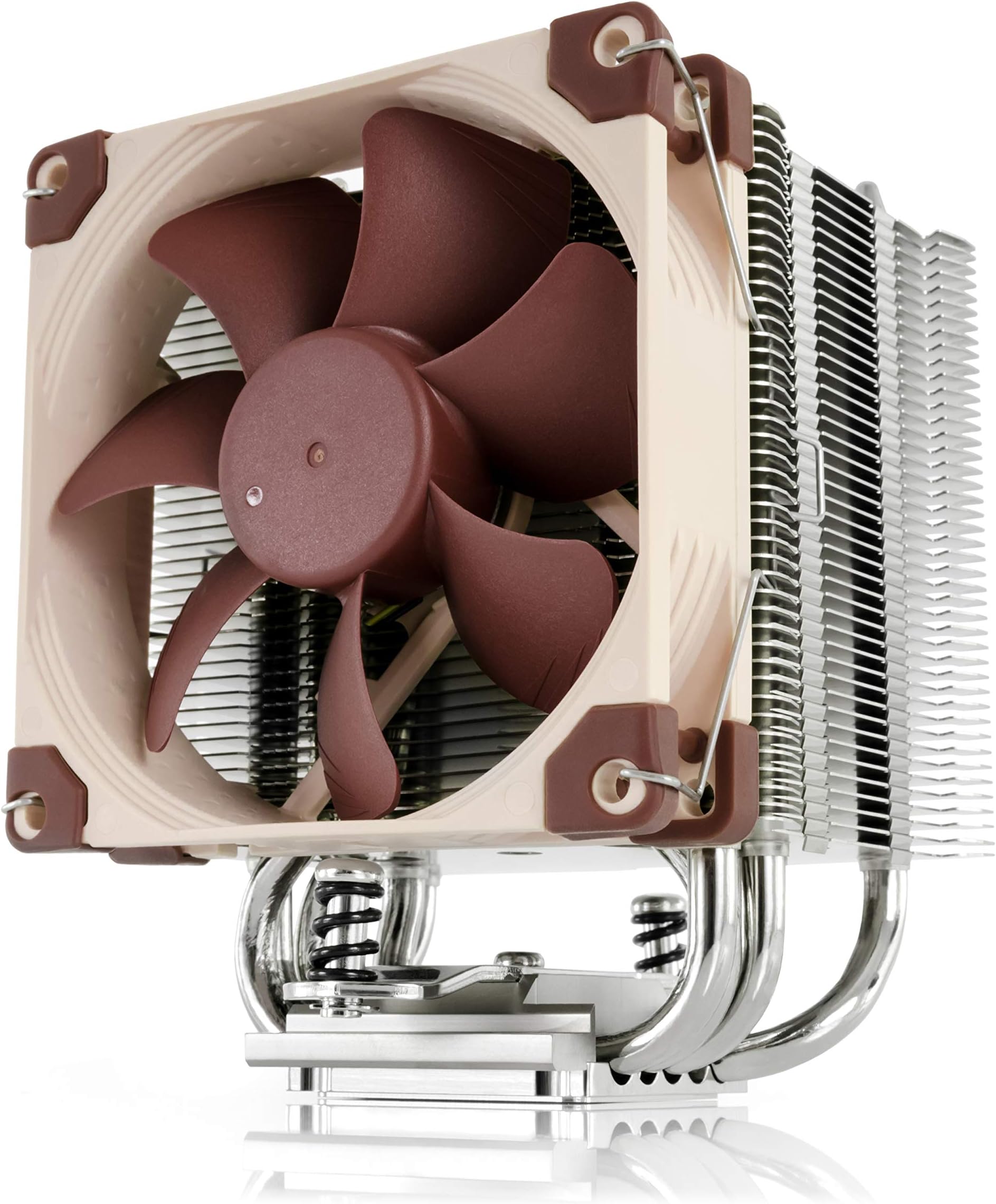
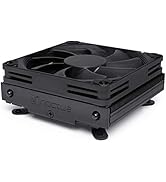
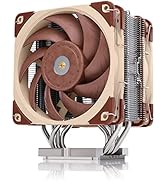
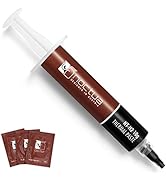
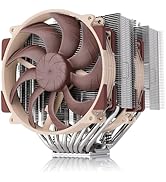
The Noctua NH-U9S is a compact, high-performance single-tower CPU cooler featuring a 92mm NF-A9 PWM fan with ultra-quiet operation, a low-profile 125mm height ideal for small form factor builds, and broad compatibility with Intel and AMD sockets. It includes premium NT-H1 thermal paste and the SecuFirm2 mounting system for easy installation, all backed by a 6-year warranty, making it a top-tier choice for professionals seeking efficient, silent cooling without compromise.


| ASIN | B00TBHYYFK |
| Best Sellers Rank | #42 in Computer CPU Cooling Fans |
| Brand | Noctua |
| Brand Name | Noctua |
| CPU Socket | AMD Socket AM2/AMD Socket AM2+/AMD Socket FM2+/Intel LGA 1150/Intel LGA 2011-v3 |
| Cooler Heatsink Compatibility | Intel LGA1851, LGA1700, LGA1200, LGA1156, LGA1155, LGA1151, LGA1150 and AMD AM5, AM4 |
| Cooler Heatsink Material | Copper (base and heat-pipes), aluminium (cooling fins), soldered joints & nickel plating |
| Customer Reviews | 4.8 out of 5 stars 1,833 Reviews |
| EU Spare Part Availability Duration | 6 years |
| Global Trade Identification Number | 04716123315575 |
| Item Dimensions L x W x H | 4.92"L x 3.74"W x 4.72"H |
| Item Weight | 618 g |
| Manufacturer | Noctua |
| Model | NH-U9S |
| Mounting Type | CPU cooler mount |
| Number of Items | 1 |
| Number of Packs | 1 |
| Part Number | NH-U9S |
| Product Dimensions | 4.92"L x 3.74"W x 4.72"H |
| UPC | 809395428884 801947306633 842431012463 782386488787 |
| Unit Count | 1 Count |
| Warranty Description | 6 year manufacturerโs warranty |
J**R
Great Temps, Quiet Operation, and Outstanding Support
Fantastic CPU cooler with my AMD Ryzen 7 5700X. I'm seeing around 40โ45ยฐC under a light load using MX-7 thermal paste, even during this heat wave. It's been doing a great job keeping temperatures relatively low while staying nice and quiet. The cooler feels very high quality, the installation was straightforward after getting help from support, and Noctua support was a great help too. This is installed in my family's main house computer since I have my own personal PC in my room, and it's been rock solid. Overall, I couldn't be happier with it and would definitely recommend it for anyone serious about quiet cooling.
E**C
Great cooler for a small case, and even keeps up with my previous AIO with less room for airflow
Before I start the review, I want to list the components I have installed in my computer: Case: Silverstone GD08 Motherboard: Gigabyte GA X99 Ultra Gaming CPU: Intel Core i7 5820K @3.3GHz RAM: 16GB (4x4) Corsair Vengeance LPX GPU: Gigabyte G1 Gaming GTX 1070 Boot SSD: Samsung 960 EVO 250GB Gaming SSD: Mushkin Reactor 1TB HDD: 3x WD Red 4TB Bluray Drive: Asus BW-16D1HT Bluray Drive: LG WH16NS40 For the last few years, I've had a large case (Fractal Define XL R2) sitting on our TV stand. It was an eyesore to have sitting out under the TV (beautiful case, but ugly in the living room), but it was incredibly spacious with great cable management, and housed all of my components with no issues. In that case, I was using an ARCTIC Liquid Freezer 240 to keep my CPU cool. The computer is a work horse (gaming, video encoding, Plex server, etc.), so having a quality CPU cooler is a must. I was finally able to find a quality case that would fit all of my components while fitting in to the TV stand, and also blending in (SilverStone GD08B). However, the smaller case meant that I would no longer be able to use a 240mm cooler for my CPU. It's HTPC form factor also limited my choices for a new cooler because of its height limitations. I did a great deal of research on low height coolers, and finally settled on the NH-U9S. I knew I wasn't going to get the same cooling performance I got with my AIO, and I knew the air flow in the new case was not going to be great with the number of drives in place. I was maxing out at about 62ยฐC under full load with my old setup. Installation of the heatsink was incredibly easy; I was done in less than five minutes. Once I got everything installed in the new case and fired it up, I immediately saw an increase in idle temps. Where I was getting 28ยฐC-35ยฐC before, I was now seeing 39ยฐC at the low end, but averaging in the low 40s at idle. Not great, but expected. Once I started encoding my first video, I saw temps shoot up to the high 70s, and reaching into the low 80s at some points, which was less than ideal. But, I knew the tradeoffs with the new setup, and it was still in the safe range, so I was ready to deal with it. I decided to try and manually adjust the fan speeds and curves to try to improve the cooling a bit, so I went into my bios and looked at the fan setup. For some reason, it was reporting my CPU fan at 0RPM, no matter how I adjusted it. So I cracked the case open, expecting that I did something stupid like I forgot to plug in the header, and found out that one of my SATA cables was stopping the fan (anyone who has used the GD08 with both optical drive bays and SSDs installed knows that cable management is tough). So i pushed it back, and the fan started spinning again. I booted back into Windows to see if that made a difference. Sure enough, I was now seeing idle temps down in the mid 30s (I set up the fan curves to run at 20% even at idle). Major difference. I saw even more improvements under load. I've been encoding for the last 4 and half hours (95-100% load the whole time), and the CPU has been sitting in the mid 60s for the most part, with only one core hitting 70ยฐC at max (but averaging around 68ยฐC). So in other words, without a fan on this heatsink, my CPU was kept under or at 80ยฐC under full load, and now I'm seeing just a few degrees more than I was with my old AIO. I may even be able to (very moderately) overclock my CPU even in the new case. I am incredibly happy with how well this cooler is working out, considering the space limitations I was working with and the limited airflow inside the case due to how much I've crammed in there. I would definitely recommend this cooler for anyone looking for a low height or small form factor cooler.
S**S
Saved my purchase of a ROG Strix Pre-built.
My second review ever, in tandem with pre-built PC I bought recently due to the significance. Recently bought the (Asus) Rog Strix 3070 Gaming desktop with an i7 11700F and Geforce RTX 3070. Right out of the box the CPU fan was running at max speed and when in any form of use, such as installing something. First time I ever downloaded core temp and it was telling me that was running at 50 Degrees (Celsius) idle and when in any use would go up to 80-100 degrees. As a result the PC turned off twice on my due to overheating and the fan basically sounded like a nascar. Rather than trying to refund the PC since it still worked, bought the NH-U9S because it was the same type/shape of heatsink/fan as my previous pc and because the reviews for the fan were so good (the whole brand actually) It saved the whole PC set up. The CPU idle temp went down to 30-33 degrees (C) and even when its in use the highs are generally in the 55-65(C) range which is a massive improvement. Now the PC runs perfectly and the fan runs insanely quiet. Definitely earned all of the positive reviews. Easy to set up. Only had to do a quick google search as my CPU slot is a 1200 but the three instruction manuals are for 115x, 120x and AMD. Google search told me that the 1200 is the same as 115x as they are the same size. Those instructions were perfect. If you need a fan and heatsink set up, this is perfect, I imagine anything by Noctua would be great. Most imporantly if you plan on buying one of the ROG Strix Pre-built PCs on amazon (since they come with RTX 30XX cards) you need to buy one of these as it seems to be a re-occurring issue with all of them.
J**E
It fixed my overheating problem with my 13th gen i7!
I was recommended this cooling system for my 13th gen i7 because it was overheating real bad i was not sure about a air cooled when people tell you that the only way to go is liquid cooled but i do have to give it to this cooler i play lots of games and my temps used to go up to almost 100c and now under load the max i see is around 50c to 70c max and its super nice when gaming. I have had my system for a couple of years now and it works great for the price point and compatible with most fans. It fits in the case and super quiet. The build quality is nice and should stand the test of time. All round great solution when on a budget.
D**Y
Air Cooling in Tight Spaces - A must have!
I have been building PC's for over 30 years. So I have seen it all. Done it all. And went through all the trends with cooling, performance bumps and efficiency. Cooling is one of those things that things can go wrong even when all else is right. I bought a couple of these Noctua NH-U9S coolers because they were the best cooling for the footprint I had to work with (4U Size Server Rack Cases). These perform well IF you get a second fan for a push / pull configuration. Sure 1 fan is fine, but you really need to ensure your airflow is optimal. And believe me the extra money for a second fan is well worth it for this package size. If you do that this is a decent cooler. You cannot OC on this cooler, and in some cases even stock CPU speeds will be throttled a bit depending on how long you keep cycles pegged. It's a solid buy. If you do have room for something taller, Noctua makes other products better suited for a case with more room which you should definitely do.
E**G
Good stuff
So far, so good. Been using Noctua fans with my rig for years and have never had any issues. I figured I'd replace the crappy stock cooler that came with my HP Omen, and it appears to be worth it. Install was a bit of a pain because I had to remove the mobo. Also, the stock rear plate was glued in, so that took some patience to remove. In the end, I think it was worth it. CPU is running much cooler, and best of allโit's quiet! Good, quality product. Thanks!
K**J
Works great but needs a better fan.
I have an I7-14700 and my case doesn't allow a 120 size cooler. This works very well but the factory fan doesn't move enough air, so I am using an Artic pro 4500 rpm 92mm fan on it. Works much better this way. If you are in a tight environment I highly recommend this but with a faster fan. It would have gotten a 5 star if the fan was better. I am able to run it at full factory boost wattage of 219 with my room temp at 73F and the cpu highest temp will stay around 88C using benchmark either r23 or 2024. Come winter time it will run cooler as the house will be as well.
D**N
Cool and quiet wins the race
Even though I've built systems for several years, this was my very first non-stock-cooler install. I usually go with Intel's stock cooling solutions, which typically work fine for non-overclocked purposes. Since the i5-9600k doesn't come with a cooler, I decided to venture outside of my comfort zone and go for a third-party cooler. After reading many reviews, I decided on this Noctua solution. The primary factors that drove my decision: 1) Air cooler. 2) Single fan. 3) Small profile, so I wouldn't have to worry about overhang/selecting specific components. 4) Quiet. Be very, very, quiet. 5) Excellent build quality and compatibility, so it might last between several system upgrades. I just finished installing it earlier today, and so far the results have been fantastic. On my old CPU (i5-4440), with the stock cooler, my low-stress temps (web-browsing, music playing) were about 65C. With this new cooler on my new i5-9600k, I'm seeing about 38C on average under a similar load. That's in a fairly warm room, with a hot case (Antec Sonata III - I'm going for a quiet, subdued system.) Also, it is even quieter than my old system! I can't tell that the computer is even on (in terms of noise level) unless I turn the ceiling fan off, which is what I was going for - near silence. NEWBIE MISTAKES TO AVOID: I did all of the silly things I'm about to list - if this is your first time installing a more complicated cooling solution, hopefully this will help! If you're an experienced system builder, then here's hoping you have a good chuckle. 1) Hey, look at this nice full-glossy instruction sheet! Guess what you should do before step 3 - you should make sure the CPU is LOCKED IN. I still had it unlocked after dropping in the new CPU, and had all sorts of trouble. 2) Step 4 - yay, time to apply the thermal paste! Only.. how do I get it out of the tube? The old paper-clip to the cap trick, right? NO - that cap unscrews with moderate force. Don't punch a hole through it! 3) Step 5 - Man, tightening that one screw down with a regular screwdriver is a real pain in the patoot. They should have included a specialized screwdriver to help with this. Guess what, they did! I mentally discarded it after mistakenly thinking it was a piece for AMD CPU installation when I first opened the box. In fact, that odd piece of metal *was* a screwdriver. Oops! Overall, my first adventure into non-stock CPU cooling has been refreshing and rewarding. This Noctua kit seems well made, the packaging was great, and so far it's working like a champ, despite the mild levels of accidental abuse I dispensed during the installation process. I'll be looking at Noctua in the future if I need any more cooling for my rig.
Trustpilot
1 month ago
4 days ago