Desertcart purchases this item on your behalf and handles shipping, customs, and support to South Africa.
🎨 Elevate your digital art game with precision and style!
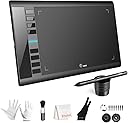
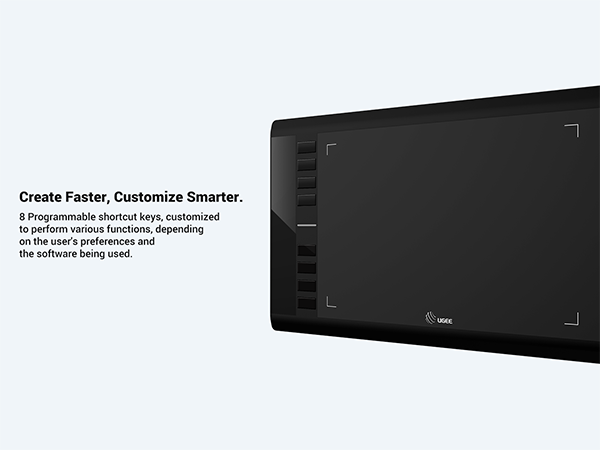
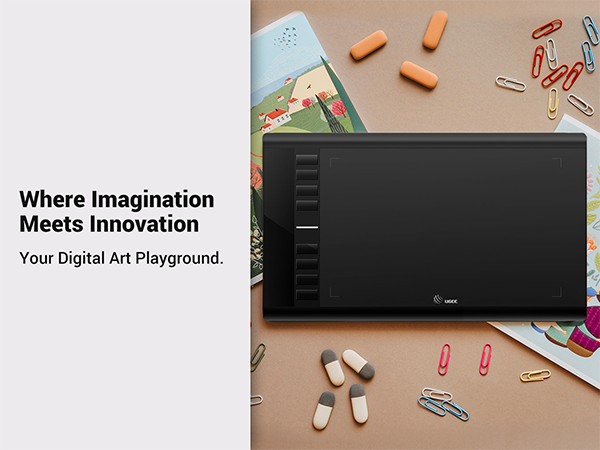
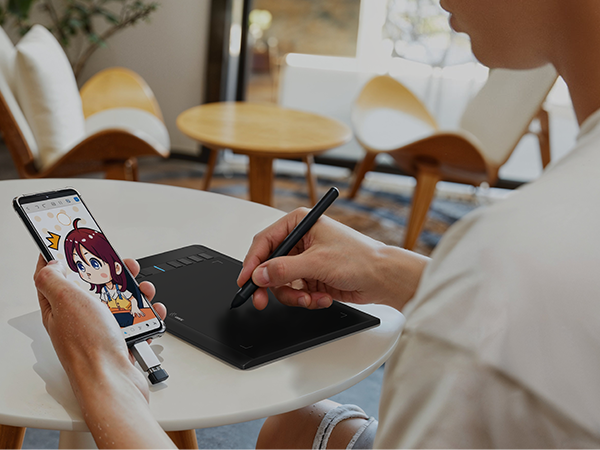
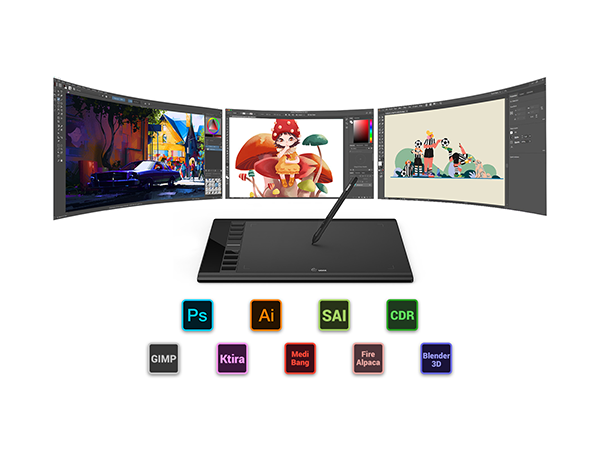
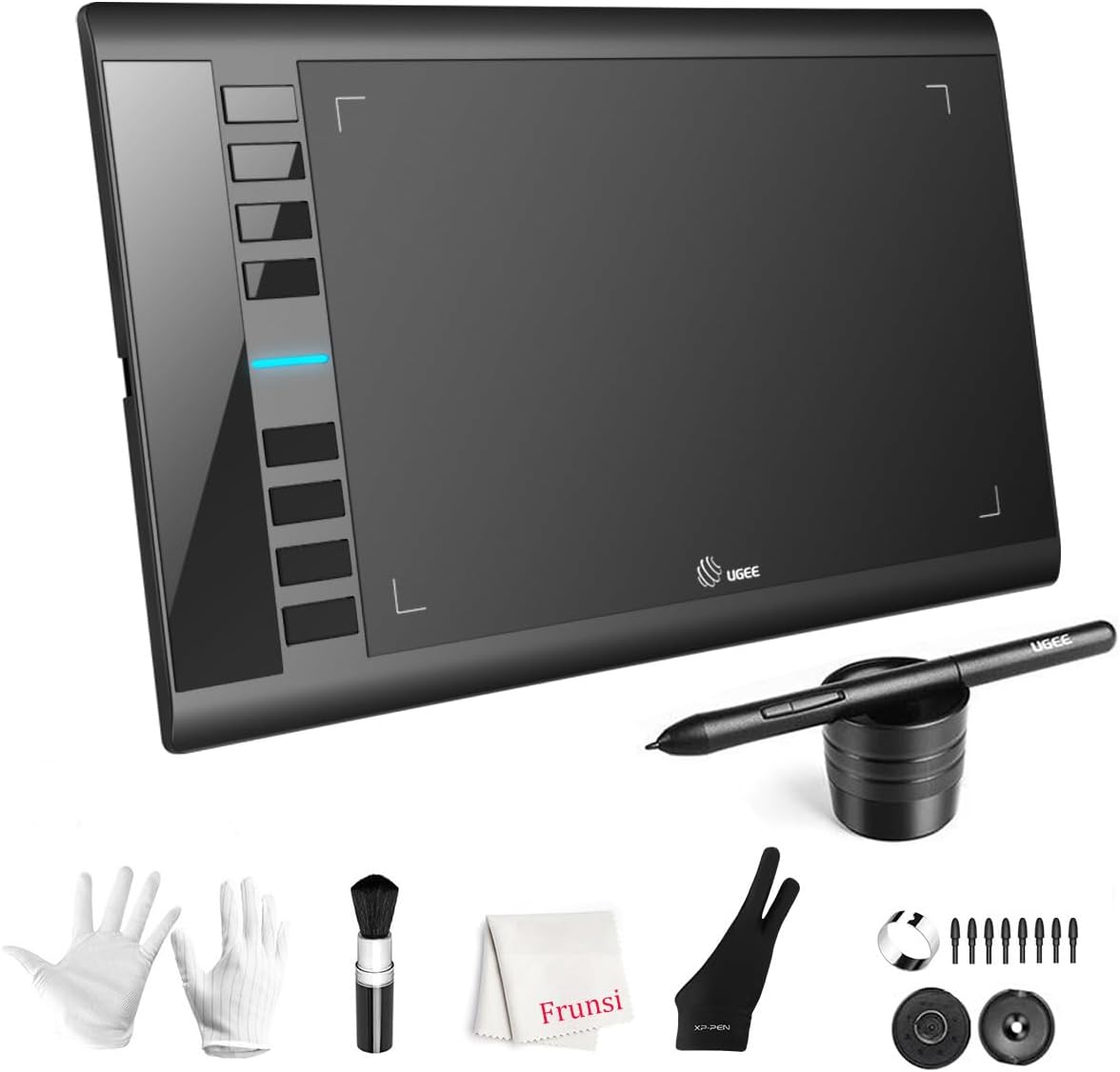
The UGEE M708 V3 is a professional-grade drawing tablet featuring a large 10x6 inch active area with a natural papery texture, 16384 levels of pressure sensitivity for detailed and expressive strokes, and broad compatibility across major operating systems. Equipped with 8 customizable shortcut keys and versatile USB-C/USB connectivity, it offers an efficient, lag-free digital drawing experience ideal for artists, designers, and educators.


| Active Surface Area | 10 inches x 6 inches |
| Additional Features | ['60° Tilt Support', 'Programmable Press Key', 'Extra-Slim'] |
| Asin | B07P82FSFW |
| Best Sellers Rank | #18 in Computer Graphics Tablets |
| Brand | UGEE |
| Built In Media | Glove, Pen Holder, USB Cable |
| Color | Black |
| Compatible Devices | Personal Computer |
| Connectivity Technology | USB |
| Customer Reviews | 4.4 4.4 out of 5 stars (6,348) 4.4 out of 5 stars |
| Global Trade Identification Number | 00703363411864 |
| Item Dimensions L X W | 8.3"L x 14.2"W |
| Manufacturer | Frunsi |
| Mfr Part Number | F-UGEE-M708-old |
| Model Name | M708 |
| Model Number | UGEE M708 V3 |
| Native Resolution | 1920x1080 |
| Number Of Items | 1 |
| Number Of Packs | 1 |
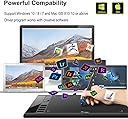
| Operating System | Android 10.0 or later), Chrome OS 88 (or later), Linux, Windows 7 (or later), mac OS 10.13 (or later) |
| Pressure Sensitivity | 16384 levels |
| Screen Size | 6 inches |
| Specific Uses For Product | Designing, Drawing, Painting |
| Target Audience | Drawing, Online Education, Student, Teacher |
| Unit Count | 1 Count |
| Upc | 703363411864 |
| Warranty Description | 2 |
User
Delightful and easy to use
I have largely given up doing art because I have parented young kids for over a decade and it is difficult to do with kids grabbing at the tools. I have used this tablet for a short time but appreciate that even if a kid gets their hands on the stylus there is no mess and marks made can be easily undone. I am new to digital art so I started using the paint application on my computer and coloring page. It was pretty fun being able to draw and color in a way I had never been able to do before. Of course I realized quickly I was missing out on the pressure sensitivity and got a new application to utilize that feature. I'm still getting used to the digital art and although the feeling of a stylus differs greatly from brushes, pastels, and even pencils, it is very delightful to be able to engage in art in a way I was unable to for a long time. My older child took a try as well and found it satisfying to use. Based on my current experience I would recommend it. I haven't tried other similar devices but I can't imagine anything could be done better.Pros:*Quick and easy set up*Easy to program shortcut buttons on tablet and pen*Can be used with our without pressure sensitive application*Pressure sensitivity is awesome- this is really where there is phenomenal opportunity to make artCons:*Pencil shortcut buttons get in my way. My pencil grip is not standard so I accidently press the shortcut buttons while drawing. These are easy to disable and may be super useful for those with a standard grip*It took a little bit to get used to drawing on the tablet and watching to screen for feedback, an issue I would have for any drawing tablet that isn't directly on a screen.*The shortcut buttons on the tablet are easy for my kids to push while I draw although they are discreet enough that my kids aren't drawn to them.*There is a lag between the drawing on the tablet and the response on the screen with quick movements. I believe this is likely due to my computer specs and limitations rather than the tablet.
User
Smooth, Reliable, and Easy to Use!
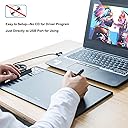
I’m really impressed with this graphic drawing board! The sensitivity balance is spot-on, making every stroke feel natural and precise. The pen itself is well-balanced and comfortable to hold, allowing for long drawing sessions without fatigue.Even though it doesn’t use a USB-C port, the connection is surprisingly fast and stable. Absolutely no lag at all. One of my favorite things about this product is how easy it is to set up. There’s no need to deal with complicated driver installations. It just works right out of the box on any platform!At first, the buttons on the board were hard to use, but I’ve already gotten used to them. My kid also loves playing with it.On top of that, the customer service team is outstanding. They are responsive, friendly, and truly helpful. Overall, this drawing board offers a smooth, hassle-free experience and fantastic value for any artist or designer. Highly recommended!
User
great tablet with only a few small issues.
I really enjoying this drawing tablet, Im a graphic design student and its prefect for learning. It is very responsive. The biggest issue I have is the cord plugs in on the left side of the table and my pc is on the right it would be nice if the plug was in the back so you can have your pc on either side. you can flip it to left handed mode then you quick keys are on the wrong side. The issues Im having with it are pretty much strictly a learning curve. Its hard for me to find the exact spot on the pad to draw and I've been using a mouse for so long tat its going to take time to adjust. The only true issue Ive found is the quick keys don't work sometimes you have to hit them a couple times or they wont be whats programed. Its nice it comes with a cleaning kit, a cord and the glove. Its a nice big size which was why i bought it and it has the quick button on the pen, which i dont like because i keep hitting it on accident and is really sensitive. All and all its a really good drawing table I use adobe programas and they work great with it, and works on a ton of note apps.
User
Better than I expected!
So I originally got this for signing documents and for using BlueStacks emulator on my personal PC. Signing stuff with a mouse gets annoying. So the original thought was for people to sign certain things and documents this thing is bigger than I expected.So I use BlueStacks emulator play a couple phone games on my PC at home and this allows me to treat my computer like a touch screen so I can be looking at my monitor while using the actual writing tablet to play mobile games which is way easier than using a mouse. I've also started to use it to sketch out some of my 3D printing cad stuff. All in all a solid writing/sket tablet for under 40.
User
Lightweight, just works art tablet with _sweet_ pressure sensitivity.
TLDR; Great low cost intro tablet at a great price (bought mine during sale for $40) Great sensitivity and decent construction.Detailed review:The USB PartsSo tested this tablet on a MacBookPro via the provided USB A to USB C adapter. The adapter snaps into place in the USB C port!!! <<< OMG!!!! THIS!!!! Really, why aren't ALL USB C connecters snap in place!? It's in the design spec but most of the time... USB C connectors tend to be... loose. Not this.Speaking of USB... the Micro USB connection on the tablet side is sized so that the cable will fit snugly, avoiding strain on the Micro USB port itself. The space has a slight taper so downward pulling won't cause it to fail. Nice.The BuildIt's built like a thin keyboard with partial folded metal and plastic components. It is SUPER light and if you put the effort in, it will flex. (So will a Wacom, actually... )The surface is smooth. One LED to indicate whether the stylus is within range of the sensor field. It is well lit and isn't super bright.The writing surface is smooth. To be honest, I think that for the price, UGEE puts out a pretty amazing tablet using the induction technology that Wacom pioneered.The buttons on the tablet itself are nice. There is a clear button click, but it is slightly dampened once it bottoms out. Am guessing a tactile micro-switch is under the button. Still, clean button press.SensitivityOkay, this thing has 266 pps for sampling rate and 8192 levels of sensitivity in the sensor.The only tablets I've had experience with are Wacoms from pre-2018. So the sensitivity levels of those are in the 2048 range. I have found that Wacom sensors tend to max out super quick and requires a more managed level of pressure or a curve adjusted nearly to the point of skewed de-sensitivity to avoid bottoming out.With the UGEE 10x6, I found that the lightest touch can produce a very fine line and applying pressure to the stylus while sketching I did not bottom out. When I did a pressure calibration, I was more or less leaving it along the midline, which was a surprise for me.Used it in Clip Studio Paint and at first, I had this thing where the cursor froze for a moment after I lifted the pen at the end of the stroke. Turns out this is due to having set 200 undo levels.... Dropping it down cleared that up.Drawing with this stylus and tablet feels very much pencil and sketch pad. The stylus is about the thickness of a slightly thicker pencil... maybe a pastel? Smaller? Larger? Guess it depends on the brand. But overall, I like it. That 8192 levels and 266 pps REALLY captures my strokes. dang.SoftwareUnlike Wacom's driver software.... UGEE's is VERY minimal and straightforward. But it retains what's important:- customize keys, buttons, and actions per Application.- can easily customize any button on the stylus or tablet.- doesn't induce lag, which Wacom's drivers have for me.
User
Good starting tablet!
Been using it for about six or seven months now and I like it a lot. It’s definitely a beginner tablet, but for my purposes it’s excellent. It comes with more nibs than you will ever need and gloves that you will quickly lose, as well as some sort of brush thing that looks interesting but I still don’t know what it’s for. I consider it a win, and I’ve been using it for artfight and for drafting my comic, so nothing professional, and I can’t speak to the quality in that regard.
User
Servicable, especially for beginners, but you get what you pay for
Its fairly nice, not perfect but i didnt expect that for the price. Ive had it for a few months and its held up pretty well to my near daily use.Pros:The screen is nice and large, and i havent had any of the issues with scratching that others have. I think the people complaining of that might not have peeled the protective plastic off? It gets greasy fingerprints on it pretty easy, but they can be wiped off if you care that much.When you take apart the pen holder there are many many replacement nibs inside, which i didnt realize when i bought it. No worry of running out.The quick buttons on the pen are useful and i use them pretty regularlyIt is accurate and i have never had issues with it not tracking the movement of the pen. Everything feels very precise when drawing with it.It works with any drawing program ive tried with it, which was quite a few.Cons:occasionally it will stop recognizing the pen touching the tablet, preventing me from drawing. In that case i have to unplug it from my laptop and plug it in again, sometimes a few times in a row, to get it to work.The tip of the pen is very bulky and doesnt really allow you to hold it at an angle, i ended up shaving the plastic down with a razorblade to fix this.You probably wont use most of the accessories it comes with, i tossed most of them after a few weeks. Some might use the half glove, but all of it was useless to me.The cord is rather short and prevents me from sitting with the tablet on my lap and laptop on my desk like i would have liked.The hot keys were useless to me, every time i set them up and saved them, the next time i went to draw they would be reset to factory settings, so unless you feel like spending 10 minutes setting the keys again every time you use it, you wont be able to use them.Overall i would recommend this as a good first tablet for beginners, to be upgraded from later on if they stick with the hobby. It is extremely cheap for what it is, so its still a good investment despite its small issues.
User
Good value for money
Very good buy. It is very durable and easy to use. I am able to do my projects with no issues
User
Très bon investissement
Votre produit est d'une excellente qualité/prix. Super génial.
User
very good think
very Good
User
Equipamento excelente.
A mesa foi para minha mulher, ela disse que atende perfeitamente todas as necessidades dela. Nosso único problema foi com a transportadora. Mas isto não é o caso aqui.
User
Fantastic value starter drawing tablet that feels truly professional
I was looking for a dedicated drawing device after getting into digital art recently, and the UGEE M708 caught my eye. At £39.99, it looked like a solid way to test the waters without spending a fortune. Just to be clear, this isn’t a standalone tablet that you draw directly on. It needs to be connected to your computer or laptop via USB, and you draw on the tablet surface while your artwork appears on your screen, so this does NOT have it's own screen. The good news is that you can connect this to either a Windows machine or an Apple MAC desktop or laptop.Once connected, it feels natural very quickly. The 10x6 inch drawing area gives you plenty of room to work, and the slightly textured surface gives a pleasant paper-like feel. The pen doesn’t need charging, which is a big plus, and it responds instantly with no lag. The 8192 levels of pressure sensitivity make sketching, shading, and detailing smooth and accurate, reacting beautifully to light or heavy pressure.The eight programmable shortcut keys on the side make the workflow much faster. I set mine for undo, zoom, and brush size, which saves a lot of time once you get used to it. Installation was simple on my Windows laptop, and it works with all the main creative software I’ve tried so far, including Photoshop and Krita.The beauty of it is that you’re not tied to one app - it works with pretty much any drawing or design software that supports these devices. That means you can pick the right software for the person’s age or skill level, and just change the software as your skills progress rather than having to buy a new tablet.Overall, this is a brilliant option for beginners looking to explore digital art seriously without breaking the bank. The build quality feels sturdy, it performs far better than expected for the price, and it’s made digital drawing genuinely enjoyable.
User
Muy buen producto
Es la primera vez que uso una pero esta es muy buena
Trustpilot
2 days ago
3 days ago