Desertcart purchases this item on your behalf and handles shipping, customs, and support to South Africa.
🎨 Unlock your creative edge anytime, anywhere with GAOMON S620!
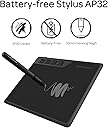
The GAOMON S620 is a sleek, portable 6.5 x 4 inch graphics tablet designed for beginners and professionals alike. Featuring 8192 levels of pen pressure sensitivity, a 5080 LPI resolution, and a 266 PPS report rate, it delivers precise and smooth digital drawing experiences. With 4 customizable express keys and broad compatibility across Windows, macOS, and popular creative software, it’s perfect for digital artists, animators, and even OSU! gamers seeking a versatile, travel-friendly tool.


| Active Surface Area | 6,5 x 4 pouces |
| Asin | B07R49KYCF |
| Best Sellers Rank | 685 in Computers & Accessories (See Top 100 in Computers & Accessories) 1 in Graphic Tablets |
| Box Contents | S620 Digital Pen Tablet,Digital Pen AP32,8 x Pen Nibs,1x Pen Holder,1 x USB Cable,Quick Start Guide |
| Brand Name | GAOMON |
| Colour | Black |
| Compatible Devices | Desktop |
| Country Of Origin | China |
| Customer Reviews | 4.4 4.4 out of 5 stars (2,783) 4.4 out of 5 stars |
| Display Type | LCD |
| Item Dimensions L X W | 17.4L x 21.1W centimetres |
| Item Highlight | 8192 Pen Pressure 4 Customizable Express Keys for Digital Art, OSU Playing, Compatible with Windows PC, Mac |
| Item Weight | 249 Grams |
| Manufacturer | GAOMON |
| Manufacturer Part Number | A0.S62000-0-EN0000-0-XSL |
| Model Name | S620 |
| Model Number | S620 |
| Native Resolution | 5080 LPI |
| Network Connectivity Technology | USB |
| Number Of Items | 1 |
| Operating System | Windows OS 7.0 , Mac OS 10.12, Android 6.0 or above |
| Pressure Sensitivity | 8192 Levels |
| Product Features | Ultra-thin |
| Product Warranty | We cover one year warranty based on non-man-made damages for orders from our official stores, for example, missing the accessories or breaking the tablet physically will be out of the range. And we offer lifetime tech support |
| Screen Size | 5.8 Inches |
| Specific Uses For Product | Drawing |
| Target Audience | Digital Artists, Students, Professionals |
| Unit Count | 1.0 count |
User
Amazing
Works brilliant with my laptop and easy to take anywhere on the go. The price is well worth it and the. Touch sensitivity is spot on even though you can edit the setting for your preferred style
User
Affordable tablet that just works
Affordable tablet that just worksMy experience with the tablet has been great, it’s a nice and affordable bit of kit, may not be an artist or an OSU player, but for my use of teaching online, it’s been great.Using itThe pen glided well, nice bit of resistance, not as much as paper but enough to make it comfortable to write with. The button mapping was useful and easily reprogrammable in the app, my main use being switching brushes and tacking screenshots. The pressure sensitivity, yeh nice and responsive with smooth size changing. It made my writing look much more natural. So enjoyed it.Use in MS white boardOnce you get the screen ratio right it is great and improves your ability to teach as you can show live examples and easily annotate. The reprogrammable buttons have been more useful than I thought, switching between brushes and screenshots made easy.PenThe pen, honestly was the best. Much better than the pen you get with other budget tablets like the Wacom One. The pen being battery free was a good convenience as you have it ready when ever you need it, but bear in mind that there is a limit to how far up you can hold the pen being roughly 0.7 cm when you just lifted it off the pad. So you will want to hold the pen a bit higher up but that’s not really an issue. Holding it was realy comfortable esspecialy with the grip.ConnectivityThis is where it starts of strong, this is one of them rare occasions where there is support for Linux. This off the bat was surprising. This ment I could use it with my workstation. However, my main use was on windows, so regarding that it was great. Basic plug and play.AppThe app responsive, and simple. Plug in the tablet, it does the rest. With the UI, it was very clean, making it easy to remap buttons and screen ratio which was nice and intuitive. Didn’t like that it was on start-up, but the tablet works best with the app so that’s fine. But personally, I leave start-up disabled and open as needed.Overall I have loved using it and in my opinion for its price it is the best and possibly only thing you need as 10 replacement nibs will last you a while and given your not doing anything extreme it ticks most boxes and is better than similar priced alternatives like Wacom one.WarningThe app drivers conflict with Asus armoury crate to the point I had weird issues. Please ensure if you have an asus computer or motherboard to disable this dumb app.
User
Pretty good, but not really for my needs in particular
I own a MacBook Pro 14” with an M5 chip, and mainly use this product in the preview app to add annotations. It was very easy to set up and works as described, though since I’m using the preview app there isn’t a shortcut for the brush/pen though a shortcut can be added. It does get a little bit confused every now and then and seems to not be able to properly replicate the delete button. There is no more usb port on a MacBook so I had a little scare that I wouldn’t be able to use but the converter meant for the phone works just fine. Seems pretty smooth but I tend to write with a lot of pressure and can not figure out how to change that. Though if you’re using the recommended applications this will be easily customisable for you. Comes with everything for described and for 20 pounds is an excellent alternative to a iPad
User
Value for money
Value for money, nice product in good amount, good texture
User
Excellent
Great little device. So handy for cutting out photos and very simple to use, just plug and play. Come with 10 replacement pen tips aswell. Highly recommend
User
Good for Windows/OSU, but struggles with newer MacBooks (Poor Drivers)
I bought this tablet a few years back, mainly buying into the hype that you “need” a tablet to be good at OSU!On Windows, it’s a decent, cheap device. It works fine for gaming and the input is responsive. If you use a Windows PC, it’s a solid choice.Recently, I tried using this with my new MacBook for College work, writing notes and answering practice questions as it is advertised as an “Online-Learning Device”. It was a nightmare. Despite downloading drivers from the Gaomon website, I couldn’t get the pressure sensitivity to work properly, nor could my Mac recognise the device. The cursor moves, but you have to press down incredibly hard for it to register, making it useless for writing.The active area is quite small, so if you have large hands you might find it quite cramped. It uses Micro-USB, and the pen is comfortable enough, but a little thick.In short, it’s great on Windows (aside from the fact that the software is quite clunky), but I cannot recommend it for Mac Users or students wanting to take notes.
User
Great
I don't really understand how they can be made and shipped for £20.Absolutely great, I had no issues at all using this with my windows PC and Krita.I might end up getting something bigger down the line, but for a first tablet just to have a go i can't fault it
User
Great product
Excellent help indeed
User
Encantada con ella
Esta tableta GAOMON S620 es una opción muy sólida si estás buscando una tableta gráfica compacta, ya sea para dibujo digital, edición de fotos o para juegos como OSU!.El tamaño de 6,5 x 4 pulgadas es ideal para escritorios pequeños o para llevarla contigo, sin sacrificar demasiada área activa. El lápiz sin pilas es un gran punto a favor, ya que es ligero y no necesita carga.La compatibilidad es muy amplia (Android, Windows, Mac, Linux), y los 4 botones exprés son muy útiles y personalizables.El producto llegó en perfecto estado. El embalaje era seguro y todos los accesorios estaban incluidos e intactos.Es una compra muy recomendable por su relación calidad-precio. Funciona perfectamente y es muy fácil de configurar.
User
Validissima
Estremamente valida. Scrivo questa recensione dopo anni di utilizzo; la comprai dopo che la mia Wacom decise di intraprendere il viaggio verso l'Aldilà. Nonostante sia scritto che è pensata per l'esperienza di gioco su OSU, l'ho usata primariamente per disegnare. La tavoletta non mi ha mai dato problemi, è estremamente facile e comoda da installare e portare in giro, resistente a urti, graffi, botte di qualunque tipo. Resistente e affidabile. Ottima sensibilità alla pressione. Non ho notato differenze cruciali rispetto alla Wacom che abbiano significativamente impattato la mia esperienza di disegno.
User
Was will der Einsteiger mehr?
Kurzfassung:Ich Sparbrötchen habe mir ein kleines Grafiktablett gegönnt. Das Gerät ist echt okay. Mit Handschuh (bringt echt was!) und einem Filzschuber für den batterielosen Stift. Ich sage mal: durchaus Wacom-Qualität.Funktioniert und fühlt sich an, wie meine bisherigen Wacom-Tablets. Auch unter Linux funktionierte es direkt nach dem anklemmen. Sogar ein Adapter für USB-C und Micro-USB ist dabei. Damit kann man das Ding an das Handy anschliessen. Ja, cool, funktioniert auch da ohne Treiber oder App. Sinnfrei? Ja. Okay, man kann am Handy handschriftliche Notizen machen oder feinere Zeichnungen als mit seinen Wurstfingern anfertigen. Bereue den Kauf absolut nicht.Ausführlichere Stichworte:Die nutzbare Größe ist in etwa DIN A5.Das ausreichend lange USB-Kabel ist abnehmbar und austauschbar (Micro-USB).Der Stift hat zwei gut nutzbare Tasten, aber keine Radierfunktion beim Umdrehen.Er ist drucksensitiv.Er hat keine Neigungserkennung.Das Tablet hat vier frei belegbare Tasten mit knackigen, kurzem Hub.Es hat die typischen Abmessungen vergleichbarer Tablets.Der Energieverbrauch ist auch an einem Handy nicht signifikant. Kann man stundenlang benutzen.Das Tablet erwärmt sich daher auch nicht im geringsten.Die Qualität würde ich durchaus mit der von meinen alten Wacom-Geräten vergleichen.Der Handschuh ist nützlich um beim Zeichnen keine ungewollten "Rubbler" in Linien zu bekommen.Kompatibel mit Win, macOS und Ubuntu.Abstriche unter Ubuntu: Es funktioniert zwar sofort beim Anschließen, aber wenn man mehrere Monitore benutzt, so ist die Breite des Tablets über die Gesamtbreite aller Monitore verteilt, das heißt, dass ein gezeichneter Kreis ein liegendes Oval ist. Ich habe keine Möglichkeit gefunden, den nutzbaren Bereich z.B. auf das Zeichenfenster in Gimp zu beschränken.Unter Windows und macOS bieten die mitgelieferten Treiber diese Möglichkeit.Alles in allem ein Einsteiger-Tablet für den kleinen Schreibtisch und für die gelegentliche Anwendung. Hiermit kann man wesentlich besser als mit jeder Maus zeichnen. Man kann damit wesentlich schneller Bilder bearbeiten oder Zeichnungen anfertigen. Wer einmal mit so einem Tablet gearbeitet hat, will es nicht mehr missen.Fazit:Du denkst über den Kauf eines Tablets nach? Du hast Windows oder macOS am Start? Dann kaufe es!Die Tablets unterscheiden sich alle nur in der Größe, die Funktion ist immer die Gleiche. Die Unterschiede liegen nur bei der Anzahl der Tasten. Billigere Tablets haben einen Stift mit Batterie, dieses hier nicht! Bessere Tablets haben noch eine Neigungserkennung für den Stift (z.B. für Kaligraphie). Für den Einsteiger reicht die Drucksensitivität aber aus. Je fester man drückt, desto breiter wird der Strich. Das fühlt sich alles sehr natürlich an und man kann einfach zeichnen, statt immer wieder in Menüs die Pinselstärke auswählen zu müssen.
User
Simple d’emploi
Bonne tablette graphique pour débuter !Qualité au rendez-vous, stylet agréable à l’emploi
User
Çok beğendim
Dijital çizime başlamak isteyenler için güzel bir çizim tableti. Kurulumu ve kullanılışı kolay, sipariş ettikten kısa bir süre sonra elime ulaştı. Herkese tavsiye ederim:)
Trustpilot
1 month ago
1 week ago