

Desertcart purchases this item on your behalf and handles shipping, customs, and support to South Africa.
🚀 Boost your Wi-Fi, boost your life — never miss a beat at home or work!
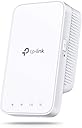
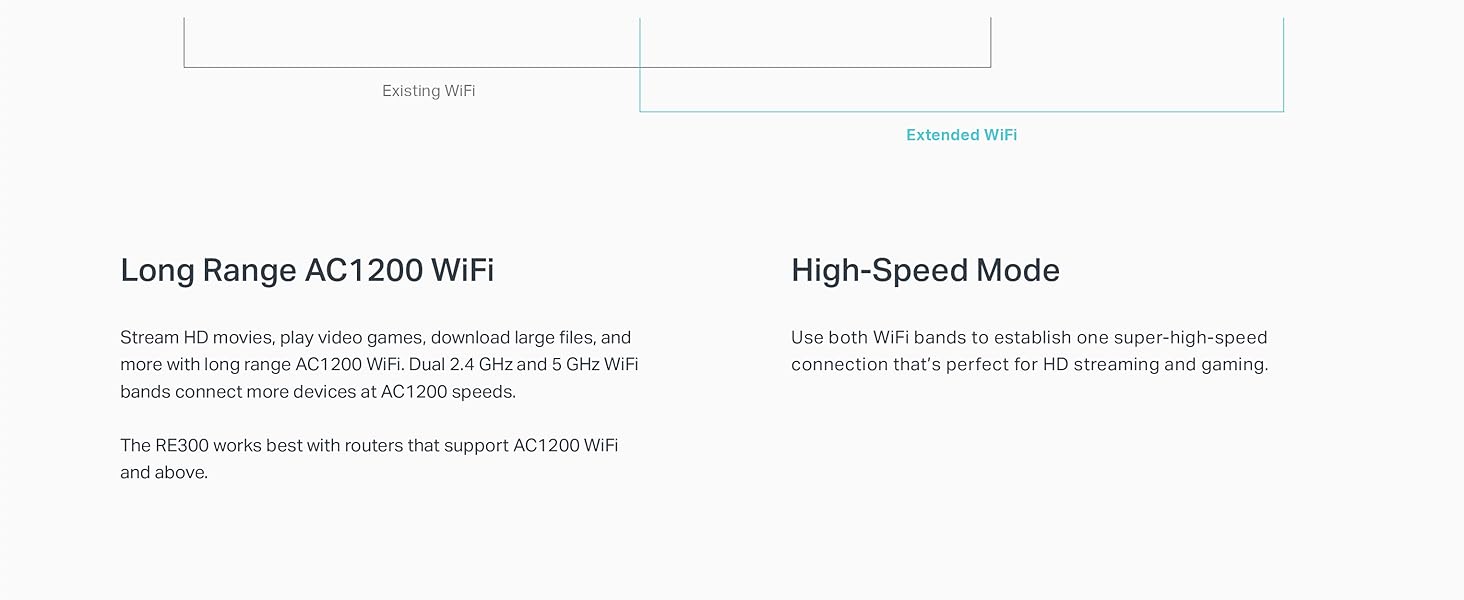
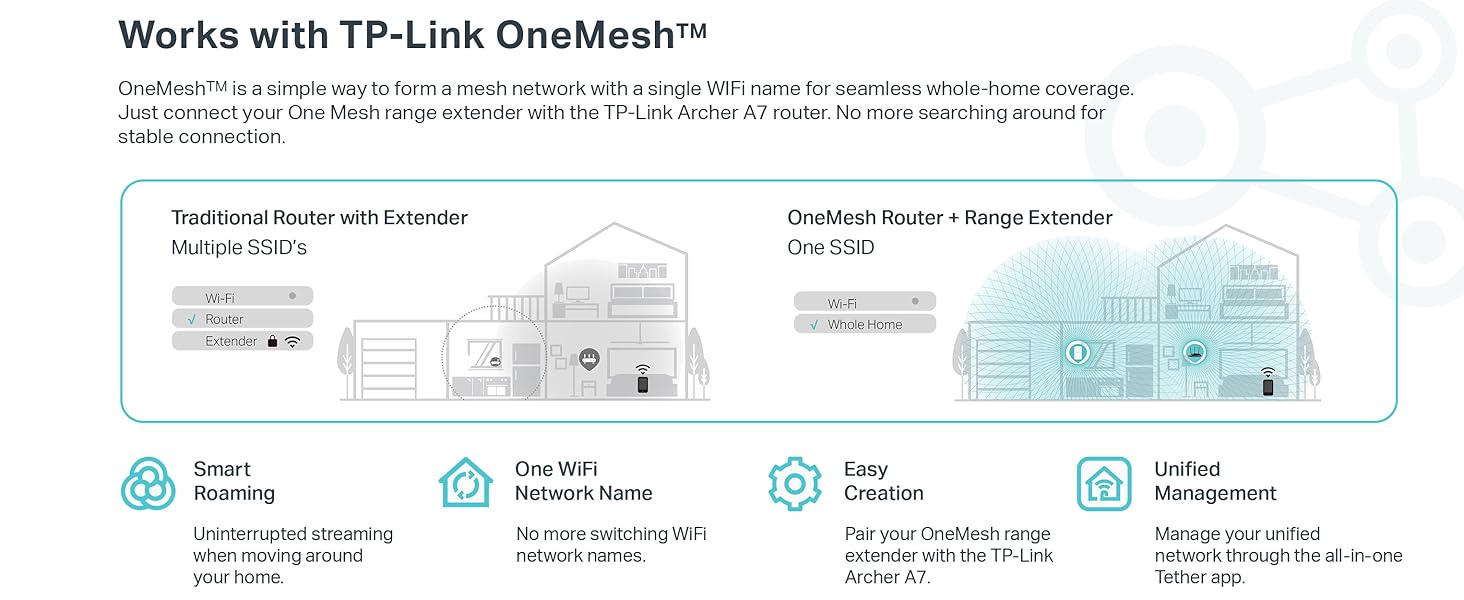
The TP-Link AC1200 WiFi Extender (RE300) expands your wireless coverage up to 1500 sq.ft, supporting up to 25 devices simultaneously with dual-band speeds up to 1200 Mbps. Featuring OneMesh technology, it seamlessly integrates with compatible routers for uninterrupted connectivity. Easy to install with smart signal indicators and backed by 24/7 support, it’s the perfect solution to eliminate Wi-Fi dead zones and keep your smart home fully connected.





| ASIN | B07Q2WQWT7 |
| Best Sellers Rank | #269 in Repeaters |
| Brand | TP-Link |
| Built-In Media | AC1200 OneMesh Wi-Fi Range Extender RE300, Quick Installation Guide |
| Color | White |
| Compatible Devices | Personal Computer, Security Camera, Smart Television, Smartphone, Tablet |
| Connector Type | RJ45 |
| Customer Reviews | 4.1 out of 5 stars 24,776 Reviews |
| Data Transfer Rate | 1200 megabits_per_second |
| Frequency | 5 GHz |
| Frequency Band Class | Dual-Band |
| Frequency Bands Supported | 2.4 GHz, 5 GHz |
| Global Trade Identification Number | 00840030700064 |
| Item Dimensions D x W x H | 2.7"D x 2"W x 4.9"H |
| Item Weight | 6.4 ounces |
| Manufacturer | TP-Link |
| Mfr Part Number | RE300 |
| Model Number | RE300 |
| Number of Items | 1 |
| Range | 1500 square_feet |
| Special Feature | OneMesh Technology, Concurrent Mode |
| Special Features | OneMesh Technology, Concurrent Mode |
| UPC | 840030700064 |
| Unit Count | 1 Count |
| Warranty Description | 2 year manufacturer, 2-year warranty and unlimited free 24/7 technical support |
| Wireless Communication Standard | 802.11a, 802.11ac, 802.11b, 802.11g, 802.11n |
| Wireless Compability | 802.11a, 802.11ac, 802.11b, 802.11g, 802.11n |
K**A
Easy To Install, Flexible Features
I've become a fan of TP-Link in recent months. I install internet for a living right now and I've been looking for a simpler solution to recommend folks. You can go blow huge money on mediocre mesh systems like the Orbi which will set you back $500 for a 3-pack these days, or you can buy a TP-Link router and buy a couple of these extenders and create a smooth mesh system that's low-profile and can get you up to 3,000-4,000 sq ft of coverage without breaking a sweat or spending all afternoon getting it squared away. If you download the Tether App from TP-Link, it's easy to get these extenders setup. Right now I'm not connected to a TP-Link router but eventually I'll probably replace my modem/router combo from my ISP with a TP-Link A7 or whatever their AX/WIFI-6 setup is because I like the idea of a mesh network but I don't like the restrictive nature of some of the ones out there. All that being said, this extender seems to get the job done. I still get hiccups and packet loss but I'm starting to think it has everything to do with my ISP's modem/router unit or my ISP specifically and less-so the equipment in my home. I have a 3 level home (2 main floors and a bonus room/attic at the top) and want quality wireless connections on every floor. I sat this extender on the 2nd floor and game and use my PC on the 3rd floor. I initially used the 5G band for the better speed but as I sorted through the settings on TP-Link's Tether app, I found that there's a "high speed mode" available. What I quickly found is that you can choose 1 of 2 things here: use the 2.4 GHz WIFI band from your internet source broadcast as a dedicated communication channel or a 5 GHz WIFI band dedicated to communicating with your internet source broadcast and then use the other band to connect your devices to. What that does (I happen to be familiar with this process - there's no real instructions) is create a finite connection over one band and throttle-up the other band for your devices to connect to. I used the 5 GHz band to create the modem/router > extender pairing for maximum performance between those two devices (they aren't that far away from each other so the 5 GHz band is fairly strong where the extender is) then I use the 2.4 GHz band to connect my Xbox One X and my PC. The results are fantastic for the price I paid for the extender. I ran a speed test on my Xbox One X and got 105 Mbps down, 10 Mbps up, 100% wireless connection strength, 0% packet loss, and 24 ms ping. That's solid performance given that my maximum download speed is 150 Mbps if the network is completely free of other users. You may or may not need to use the "high speed" setting and dedicate bands like I did, but I wanted my connection to be as solid as I could make it so I used the faster band to connect my extender to the internet and the "slower" band (2.4 GHz is slower most of the time) to establish high quality connections with my devices so I can move around more. I'm very pleased so-far. If anything changes I'll report back but I spent a couple hours testing out online gaming with my Xbox and it seems to work pretty well. A couple hiccups at first but the experience smoothed out quite a bit as time went on.
K**A
Customer Support was great!
The product worked as advertised. I repurposed it to help out some friends of mine. I used the Tether app originally to set it up and it worked just fine. When I tried to use the Tether app to set up the extender for my friends, I could not get the app to work. Tried multiple times with no luck. I ended up calling Tp-Link Tech Support. I am so glad I did that. Our Tech, Remnard, was great! I would give him an 11 out of 10. The manual setup process has many steps to it. I guess that just goes to show how much is done behind the scenes when the app is working. Remnard was very patient and knowledgeable. He would give us instructions then wait until we were finished with his instruction to make sure we were on the proper screen. At one point, he gave us instructions then wanted us to wait on the next screen and to Not press NEXT button. Once we got to the proper screen, he then said the press the NEXT button. It probably took another 15 minues via the phone but his instructions worked and the extender started working. Thank you, Remnard. My friends and I are now happy campers!
K**Y
Setup...eh. Range pretty good. Reliability...I'll let you know
So, in my building we have a router in the front of garage and we want to extend wi-fi into the backyard. A cinderblock wall separates the backyard from the router. You can get the router signal at the doorway, but not through the wall. I have a Netgear extender that works pretty well in extending the wi-fi to the backyard when plugged in to an outlet located in the back of the garage. Some days are better than others. Lightning deal on this TP-Link version. Great reviews. I am familiar with many of their products. Let's give it a try. Setup: Download app. App connects you to the extender's temporary wi-fi network. You tell the app which wi-fi networks you want to connect to...a 2.4Ghz and a 5Ghz network. I picked my two networks to connect to. For some reason, it kept failing. I was sure of the passwords. The device sees the networks. Just keeps telling me the host networks have not connectivity. So, I decided to just connect the 2.4Ghz network. IT WORKS! Then I tried the 5Ghz. IT WORKS! Maybe their stupid app doesn't multi-task very well. Range: Pretty damn good. Better range and strong more reliable signal than my Netgear one. Feedback: The setup was iffy. The range seems good. Let's see how it is after a couple of weeks. One thing I really liked about the Netgear that I wish the TP-Link would allow...allow you to change the password on the extended networks. They let you change the name of the extended networks...but not the passwords. A lot of people don't care, but it would be a nice option to have.
K**R
2 years later and still going strong-ish
You definitely have to be a little tech savvy with some patience to set this up. It occasionally disconnects, but I just reset it. Other than that, it works like magic! It doesn’t make your main internet slow, and the scheduled on & off is a big bonus because you don’t waste energy. I did recently have an issue connecting my 2G network, which is the main one, but just switched it off and just using the 5G now. I think the biggest problem is my old router. Definitely have to update those often. I even think using only the 5G made the connection stronger. If I can ever connect to the 2G again, I’ll update here with connection strength tests. I would definitely recommend for dead zones that are a little far (60 feet and a story from our router for us). If I had a bigger need for a stronger connection, I would definitely upgrade to the get a larger range. It cuts off pretty much at those 60 feet, but any longer would just be a luxury for us. Maybe one day, but for the reason I got it, like I said, it works like magic. I Zoom, stream, browse, social media on my phone all at once without an issue. I have found AT&T WiFi calling to be mostly troubling on this connection. Luckily I have just enough cell service so I turn off my WiFi when making calls. I keep it on because all other WiFi calling connections have worked perfectly and the city I live in has terrible cell service. Really can’t beat the price and service for a simpler extender. Before I bought this, I bought the older model that had a smaller range and it did absolutely nothing. I would definitely start with this as a base and upgrade higher if your extender needs are greater. And make sure your router doesn’t need a model upgrade from your provider.
T**M
Does extend signal, but is tricky to set up
Most importantly: does this work? Yes. I brought it on vacation and used it in a European home with 220v and thick cement walls where the home wi-fi never before reached. Got a good signal. We had 4 or 5 devices running off it and there was no degradation or slowness. Luckily, though, I played with it in my own home before departing on the trip. I consider myself moderately tech-savvy and still had trouble setting this extender up. This is the technological equivalent of an Ikea piece of furniture! The instructions make much better sense AFTER you know how to do the set-up, but for a first-timer they seem to be missing information. Also, if you get half-way through and want to start all over again, there are certain procedures that the instructions omit. I called tech support, and got immediate assistance, so I can say they are clearly better than most China-based sellers. Having success one time gave me no confidence that it would happen again (it felt more like luck than a planned outcome) so I reset the extender and tried again on a friend's router, then once again back at my house. Most people won't need that amount of practice or expertise, but it was good to be able to explain it to my wife so that she could also repeat the steps and make it work. I don't know how this extender compares to others, but in today's world of plug-and-play a buyer should know that they'll need a little more patience and will need to do more than unbox it and plug it in. (Important Note: if you have & use a WPS button on your router then set-up literally only takes a few seconds and is a no-brainer. Not all routers have that button.) Can recommend, with the Ikea caveat!
E**A
Dont believe the negative reviews! This works great
The photos are before and after I got this extender. I was using a linksys 6400 extender that died within 9 months of use. I got this about an hour ago, set it up in 5 minutes using the app, and have already gotten 5x the internet speed I had before and without this extender. I can’t speak to how long this will last but considering a $100 extender lasted me 9 months and this is half the price, I would be happy if this even lasts a year! I work from home and my room is the only room in the house where the internet just drops. This has been a really great purchase. For the reviews saying setup is difficult I can only assume some people don’t have smartphones to set this up with or have no wps button on their router because this was insanely easy for me to set up. Also for the reviews saying this thing is garbage I can honestly say the issue STARTS with your internet. If you don’t have good internet to start with then this won’t magically fix that issue. I also don’t think these people took the extra minute to move the extender around to see what spot it works best in (yes that matters). 5 stars, thank you!!
Z**O
Never great, completely useless after 1 year, replacement process is meant to fail you
The extender did the job mostly, but after a year it started to drop every day and is now an hourly occurrence. As it’s still within warranty I called the customer service and after over an hour, they agreed with the initial problem I made clear from the first minute that it was the hardware (I had multiple forms of evidence) and said they could replace it. I was told to check my email and it is clear that their process is meant to deter people from pursuing returns, and almost feels like a scam. The email was long and the instructions unclear, I had to submit receipts, the machine, address, etc., register the device on a specific page, then email back saying I did it, wait for a response (4 days), then I could select shipping. Options: send them the device you rely on for your livelihood then they will send a replacement for free, or pay shipping (which to access the payment you have to change settings in your browser, they know this and even have a link to directions). You’re supposed to pay only shipping, but I get to the payment (PayPal) and it’s asking for the entire price + shipping. This is the price set if you don’t send your device back in 25 days, but is instead being charged up front? Of course then had to email AGAIN, and expecting another multi day wait. This puts me at almost 2 weeks of pursing a return despite following their instructions and steps every time within a day. For their customer service alone, and poor quality, go with a more reliable service.
F**E
Excellent Extension of WiFi Signal; Easy to Set up
TP-Link AC1200 WiFi Extender, Covers Up to 1500 Sq.ft and 25 Devices Up to 1200Mbps, Supports OneMesh, Dual Band WiFi Repeater, WiFi Booster to Extend Range of WiFi Internet (RE300) Sold by: DigitalShopper $50.72 We've been operating in a 3-level, 2,300 sq ft house with a WiFi router that is more than a decade old.... it just wasn't working well, and it was time for an upgrade (consistently poor to fair signal strength in the upper levels, furthest from the router). After a LOT of research, I decided on the TP-Link AC1750 (Archer A7) router with one (1) TP-Link RE300 (AC1200) range extender: 1. TP-Link products consistently have come in with #1 ratings from independent reviewers the past 5+ years. 2. The TP-Link line has OneMesh, which allows you to add range extenders to create a whole-building network that seamlessly meshes with your devices (i.e., the devices don't have to constantly log on to new signal sources as they move through the building). Installing the extender was easy-peasy... it probably took longer to read the instructions than to actually get it up and running. The quick-start instructions are very clear: Plug in the extender near your router, press the WPS button on the router, then on the extender, and then wait for all the LEDs to light up. Once lit, you can unplug the extender and move it further from the router. One nice thing about these extenders is they tell you if the location where you want to install them is good or not... if the router signal is not strong enough, the signal LED will show red. Just move the unit a little closer to the router until you get all LEDs lit consistently white. After installation of the extender, our furthest areas of the house went from good signal, to consistently excellent signal strength (4 - 5 bars) in the areas of the house farthest from the router. A world of difference !! NOTE 1: Just to point out, you will never get the same Internet speeds through an extender as you have directly from your router... that's just the way the world works. Expect about half speed through an extender. NOTE 2: I will revise this review accordingly if we experience any problems with this extender. For now, it was relatively easy to install and setup, and it has dramatically improved the signal strength in the areas of the house furthest from the router (which is what I wanted). Can now actually use the (basic) Internet in the "nether regions".
H**M
ممتاز
حلو
M**A
Perfect
Works so well 👌🏻
C**E
Great product.
Works well, easy to setup, as advertised.
S**M
Great WiFi Extender, great performance and easy to install
Purchased this Wi-Fi Extender as I need to extend my exiting network and cover all the dead areas of my house. It is doing a great job till date. I was able to extend the network and all the dead spot vanished. The coverage has been wonderful and with both the 2.4 GHZ and 5 GHz channels, it covers all the devices providing them with optimum speed and bandwidth. The installation has been an easy one as I have followed the steps to install it as per the instruction manual. Even when ever it's been switched off by mistake it takes just a few minutes to come up to speed and start's providing great network connectivity. It's a great product and would not hesitate to recommend it to anyone who want's a quick, easy and cheap way to extend their current network area.
M**O
Excelente producto para extender la red inalámbrica en la casa.
Fácil de instalar e integrar al ruteador de la casa. Además bastante estable la señal. Un excelente producto. Lo recomiendo plenamente.
Trustpilot
2 weeks ago
2 weeks ago