Desertcart purchases this item on your behalf and handles shipping, customs, and support to South Africa.
🚀 Elevate your mobile workspace with Intel’s premium wireless powerhouse!
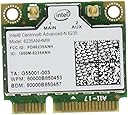
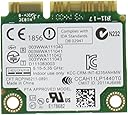
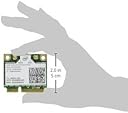
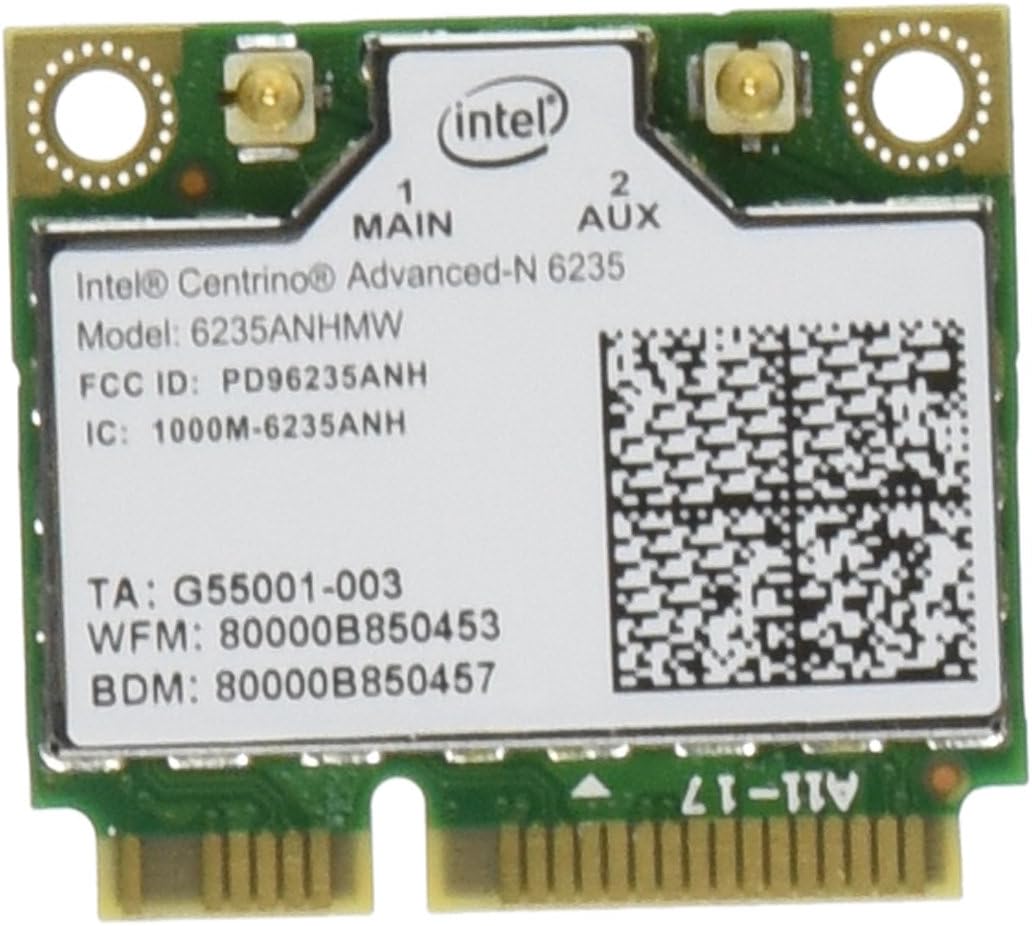
The Intel Premium Wireless 6235AN-HMWWB is a compact, dual-band 2x2 Wi-Fi and Bluetooth 4.0 adapter delivering up to 300 Mbps speeds. Designed for ultra-mobile professionals, it features Intel-exclusive technologies like Smart Connect and Wireless Display, ensuring reliable, high-performance wireless connectivity. Ideal for modern laptops running Windows 8 and newer, it offers a seamless upgrade path to faster, more versatile networking.
| ASIN | B007QXLIWI |
| Best Sellers Rank | #1,206 in Internal Computer Networking Cards |
| Brand | Intel |
| Compatible Devices | Desktop |
| Compatible Operating System Family | Windows |
| Customer Reviews | 4.3 out of 5 stars 472 Reviews |
| Data Link Protocol | Bluetooth |
| Data Transfer Rate | 300 megabits_per_second |
| External Testing Certification | WHQL |
| Global Trade Identification Number | 00735858244381 |
| Hardware Interface | Bluetooth |
| Item Part Number | 6235ANHMWWB |
| Manufacturer | Intel |
| Mfr Part Number | 6235AN-HMWWB |
| Minimum Required Operating System Version | Windows 10 |
| Model Number | 6235AN-HMWWB |
| Number of Items | 1 |
| UPC | 675900008076 151902977836 115970741560 735858244381 041114199952 163120869954 191120012698 625485470317 |
| Unit Count | 1 Count |
T**O
Works as well as the 6230
Because of an ordering snafu, I ended up with both the 6230 and the 6235. Both work extremely well in my Acer Aspire 5315. The only downside of the 6235 is there is no Vista support. I only have it working under Vista because I installed XP drivers (v15.1.1) for it. Now why Intel will support this card under XP, but not Vista is strange. I'm waiting for Windows 8 to be released and hope Intel is on the ball with their own drivers & software for it. Both adapters do work natively in Windows 8, but still would like the Intel software which I can't use under Vista. Overall, the 6235 works well with the hardware and was an easy install. You just have to verify that it works with your hardware. Don't expect any help from Intel since they say this is an OEM install item and not for end users. Frankly, this sounds like a cop out on their part. You can pop in any USB wifi with the same internal hardware. It is the same with any internal part you would install in a laptop or a desktop - Caveat Empor. In other words, you better know what you are doing since improper installations can always risk your machine electrically. But expansion cards have been around for a long time and for Intel to act as if this is any different (FCC regs notwithstanding) is rather silly. Anyway, I can verify that the 6235 works perfectly with openSUSE Linux 12.2 64-bit version as well. I've even ran my Vista network through the Bluetooth on the 6235 through my phone's 3G connection since my main Internet connection was down today. Intel did create a great adapter and the price was only about $5 more than the 6230, so I'd recommend this to anyone who has hardware that supports it. I can't test it's dual band ability yet until I get a newer router since I only have a Linksys E1200 at the moment and both the 6230 & 6235 connect at 130-144 Mbps. Update: I finally have a dual band router Linksys EA2700). So, I can say this works as great with 5Ghz band as well and usually connects at 300 Mbps. Since I'm running Windows 8 now, the Bluetooth support from Intel works except in the case of audio transfer to the laptop w/ the 6235. Otherwise it works with WiFi & Bluetooth both. My only caveat is if I do a warm boot to Windows, I lose Bluetooth functionality. This may have more to do with the design & construction of my laptop than the 6235 since it seems the onboard audio & the Bluetooth portion of the 6235 do have a weird sort of conflict. This only affects it on startup: Cold boot = Bluetooth, but no startup audio yet audio works normally otherwise Warm boot = Startup sounds and normal audio, but no Bluetooth. Other than this it has functioned flawlessly ever since it replaced the original WiFi card.
R**4
Installed easily... Works very well.
I just purchased a brand new HP Envy m6. It came with everything I wanted except dual band wireless and Bluetooth. It took me barely 10 minutes to install it. Windows 8 recognized it right away and installed drivers however Intel's web site had newer drivers which I installed. It is faster than the Atheros single band card it replaced and appears to have more range. This is quite possibly the best $23 upgrade I have ever done to any of my computers. I plan to purchase two more of these and do the same upgrade to my two netbooks. Highly recommended. PS. I read reviews where people were having problems installing this card and in my case with Windows 8 it was very easy. For those using Windows 7 I would suggest downloading the drivers from Intel's support site and having them available before you try to physically install the card. I think the process should go fairly easy. Whoops... I need to amend my review. I received two more 6235's and I just installed one in my Samsung NC-10 netbook which I believe I purchased in 2008. The Bluetooth is not working using either Windows 7 or Windows 8. I have tried to install all the different downloads from Intel's website and nothing has fixed it so far. I will probably reinstall the original Atheros card. The 6235 continues to work very well in my new HP Envy M6. I am going to try another 6235 in my ASUS 1201N netbook which I purchased in 2010. At first glance I would say the driver support for older computers in very questionable. If you are trying to install the 6235 in newer computers I think you will be fine. But if you are working with an older computer I think it could be hit and miss. At first I thought the issue might be Windows 7 vs. Windows 8. I now think it is more related to the age of the computer. Update #2: I have now installed the 6235 in three computers and I received three entirely different results. When I installed the 6235 in my brand new HP Envy M6, it could not have gone any easier or better. Both dual band wireless and Bluetooth work perfectly with the generic Windows 8 drivers and the newer drivers from the Intel web site. When I installed the 6235 in my five year old Samsung netbook, the wireless worked right away but I was never able to get the Bluetooth to work. I reinstalled the original Atheros card and Bluetooth did not work once again so I put the Intel 6235 back in. The net result in the dual band wireless works great, Bluetooth is not working. Today I installed another 6235 in my ASUS 1201N netbook which is roughly three years old. The dual band wireless worked right away and works great. For the most part Bluetooth is working but it is fussy. My advice? It would seem this 6235 card is very fussy about the age of your computer. I would probably pass on this card if your computer is more than two to three years old.
M**R
Tricky to install
Purchased this card for use inside of an Intel NUC, specifically the one found here: http://www.amazon.com/Intel-Computing-Gigabit-i3-3217U-DC3217IYE/dp/B0093LINVK I specifically purchased this card because of Intel's claim inside their support documentation that they had tested and verified compatibility between the two pieces of hardware. The card does in fact function properly (though, admittedly, I've only been using it for about 15 minutes now). Physical installation was very easy ... driver installation, not so much. Upon booting Windows 7, the OS did not recognize the Wi-Fi adapter at all but did add Bluetooth functionality. I successfully paired the unit with a HP keyboard and my Samsung Galaxy Nexus. I went to Intel's support page and searched for drivers for the card. Their automatic device detection feature failed to recognize the card as well. Something about "unknown or unsupported device". I then manually navigated to the downloads page for the 6235 and found at the very bottom of the list "Intel My WiFi Dashboard Software". Installing this finally allowed Windows to recognize the card and provide Wi-Fi functionality.
A**R
Stability and Perfomance get a huge thumbs up
This was simple to install in my Dell laptop, and is far superior to the Dell DW1520 that it replaced. The performance is far superior. I see better range and speed. I'm not sure how this affects battery life, but Intel provides a lot of options in their drivers to enhance their product. With all the wifi networks these days, the standard 2.4 GHz frequency is getting very noisy. That means dropped wireless connections, reduced range, and lower speeds. The Intel 6235AN supports both 2.4 and 5 GHz. For me, that means I get a clear 5 GHz signal from my router (which is dual band). The range isn't quite as good on 5 GHz, but the speeds are great when I'm in range. The 40 mhz channel in the 5 GHz band of 802.11n is twice the size of the 20 mhz max in the 2.4 GHz band, which means a much faster network. The Intel 6235AN does a great job switching seamlessly between networks. Perhaps the biggest reason I bought this card in particular was that it includes a Bluetooth! My Dell 375 Bluetooth chip was almost unusable and I was glad to disable it. The Bluetooth 4.0 Low Power module built into the Intel 6235AN saves laptop battery life, has excellent range, and doesn't suffer any of the sound quality problems I experienced using my bluetooth audio devices on the 375 chipset. Top notch product at a great price.
L**O
Works like a champ!
After purchasing a router that would offer 5ghz dual band I settled on this particular chipset to replace in my MSI GT70. The OEM chip supplied was a Intel 2230. Installation was a breeze. Remove one cover on the laptop, one screw that was holding the card in, both of the antenna leads. Place the new chip in , attach antennas, screw! That was it. Anyone that is concerned about installing this chip shouldn't be. So long as you do a bit of homework (read: Google your laptop model and the Intel 6235 to check on compatibility) you should run into no problems. The worse part will depend on where your card is located in the laptop. Look for a tear down on your laptop to find out where the card is located and how comfortable you are on working on your computer. Also don't forget to ground yourself and remove all power (battery and a/c) from the laptop. When I rebooted the system the card was automatically detected. I updated the drivers for wireless and Bluetooth (two separate installation packages directly from the Intel website. Pick the appropriate version depending on windows release and 32 or 64 bit. One more reboot with the new drivers and that was it. Piece of cake! Ping time decreased by 1/2 (43ms to 20ms) , throughput increased and the range drastically increased. Where I was getting 3 bars downstairs from my ASUS RT-AC66U I now had full strength in any part of my house and the deck outside. If you are living in a congested wifi area (apartment or townhouses) I would highly recommend going with a 5ghz capable card and router. The traffic congestion appears to be more on the 2.4ghz band than the 5ghz. For a $20 investment you can't beat this card.
R**G
Intel Network 6235AN.HMWWB Centrino WiFi Card Half Mini PCI Express...
I have two PH Envy DV laptops (one DV6 and the other a DV7) that I purchased from Costco and as such, you could not order a dual band radio for either. Still, the price was good and I thought I could live with it. Well, I started to find that I really wanted the second band and so tried to buy it from HP. Needless to say, that was a wasted effort!!! I was told everything from the radios are part of the motherboard and cannot be changed to no one makes a dual band radio. Funny, when you look up their manuals for parts you find a part number and listing for a Intel Centrino 6235AN. I pointed this out to their parts department and I was told that part never made it to market. So, I went to my trusty Amazon website and low and behold, found the part that supposedly never made it to market!! So, I ordered two of these and installed one in each laptop. Not only do they work, they work MUCH better than the piece of junk that HP put into the laptops. Besides gaining the 5Ghz band, I also gained Bluetooth!!! So, now I have both bands and Bluetooth, what is not to like!!! The only thing I had to do was go to the Intel site and download the software for this radio. Very simple and that took care of the wireless and of the Bluetooth. I would HIGHLY recommend this to anyone with HP Envy series dv6 or dv7 with an Intel chip in it.
T**R
Great upgrade WiFi Card-Network Connection Issues.
I recently purchased a Dell 13z laptop. While I loved the size and performance, there was an issue with the installed WiFi card. I had dropped connections, no connections, etc. I read some reviews on the Dell web site. Most users had problems with the WiFi card. Instead of dealing with Dell support, I elected to upgrade. Installation was a breeze. I have had great success and no dropped network connections. The value was significant at $22.00 and I highly recommend it. I'd rather spend $22.00 to correct a problem with a superior product than deal with wasted time on support with lengthy resolution. Update for 081913- After about 2 weeks the Intel card began losing connection to my network. I did research on the Dell forum, Intel forum and searched the internet for answers. Apparently there are some wide spread issues with Intel drivers and Windows 8. I even attempted a clean install of Windows 7 and still had network connection issues. In the end I was able to have Dell warranty cover installing a Broadcom wireless card for me. So far it appears to have cured my problem. I really cannot recommend Intel until they fix their connection problems. I tried three different cards with the same results.
R**T
Great product, too bad it didn't work in my new laptop
I bought this to replace my cheap network card in my brand new HP Envy M4 laptop. Solid, higher end laptop,that didn't have Bluetooth. Anyway, the new wireless card fit in there fine and was a breeze to install. The Bluetooth started working immediately. Unfortunately, I was never able to get the wireless portion of the card to turn on. I did some reading, and from what I gathered, HP configures their BIOS to only accept new products that have been digitally signed by them, forcing you to purchase all upgrades directly from HP. Understandably, this was enough for me to return the laptop and purchase another that had built-in Bluetooth. In fact, my new laptop has this very networking card OEM. So I can attest that it is very fast,and works great.
A**O
Ottimo prodotto
Istallata sul mio asus N551JM per sostituire la scheda di serie che non era proprio il top. Ormai è un paio di mesi che la utilizzo sia per la banda a 2.4GHz sia per quella a 5GHz e ne sono rimasto soddisfatto in tutto. Assolutamente consigliata!
A**R
don't replace your computer - upgrade it!
BACKGROUND I have an older laptop that is running fine for what I do - internet, word processing, spreadsheets, playing video, and basic photo retouching. Speed-wise, it was falling behind a bit so my first upgrade was to a sold-state-drive (SSD) which boosted its "pep" remarkably. The other Achilles Heel of my system: only 2.4GHz wireless, not 5GHz, and no Bluetooth connectivity. WIRELESS UPGRADE The wireless spectrum around my home is quite crowded - there are about a DOZEN other WiFi networks visible, all "trampling" on mine, mostly in the 2.4GHz band, which is notorious for interference. (your microwave, as well as ANT+ fitness equipment, HR monitors, smart watches and so forth all operate in the 2.4GHz range) I might have put up with this but I was seeing drop-outs when doing real-time networking such as indoor cycling with Zwift that relies on ANT+ and Bluetooth. Rather than replace the whole computer (which is running fine otherwise), some quick Googling shows that its mini PCIe networking card is easily replaced. I can't over emphasize how easy this upgrade was. Finding the instructions for opening my laptop, I popped the case open, disconnected the existing antenna from the old card, unscrewed and removed it, popped the new card in and reconnected the antenna. The new 6235 card has two antenna connectors so I'd also ordered an extra antenna with it. That got taped to the inside of the case, and the plug connected to socket 2 on the card. (use tweezers or fine needle-nose pliers) POWERED-UP, NEW CAPABILITIES On closing the case and powering up, Windows 8 immediately detected the new card, a Bluetooth icon appeared in the taskbar, as did the wireless network icon - totally painless - and my 5GHz wireless network showed up as it should. Speed was, unsurprisingly, noticeably faster on 5GHz, likely a combination of higher bandwidth versus 2.4GHz, as well as less interference. (5GHz has less range than 2.4 so your neighbours' networks won't "step on" them as hard) This card features Bluetooth 4.0 which is important: BT4.0 is a huge upgrade over BT3.0 so if you're buying a card, make sure it's at least BT4.0. (supports low-energy connections) There are still Bluetooth 3 cards floating around and while they'll work, they don't seem to cost any less, but aren't as future-proof. All in all, great little upgrade, and pushed my next computer purchase a few years down the road - maybe for you too!
R**S
Intel wirelsee card
Windows 10 had the right drivers for this, unlike the old one fitted in my Dell XPS. Easy to fit and works instantly, no more trouble with the wireless.
S**R
Ahora mi Alienware tiene WiFi y Bluetooth
Funciona bien para una Alienware X51 r2 que sólo traia WiFi. Sólo hay que reemplazarla y Windows se encargará del resto... maravilla.
P**K
Sehr gut
Habe es eingebaut wie immer kein Problem Beide Netze laufen wie sie es sollen Jedoch wird BT nicht aktiviert böse Falle denke aber es liegt an meinem Laptop. Also vorher prüfen und falls es nicht geht zurücksenden
Trustpilot
2 weeks ago
2 days ago