📊 Elevate Your Health Game!
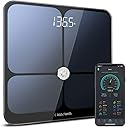
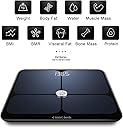
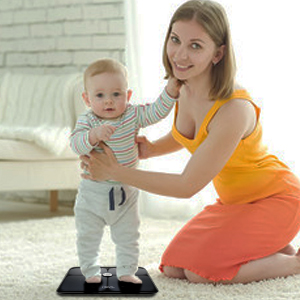
The Innotech Smart Bluetooth Body Fat Scale is a cutting-edge digital weight scale that provides comprehensive body composition analysis, including 9 key metrics. It supports up to 10 users, making it ideal for families and fitness groups. With a user-friendly app for both Android and iPhone, it syncs effortlessly to track your health journey. The scale features precise measurements and a stylish design, ensuring both functionality and aesthetic appeal.


| ASIN | B07M8GXMC1 |
| Best Sellers Rank | #697,916 in Health & Household ( See Top 100 in Health & Household ) #864 in Digital Bathroom Scales |
| Brand | Innotech |
| Brand Name | Innotech |
| Color | Black |
| Customer Reviews | 4.5 out of 5 stars 2,395 Reviews |
| Display Type | LCD |
| Form Factor | Handheld |
| Manufacturer | Innotech |
| Material Type | Tempered Glass |
| Measurement Type | pounds |
| Model | IB-655 |
| Part Number | IB-655 |
| Readout Accuracy | 3.2 ounces |
| Special Feature | Body Fat, Body Mass Index, Bone Mass, Muscle Mass, Smart |
| Special Features | Body Fat, Body Mass Index, Bone Mass, Muscle Mass, Smart |
| UPC | 657008895956 |
| Unit Count | 1 Count |
| Weigh Scale Type | Floor Scale |
| Weight Capacity Maximum | 397 pounds |
| Weight Limit | 397 pounds |
J**S
I like this scale, and it appears accurate
Note: I was asked to review this product. In the age of everything needing to be "smart," this is not a bad choice to smarten up your bathroom. I tracked my readings on this scale over a week and found the results to be more consistent than I thought I may find by reading prior reviews. There were no issues with multiple users, with my entire family able to track their progress just as advertised. The app was easy to set up, sync, and use. I ran into one issue after 3 days in which it would not sync while standing on the scale. I eventually restarted my phone, which fixed the issues. This created some inconsistencies in my overall results, in that it recorded to the app my weight, but those 3 failed syncs recorded everything else as 0, then averaged the entire day. Naturally, this caused a drastic drop in the graph for the week on that day. Upon investigating what this drop was, I noticed the issue and was able to easily delete the erroneous entries. I liked the explanation of what the readings mean and what is within the "normal" range. However, there are some readings that have no such description and I had to look them up elsewhere, such as muscle, bone mass, and protein. These are all easy fixes and could be updated within the app itself. It should be noted that the app needs to be open before you step on the scale, as it is Bluetooth and not wifi. Otherwise, it functions like any other scale. The overall results and accuracy appeared to be accurate enough, as the changes fluctuated according to my activity and exercise. I cannot say they were 100% accurate without having access to these same readings elsewhere, but the weight synced up perfectly with my "dumb" scale. I would have to say that this was a great product that I would recommend to anyone who wants to track more than just their weight. It is also pleasing to look at.
T**D
Great value for the price
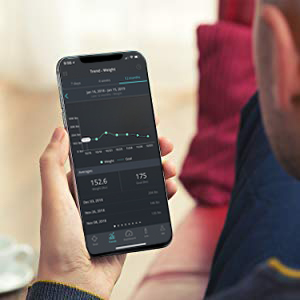
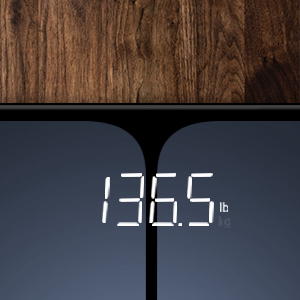
First, this scale is really sleek and looks like something out of Star Trek. It's very cool. Also, the numbers are big, clear, and bright. I compared the Innotech scale against an analog scale and an older digital scale by WD-2003A ("WD"). I was getting differing numbers on all three scales, so I used 80 pounds worth of dumbbells to test each scale. The Innotech was light by .5 pound, the WD was over by about .5, and the analog was light by about a pound. I then weighed a single 35 pound dumbbell and found that both digital scales read it as 33.5 pounds, and the analog read 33. So I think the dumbbell is light! NOTE: Both of my digital scales seem to work more accurately at lower weights. When I weighed myself (naked) on the WD I was 237 pounds. I've been using this scale for 5 years to track my weight loss (I'm down about 40 pounds now). When I weighed on the Innotech, I was 235.7, a difference of 1.3 pounds lighter. I put on my boxers and t-shirt and re-weighed myself on the Innotech and got 236 pounds, exactly 1 pound lighter than the WD. I'm going to recommend if you are a heavier person, perhaps over 200 pounds, weigh-in with boxers and a t-shirt to get a more accurate reading. Never wear socks, as the scale needs to read your bio-metrics through the soles of your feet. All scales where placed in the same spot in my bathroom. Results: Innotech: Mode: Normal (non-athletic. You can select this in your profile.) Weight: 236 pounds/ 43.5% body fat WD 2003A: One mode, no body fat option: 237 pounds Analog scale: One mode, no body fat option: 235 pounds So the Innotech is right in the middle of all my scales when I'm wearing boxers and a t-shirt. Therefore, I'm going to use the weight on the Innotech for my future results. PROBLEM: A problem I ran into with the Innotech is that the first time I weigh-in it often results in a number I know can't be right. For example, if I weigh-in before bed and get 236 pounds, and then weigh-in the following morning, I sometimes see the same 236 pounds, or even a little higher on this scale. After a night of sleep, I know I usually drop 1.5 to 2 pounds, so getting the same result makes no sense. I find it will "fix itself" if I ignore the first weight, let it clear, and then get on a second time. I always weigh-in 3 times and take the last 2, NEVER the first result. I had this exact problem on the WD scale, and could never trust the first weigh-in. Perhaps this is an issue with all digital scales? It makes me wonder if there is a "buffer" that doesn't always clear itself, and locks in a false first result. You have to stay on the scale until the "running lights," big circles that travel left to right after you see your weight, have finished their cycle. Then it will give you your body fat percentage. THE APP: You can weigh-in without using the app, but it won't record any of your stats. I'm happy for that, because I don't always want to take my phone to the bathroom with me. Also, I want the stats weekly, not daily. The App is very informative with a good layout. As others have said, when pairing your phone to the scale be sure your location services are turned on. I don't know why they need that, but everything paired flawlessly for me on the first try. A big "thank you" to the reviewer who suggested that. The app has several sections: GOAL: Allows you to set a target weight and shows you how much you have left to go. The Goal tab displays a number that is off by one pound. If you tell it your goal weight is 215, it will show 216. I'm not sure why it does that. However, on the main screen it shows the correct 215. TRENDS: A graph that tracks your various numbers. DASHBOARD: shows all your info regarding your last weigh in. INFO: Has charts for BMI, Fat%, Visceral Fat, and Water%. Me: Info about yourself, ability to connect to FitBit or Google Fit. I connected to FitBit. It also allows you to add family members so they can track their own statistics, BUT you can only connect the scale to ONE phone. So everyone who wants to track their weight has to use the same phone and select their own profile when weighing in. This can cause confusion, privacy concerns, and erroneous entries if the wrong profile is selected. APP/SCALE PERCENTAGES - ACCURACY: While I found the app to be very informative, I have no way to verify the percentages it displays. Therefore, I'm using them as a baseline since they are consistent within the "universe" of this particular scale. For example, it shows I have 43.4% body fat. That seems like a lot for me, though I AM overweight, 6'1" male, and over 56 years old. My BMI reads 30.9 and my water shows up as 43.4%...exactly the same number as my body fat. Is that a coincidence? I don't know. My visceral fat shows up at 11.5%, which is in the "normal" range but again, I don't know how to verify these numbers. So I'm using the numbers as my baseline so I can track my trends. I may get some calipers and learn how to take a manual reading so that I can at least test for the BMI accuracy. Another reviewer mentioned the birth date range didn't allows dates before 1970. It looks like this has been corrected and goes all the way back to at least 1960 (I didn't look farther than that). OVERALL: I really like this scale. I'm giving it 5 stars because I think it's better than 4 starts, but probably lands at 4.5 overall. If the percentages are accurate, then this is an amazing device at this price-point. At the very least it gives us something to track. GENERALLY SPEAKING/RECOMMENDATIONS FOR ALL DIGITAL SCALES: Why don't digital scales come with a way to calibrate them??? A simple dial with a variable resistor could allow us to calibrate to known weights. And why have every digital scale I've ever owned (4 of them now) given me a false, first weight? It seems like a very simple fix to have a routine on startup that clears all buffers. RECOMMENDATION: Buy it! This is a great scale for the price and I recommend it. I think it's 4.5 stars, but giving them the benefit of any doubts and officially logging 5 stars because of the tremendous value you get with this scale.
S**I
A Body Composition Monitor that is loaded with features and worth the price.
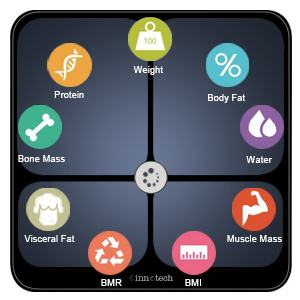
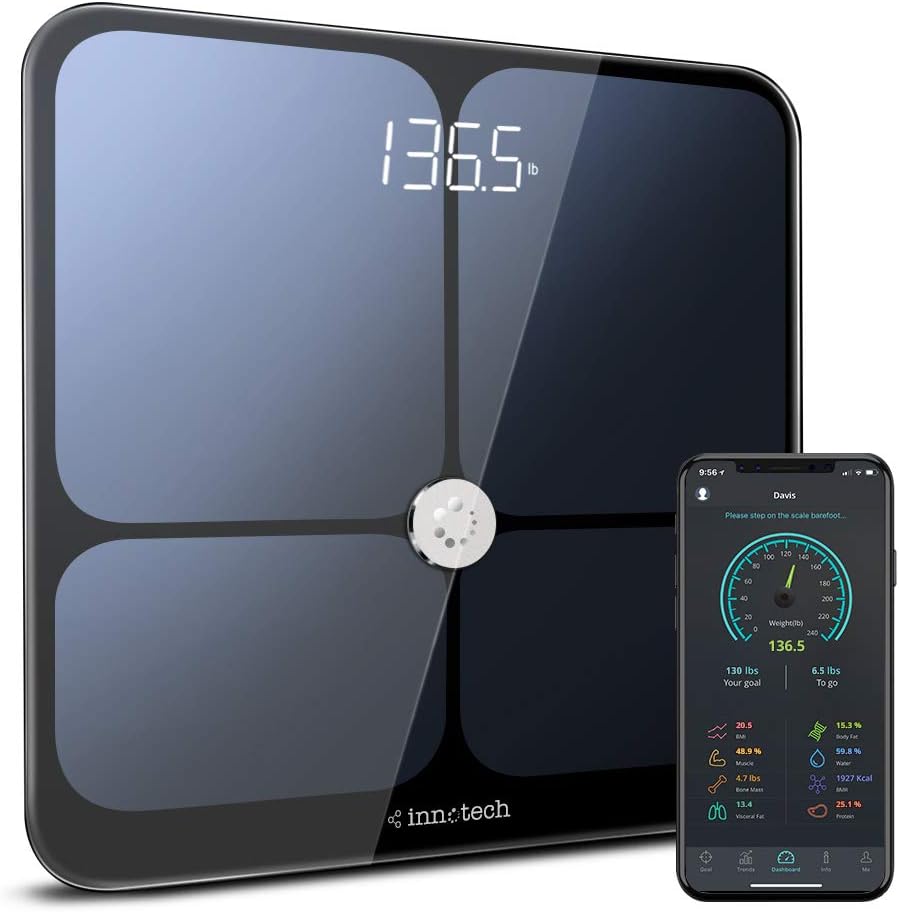
Fist off, this Body Composition Monitor is loaded with features! It measures Weight, BMI, Body Fat, Protein, Muscle, Water, Bone Mass, BMR, and Visceral Fat. Setup is super easy. Load the Body Composition Monitor with the provided three, AAA batteries, set your preferred Weight Units, lbs or kg, download the app from the Google Play Store, or the App Store for iOS. After you download the app, you must register on it. The app is simple to register with, asking basic questions such as your name, height, birth date, e-mail, password for the app, etc... After you register, the app will pair with the Body Composition Monitor, step on the Body Composition Monitor barefoot and walla! It took a matter of 5-10 seconds to tell me all of the above measurements for my body. The app will track your progress, and you can even set goals on it. It can track 10 different people, and keep the readings for each person in the app itself. The app will also let you connect to your Apple Health, Fitbit and/or Google Fit account. The app is super easy to use, and it will help you understand what all of those numbered measurements mean. The Body Composition Monitor itself seems very well made. The LCD display is very easy to read on the front, or you can read your results on the app. The Body Composition Monitor is made of tempered glass, has a 3 inch hidden LED display, and is coated with ITO Electrode Coating, according to the user manual. It feels very sturdy and has little rubber knobs on the bottom corners for stability. As far as accuracy goes for this Body Composition Monitor, I was totally amazed at how close the measurements were compared to two other Body Composition Monitors that my friends have, both different manufacturers. When you can calibrate your readings from three different Body Composition Monitors, all different makes, you know that the accuracy for this Body Composition Monitor is great! Plus, this Body Composition Monitor has four more readings that it takes, that the other two Body Composition Monitors that I tried, do not have. After my friends tried this Body Composition Monitor out, they both agreed that it was superior in make, function, and accuracy. They are now getting ready to both buy this model, and replace the Body Composition Monitors that they have. All in all, I highly recommend this Body Composition Monitor. The price is amazing for what it does, and how well it's made. I can't find one gripe about this Body Composition Monitor, especially after comparing it to two different ones, and seeing the faces of my buddies at how well they liked this Body Composition Monitor compared to theirs. It will definitely help motivate you in becoming a healthier person!!
D**F
More than just a body fat scale...
This is more than just a body fat scale, which is what I was in the market for. It also checks the following: * BMI (##.#) * Body Fat (##.# %) * Protein (##.# %) * Water (##.# %) * Bone Mass (#.# lbs) * BMR (#### Kcal) * Visceral Fat (##.#) * Muscle (##.# %) - You need to download the app on your smartphone (Avail in Android and Apple) in order to see these things; otherwise, you just see your weight and Body Fat % on the scale. The instructions say that you can pair it with up to 10 devices. My phone paired quickly and easily (Galaxy S8), but my fiancee's phone (LG, not sure of model) kept showing that it needed to pair, but when we looked at the Dashboard on the app, her phone was already paired. It was annoying because we spent like 15 minutes trying to get her phone paired. Once you are paired, though, you just need to turn on the app before you step on the scale so that it can track your details. If Bluetooth is not turned on, it will ask you if you want to turn it on. Once it has gathered your details, the screen will update with your latest info.... Or if you're looking down on the scale, you'll see a few squares (like a busy notification ". . . ") until it shows your Body Fat % on the screen. From there, it switches between weight and Body Fat. Of course, if you just want to see your weight, just step on the scale. The app is not bad and shows you a lot of info about your body. The app even has a screen with charts that shows where you "should" be, and you can compare that to where you are. For example, my Bone Mass seems way lower than what the average person is (about half), so that kind of freaks me out, and I will probably ask my doctor about it. You can also set goals (body weight), and the app will track your progress, showing it on a daily graph (Trends). The Dashboard will show you your current weight and how far you are from your set goal. Clicking on each value on the Dashboard will show you an explanation of the setting then show your value. I have noticed that as my weight changes, the BMR (Kcals) is updated also to show the minimum amount of energy (Kcals) I need to keep my body functioning. Take in less than that and/or burn more calories throughout the day, and you lose weight. PROS: * Not much different in size than my regular home scale, just a bit taller * Looks really nice * Can switch between metric and imperial * Gives you more than just weight and Body Fat % (see list above) * Free App * Nice app interface, easy to understand/navigate * I like watching my progress (Trends) CONS: * APP: Pairing on second phone was difficult * APP: Does not calculate age properly; it only takes into account current year and birth year, but not months. * APP: Even thought I set mine to imperial (as opposed to metric) and the dashboard shows my values in imperial, when I click on a description, it shows my values in metric, not imperial. * I noticed that this scale shows me about 2 lbs heavier than my normal home scale -- although I'm not really sure which one is the accurate one. In my photos, I weighed about 1.5 gallons of water, and the Innotech shows it at 12.3 lbs, while my home scale shows it at 12.2 lbs. This is a con because it shows me as being heaver. :) * Trends only show last details from a particular date. For example, if you weigh yourself in the morning, then again at night, it will store/show you your evening weight for that day. ** I like to weigh-in first thing in the morning, so any time after that, I just don't turn on the app when I weigh in, but it would be nice if it stored multiple weigh-ins/day. ** On the other hand, I know that it is best to track this kind of stuff when you check it at a consistent time each day and adding more can mess up your numbers. Overall, this scale gets 4/5 stars, but I'm sure simple programming updates to the app would push this up to 5 stars. Great product, but I'll update in a few months, if necessary.
K**H
Super Smart Scale!
Okay, so please watch my video for details about how this scale is but overall this is out it works: 1. Comes with 3 tiny batteries that you just neatly place into the back of the scale 2. The scale immediately weighs you but it needs to be paired to your Iphone or Android; I have an android/Samsung Galaxy S8 & I went to my playstore on my phone & simply typed in Innotech Scale; it popped up immediately & then I downloaded it onto my phone. It then shows up as "Innotech" on your phone displays the following: BMI Body Fat Protein Water Bone Mass BMR Visceral fat Muscle I love this scale because it holds you accountable in that it's not just about your weight but your water, muscle & metabolism. I'm currently doing Keto/IF (intermittent fasting) & plan to for the rest of my life because I've had such good results with it. With Keto it's not always about the weight lost but rather the inches, the muscle gained & the fat lost - this scale shows you that even if you're not losing that many lbs; you can be losing fat/water etc. I also love the look of this scale; it's so pretty & sleek. It's also a good size, my feet are small (6.5/7) & there's plenty of room to step on this scale. I will say it's glass so be careful of moving it around & chipping it. The scale has 4 little rubber pads on the bottom of it that keep the scale in place. I actually keep it under my bed & not in my bathroom because 1. I don't want to constantly weigh myself (I would if I saw it in my bathroom) & 2. I am more likely to have my phone with me to check my body measurements in my bedroom than have my phone in the bathroom (we need to separate more from our phones people!). Overall this is a great scale & I'm super happy with it. I actually was able to use a coupon when I bought it so it only came to $40 with Amazon Prime. Well worth the money!
E**E
Excellent
I had an old Withing scale, so I decided to acquire the Innotech smart scale as it gives more information about my health. - Installation using an Iphone: The scale came with a small paper manual. I used my Iphone to scan the Q-code on the manual. This took me to the Innotech app in the Apple Store. After installing the app, I was prompted to create a new account. App just asks an email, password and other little info (height, name, and date of birth). After adding the batteries on the scale (note that the scale comes with the batteries), the Innotech app in my phone automatically recognized the scale. (Note that your’s phone Bluetooth must be on) So, I would give 5 stars for the installation of app and scale in an Iphone. - Usage for 1 user Once I created my account in the previous step; that became my main user for the scale. To use the scale, open the Innotech app and step on the scale. It takes a few seconds, and after the scale shows your weigh and percentage of body fat in its screen. In the app you can see other measures (i.e., weight, body fat, bone mass, bmi, water, etc.) - Another family member using In my app I created another user (in the family member menu). After that, open your app and select the person that you want take the measure. The person steps on the scale and his information is sent to your phone. So, you can track yours and his data. - Comparison with the Withing scale. My Withings scale is able to measure body fat, weight, heart beats and room temperature; whereas, the Innotech is able to measure many different types of fat, weight, bone and protein composition. In general when I weight myself I would say both scales are measuring my weight correctly; as for percentage of fat; they are differing in 1%. As for multiple users using both the scales. I would say the Withing is the winner. The scale is able to differentiate myself from my husband automatically. If two people with similar weight steps on and the scale is not able to infer who is the user, it prompts in the scale menu the name of the user to be selected; no cell phone required. Whereas the Innotech requires a user to open the app. This is not very convenient; as my husband needs to have my phone when using the scale. I read in the Amazon page that he can setup the scale in his own phone, but I did not try that yet. Pros: Very simple installation It appears to give precise measurements It gives lots of information about your body composition It tracks you’re your body composition over time and display in a chart Allow multiple users to use the scale Cons: You need to have your app open when using the scale You phone Bluetooth must be on In general I am very satisfied with this scale and I would give it 5 stars.
C**.
Great for tracking progress!
I recently finished school and am really focusing on getting into better shape. I've been exercising for a few months now, but have done nothing to track my progress so I decided to get this scale. I've always been interested in scales that measure your fat and such so I decided to try this one out. Well guess what, I made the right choice! This scale looks great and works perfectly! I was able to connect the scale to the app in no time and get readings on my body instantly. I wanted to make sure the scale was accurate so I weighed myself at the gym (where they have a beam scale) and compared weights to this scale. Good news, the scale is just as accurate as I had hoped. On the other hand, I was kind of skeptical as to whether the other measurements (such as fat and water) were accurate so I decided to put it to the test. I checked my initial water reading which was 50. I then did a 45 minute ride on my spin bike and made sure to drink plenty of water. I put myself on the scale again and what do you know, my water measurement was 50.2! Now, I know that just this one experiment isn't enough to make a conclusion that every measurement on this scale is completely accurate, but it gives me a good indication that I can generally trust the readings. Finally, I love that the app gives you the ability to view trends for all the different measurements. This will make keeping track of my progress much easier so I can determine whether I am getting closer to my goals or not. All in all, if you're looking for a scale that will help you keep track of your body over time, I recommend giving this one a try!
D**D
A scale so nice you have to weight yourself (at least) twice...and then guess
---UPDATE--- 1) turn on app 2) step on scale so it wakes up but don't get on 3) let scale go back zero and shut down 4) tap scale to wake up and zero 5) step on and weigh as usual This process seems to have cut back on the problems for me. My wife, however, still hates this scale and bought her own. ---- Yes, the scale looks nice and it's really simple to use. Tap it, let it zero out and then step on it and wait a few seconds. Voila! What? You don't like what it shows? No problem!! Just do it all again and the scale will give you a different reading. The 2nd reading is ALWAYS different than the first one. I will give it this, the 2nd and 3rd readings are almost always the same. So which reading do I believe? Do I average the two? Do I take the lowest and subtract the air speed velocity of a swallow? Which type? So many questions. So yes, easy to weigh yourself, impossible to determine how much you actually weigh. Now about that app......First, it often does not connect immediately. I usually open the app and switch between screens a few times while tapping on the scale until I see "Stand still on scale" and then I hop on. The biggest problem is the Trends view. The range of weight on the graph is set at 0 to 400 pounds. This is great if your weight commonly fluctuates between 350 and 75, then you would likely get a useful record of your gains and losses. Instead, the trends graph is utterly useless. There is simply no discernible change unless you've made MAJOR gains or losses. I use my scale to help motivate me to hit and maintain my target weight. This app gives me NO MOTIVATION. You can't see if you've made progress or taken steps backward. Totally useless app. Instead, I have to pull up Google Fit and use the tracker in that app. This could easily be fixed by a programmer. Allow us to set the maximum and minimum readings or automatically set the range by adding and subtracting 20 pounds of the users max and min weight. Avoid this scale........spend a little extra money and buy a reliable scale with a good app.
K**E
The body analysis is good
The machine is looking premium. Quality is very good. Accurate measurement.
S**A
Not accurate
Not accurate at all. You point it to one direction it give you a number you point it at another direction it gives you another number.
W**R
Weight correct, nothing else.
The weight is accurate but that’s it. Body fat etc. algorithms all wrong. Somehow I’m super low visceral fat but then obese when it comes to body fat. Have compared to the scale at the gym which while I don’t expect it to be the same, the readings are so off I would have been better off with a plain scale than buy this supposedly high tech scale. Looks nice, connects easily to my phone, but wouldn’t bother if I had the choice again.
Trustpilot
3 weeks ago
1 week ago