


🚀 Upgrade your workflow with the Samsung 850 PRO — speed, security, and stamina in one sleek package!
The Samsung 850 PRO 256GB SATA III SSD delivers class-leading sequential read/write speeds up to 550/520 MB/s and up to 100,000 IOPS, powered by Samsung’s 5th-gen 3-Core MEX Controller and 3D V-NAND technology. It features AES 256-bit encryption, Device Sleep mode for enhanced battery life, and an industry-best 10-year warranty with 150TBW endurance rating, making it the ultimate choice for professionals and power users seeking unmatched speed, security, and reliability.
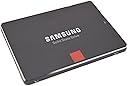


| ASIN | B00LMXBOP4 |
| Additional Features | Samsung SSD Magician Software| Samsung Data Migration Software |
| Best Sellers Rank | #336 in Internal Solid State Drives |
| Brand | Samsung |
| Built-In Media | 2.5” (7mm) SATA III (6GB/s) SSD & User Manual |
| Cache Memory Installed Size | 1 |
| Color | Black |
| Compatible Devices | PC |
| Connectivity Technology | SATA |
| Customer Package Type | Standard Packaging |
| Customer Reviews | 4.7 out of 5 stars 8,960 Reviews |
| Digital Storage Capacity | 256 GB |
| EU Spare Part Availability Duration | 10 years |
| Enclosure Material | Nand Flash |
| Form Factor | 2.5-inch |
| Global Trade Identification Number | 00012302569109, 00846830069530, 04053162526419, 05054531422669, 08806086264631 |
| Hard Disk Description | Solid State Drive |
| Hard Disk Form Factor | 2.5 inches |
| Hard Disk Interface | Serial ATA |
| Hard-Drive Size | 256 GB |
| Hardware Connectivity | SATA 6.0 Gb/s |
| Hardware Platform | PC |
| Installation Type | Internal Hard Drive |
| Item Part Number | MZ7KE256BW |
| Item Weight | 66 g |
| Manufacturer | Samsung Electronics |
| Media Speed | 520 megabytes_per_second |
| Mfr Part Number | MZ-7KE256BW |
| Model Name | 850 Pro |
| Model Number | BPSCS27759-MZ-7KE256BW |
| Number of Items | 1 |
| Read Speed | 550 megabytes_per_second |
| Special Feature | Samsung SSD Magician Software| Samsung Data Migration Software |
| Specific Uses For Product | Gaming |
| UPC | 041114819713 846830069530 801940122216 734911147553 887276057484 386831419632 013686001643 012302569109 768451018684 644535534311 809394437764 036566692250 014444853726 797045621108 782386499431 734911381971 714547219985 160400842751 846237033783 702458676843 014445512417 012302744957 722550157507 796594240303 667649018294 803983045576 |
| Unit Count | 1 Count |
| Warranty Description | 10 Years/150TBW |
D**S
The best SATA SSD of mid 2014
If you're looking for a new SATA SSD and can afford it, this is the one to choose. + blisteringly fast reads & writes in every environment (random, sequential, small and large chunks) + unparalleled high and sustained write consistency across time, conditioned on overprovisioning (see below) + best warranty in the market: 10 years or 150TB writes, whichever comes first +/- reasonably priced, except for the $700 1TB model (yikes!) This thing is ridiculously fast. If you've never used a solid state system drive before, then prepare yourself for a huge treat. It's a categorical difference in system performance compared to a spinning disk. For the rest of us that have been fiddling with SSDs for years, you are accustomed to this class of data storage device. I can't say that this drive is worth it if you already have an SSD manufactured in the last couple years. However, if you are in the market for a new SSD and you can afford this one, your search stops here. Aside from price of the 1TB version, there is nothing to criticize about this drive. The smaller capacity models are actually pretty competitively priced. It does a great job as a fast read cache when paired with spinning disk array. It handles the churn of the workstation environment without a hiccup. Perhaps most importantly, its throughput is consistent over time and load, so long as it's highly (>25%) overprovisioned. It can keep up with my write requests over hours of gigs being written down, ensuring I never lose a bit of data being pushed. It is the current market leader in performance and consistency. Samsung did a good job with their earlier 840 Pro , but this 850 Pro takes things a step further. I deploy systems for a large variety of environments, from laptops to workstations to high-end enterprise-level data servers. Before this drive came out, I had to pick the right drive for the application. Was I putting together a desktop workstation and needed a good mix of generalized read and write performance? If so, then I'd order a SanDisk, either the Extreme II or, more recently, the faster Extreme Pro . Was I putting together a small-footprint database server with a write heavy workload? If so, then I'd order the Crucial M550 , Samsung 840 Pro , or OCZ Vector . Was I in a mobile/laptop environment or because carrying sensitive data and needed encryption (HIPPA compliance and all that)? Then I had to go with the Crucial M550 or Samsung 840 Pro . Don't get me wrong, these aforementioned drives are not bad by any means. I've deployed several of each in the appropriate setting and they all do well in their respective application. I've used the SanDisk Extreme II for a ZFS data server's L2ARC and ZIL cache and it performed beautifully. I've deployed the Samsung 840 Pro, Crucial M550, and SanDisk Extreme Pro in both read/write heavy workstation environments and they have all kept up very well (the SanDisk Extreme Pro does the best of those three). It's just that the 850 Pro takes things one step further and eliminates the need to pick the right drive for the right environment. This single drive replaces all these other drives which excel at their specific tasks and beats them all at their own game. It's downright remarkable. To top it all off, it's also got the lowest power consumption of any SSD on the market because it's the first to the market with the new 3D NAND cell architecture, so it's incredibly data dense while using so few chips. That makes it even more attractive for mobile/laptop use. A note on the endurance and the warranty here, as that is also a new move for Samsung here. They are offering an across the board 150TB write endurance or 10 year warranty, whichever comes first, on all drives. This is a very interesting move, as NAND cells have a fixed write lifetime and since the 1TB version has more NAND cells than the 128GB version, you would expect the 1TB version to have a longer life cycle. What this basically means is that you can only fill the 1TB drive up 150 times before your warranty expires, but you have to write 1200 times to the 128GB version to reach the same threshold. I'm not quite sure what Samsung was thinking when they made that calculation, because these NAND cells should have at least 1000 (heck, if not 10000) write life cycles, so they're definitely low-balling the 1TB version. It's possible that with density this high, it's more prone to bad NAND cells. Maybe they're just testing the waters with their first device using a 3D NAND architecture. Most consumers will get to 10 years before they hit 150TB write cycles, but this is something to consider for enterprise, as you could easily hit 150TB on a write-heavy data server. Packaging is just the standard fare for SSDs. Drive, CD, random booklets, and a couple Samsung SSD stickers. Yay stickers! They're too cheap to throw in drive screws--so much for "retail" packaging. I suppose though if you're willing to drop $700 for a 1TB drive, they figure you aren't hurting to source your own machine screws. Gone are the days of included SATA cables and everything. Alas, I miss those days where you couldn't lose a several hundred dollar retail box hard drive package in between the seats of your car... Accessories aren't the reason you are buying this though. It's the performance it offers. Scour the web for performance reviews if you want other thoughts and the nitty-gritty numbers, they are all unanimous in their findings. The Samsung 850 Pro defines the new standard for SATA SSDs. As always, don't forget to overprovision the drive to around 25%-30% capacity to maximize performance. It takes a huge performance hit without that step. To be clear, overprovisioning means leaving aside some percentage (25-30%) of the drive as unpartitioned and unallocated free space. SSD drives already have around 5-7% overprovisioning done already (that is why you see some written as 120/240GB capacity, etc), but going beyond the factory overprovisioning only boosts performance even more. Overprovisioning increases the "swap space" for the SSD controller, allowing it more room to do data read/write housekeeping. It's the classic trade-off between memory usage and performance, but it will make a large difference in the performance of the drive. Again, check the product review sites for detailed quantification of just how big a difference this makes (greater than an order of magnitude in write speeds in some cases). The one thing to consider, if you're in this ballpark, is to forgo SATA all together and spring for a PCI express based drive. Most of these PCIe drives have been limited to industrial applications with their multi-thousand pricetags like the Intel 910 series. However, the just released (2014/09) Samsung XP941 drives are amazing in their performance and run circles around any SATA based rive and not ludicrously priced. They're definitely something to consider if you're not wedded to the SATA interface. In summary, so long as you don't mind the premium for the 1TB version, this is the undisputed best SATA SSD drive of mid 2014 no matter how you slice it. Enjoy the ride.
T**.
Awesome - Combined Desktop bootup and Video Project losd time cut from 30 minutes to 4 minutes :-)
I LOVE THIS Samsung 850 Pro! I already had a great computer... An ASUS Desktop i7, Windows 8.1, 32Gb Ram, 3Tb hard drive, Nvidia 660 something video card, and it worked great for almost everything... But I'm working on a long (over 2 hour) video project in Camtasia and Camtasia is only a 32-bit program and isn't generally designed for long videos, but my project about my www.FutureVisioning.com Hypnotherapy and Healing work grew over time way beyond what I thought it would be, so there was no way to switch to another program, and when Camtasia would have a problem and freeze or crash, it would take 3 to 4 minutes to reboot my computer, 3 minutes to reboot Camtasia and 20 minutes to load my project with my hard drive being used 100% of the time for the full 20 minutes... So every problem, crash or reboot wasted a frustrating half hour. I could see that the bottleneck was my hard drive loading into memory so I researched a lot about SSD's and the Samsung seems to be consistently the fastest and most reliable, especially with their new stacked technology it seemed the best performance and price wise, and I decided to get this Samsung 850 Pro 256 to speed up the project loading time, and I hoped that it would help with my boot up and program loading time as well. AND… OMG! :-) This is the face of a happy camper :-). The Samsung 850 came in 2 days with Prime, it was easy to install and took only about a half hour, (I got the cradle and the cable separately). The cloning software worked perfectly! I was thrilled… and now my desktop comes up in about 45 seconds and the background processes are finished about 15 seconds later.( I have read of some people booting in 15 to 20 seconds and i can't figure out how they do that but i am so happy now I really don't care! My Camtasia program opens in about 10 seconds, and my 2 hour 40 minute project with hundreds of edits opens to begin work in 2 minutes and has fully loaded all sound and video files on the timeline in 3 minutes! and rendering my project out to an mp4 seems faster as well. I expect that when Camtasia gets around to making a 64 bit version everything will take another leap in loading and processing time. I am using Adobe Premier Pro now to color correct my videos and I may use it for editing next time because it is 64 bit and has far more bells and whistles, like comlete color correction capabilities and in it I can scroll through at high speed and see every high speed frame and hear high speed audio. I don't know if I could have done this without the Samsung but it is bery cool to do that now. I don't even mind if Camtasia crashes now (which it doesn't seem to do as often) because it saves the last version reliably and it is so fun to use the stopwatch in my phone to see how fast everything comes back to life. Outlook opens faster, maybe 20 seconds, Word is almost instant, Firefox is also almost instant, I can have many programs open at once, and play many videos all at the same time. (I am not sure what the practical value playing many videos at once is because I can't follow them all, but it is still fun to do!) This is one of the most fun and satisfying purchases I have ever made! Thank you Amazon and Samsung!
R**M
Rejuvinate your PC
I just completed the installation of 2 of these drives, one in an HP laptop and one in a desktop both running Windows 7. The performance improvement is dramatic - the laptop boots 3 times faster, the desktop almost 5 times faster. All of the applications run much faster as well. There are some issues to be aware of as far as the installation goes. The HP laptop hard drive had 3 partitions, the C drive, a D drive with the rescue installation, and the E drive with diagnostics. When I first ran the Samsung Data Migration program I was hoping it would make an exact image of the entire hard drive. At the end of 1.5 hours it only copied the C drive. I contacted Samsung support and they informed me that the program would only copy a maximum of 2 partitions and they suggested trying a 3 party cloning program. I found one that received good reviews but it failed. I decided at this point to copy the C and D drives and if I needed the diagnostics for some reason I would reinstall the old hard drive. The Samsung cloning software worked and the the drive swap went without a problem. Note, you will need a USB to SATA adapter to do the cloning. On the desktop, I would highly recommend that you install the SSD drive via a SATA connection and not use a USB to SATA adapter. This will reduce your cloning time by a factor of about 5. You will most likely need a 3.5" to 2.5" adapter bracket to mount the drive in the PC. The physical installation can be tricky depending on how much space you have to work with. Also make sure that you have an extra power connector for the drive otherwise you will have to go the USB route and then swap your old hard drive for the new SSD. The cloning process went without a problem. Windows came right up. I then attempted to change the BIOS from an IDE interface to AHCI. When Windows attempted to start it immediately went back to the BIOS and just continued to cycle. A call to Samsung support informed me that the only way to change to AHCI would be to reinstall Windows. I then did a Web search of "changing from IDE to AHCI" and found a Microsoft article among others that explained how to do this. One registry key parameter needs to be changed from 3 to 0 and Windows booted right up. While the SSD will work in IDE mode the read/write performance is much better in AHCI (factor of 7x) so it is definitely worth making the easy change. The good news about Samsung support is they answer quickly. The answers may not always be correct as the above example shows.
R**N
The fastest hard drive ive ever looked upon.
I bought this hard drive to replace a Western Digital Black for extreme gaming. I play old games and new games, so this review will be detailed. My system setup consists of an i7 4770k CPU, Asus Sabertooth z87 MB, 32 GB G.Skill RAM @ 2400mhz, and of course, the Samsung 850 Pro. My tests will include games, system and programs, music and video, and a benchmark tool. 1. Games - When it comes to gaming, having an SSD dramatically decreased load times for most newer games. Old games are not really affected due to how little data most of them need to load from the hard drive in today's standards. The biggest improvement came with Star Citizen. SC is still in super alpha, so nothing is optimized and load times are outrageous. Were outrageous. It used to take me nearly 2 minutes to load into hangar, now with the 850 pro, its less than 30 seconds. Other games such as Planetside 2, Mad Max, Homeworld etc have also vastly improved loading times. And its not just load times that are improved. In some games such as GTA San Andreas you can move into a new area faster than the hard drive can load things like building textures and pedestrians. The SSD solves this, no more do things just pop into existence beside you. Skyrim also has a bit of this problem too if you use a mod to give you a fast ride. Overall in the gaming department, this is really where the SSD shines to me. 2. System and Software - Windows startup time is also another area that shines brightly with an SSD. Traditional hard drive takes 1 minute or more to boot, sometimes 45 seconds if you got a good drive and a fresh install of windows. With the 850 pro, my fully loaded Windows 10 Pro OS can boot up in 22 seconds. That's with no password and such. 22 seconds from power button to mouse moving on desktop. The system tray icons at the bottom right of the desktop used to take 2 or 3 minutes for all of them to load up after arriving to the desktop, now with the 850 pro they all pop up simultaneously and instantly. My web browser, Firefox, used to take about 2 or 3 seconds to load up after clicking, now before my ear can even register the second click of the mouse, the browser is fully loaded and ready to go. I have also noticed greatly increased performance in Microsoft office programs, especially excel and power point. Then came the real software test. WinRar. As a winrar test i packed up 10 GB of music to test speeds. It took less than a minute to package up (compress) the 10 GB using the Best compression method, where as on a traditional hard drive your looking at 30 to 45 minutes of waiting maybe even more since i used the best method. Unpackaging (decompression) was instantaneous at the click of the mouse. Every thing i do is like a flash of light. 3. Music and Movies - Not much to say here other than transfer speeds are high, but i wouldn't keep music or movies on an SSD, they don't play better or sound better, but they do take up limited space and put wear and tear on the drive. Best to leave them on the traditional hard drive. 4. Benchmark - I have included a screenshot of the benchmarking program i used to test this hard drive. As you can see all test results exceed the specifications of this hard drive. I could to many different tests using many different settings but i stuck with the default and most used one. Construction - The SSD's construction is very nice. It is very strong and solid, but also very light almost like paper. It is very smooth and slim and should fit nearly anywhere you want to put it. Also the sata and power connectors are stiff and strong. Software - The samsung magician software that is paired with the hard drive is also very nice. It shows the health and total data written to the hard drive, can change windows options to better suit the SSD and its needs, encryption, the works. The only thing is that Rapid Mode does not work for windows 10 yet but Samsung says they are working hard on it, it has something to do with the new way windows 10 manages memory. Conclusion - Overall, this is the greatest hard drive Ive ever seen. Its super fast, super strong, has great software, and is backed up by a monster 10 year warranty. I looked forward to many years of extreme gaming with this SSD. I would highly haft to recommend this SSD to everyone. It is a truly great product made by a great company from a great nation. You wont be disappointed with this SSD. If you found this review helpful, please like it!
B**A
Absolutely worth the price.
After being a fairly avid PC gamer for the better part of the past 10+ years, I decided it was time to give my system a long overdue performance upgrade. Decided that the prices were finally reasonable enough to give one a shot. See what all the hype was about. I've seen videos online and posts talking about how quick they are, how reliable they are, and tried to do as much research as I could on the drawbacks - namely the limited write cycles, and how to best deal with them. If the rating wasn't enough foreshadowing for how this experience went, let me just say this: Everything you've heard is absolutely true. It's one thing seeing a video showing Windows booting up in a fraction of the time it used to. It's another thing entirely to see your system, which probably takes upwards of 30 seconds on a standard HDD to start up, boot up from a cold boot in less than 10. It's absolutely mind boggling. Now to the meat of the review though. First and foremost, Windows 10 supports solid state drives beautifully. It even goes as far as to automatically disable disk fragmentation (which you NEVER want to do on an SSD) and instead offers "optimization" which routinely trims the drive to keep it running quickly. Being my first and only SSD, I reinstalled Windows 10 on the drive so I could get the absolute best performance I could from it, and from start to finish the process was ridiculously fast. The normal dread of constant reboots when reinstalling all your software is absolutely gone. Knowing you can restart and be back at your desktop in under 15 seconds is just beautiful. Second, if and when you install the Magician Software, if this is your first SSD, it's important to realize that your number of writes is going to surge in the beginning. You just got done installing a whole operating system. You're installing software, transferring some of your most used files to the drive, etc. Don't be too alarmed if you check it and you see it's suddenly a quarter of a terabyte high when it seems like you haven't even begun to use it yet. Your most concentrated usage of the drive is going to be that early bit, so take that number with a grain of salt. Third, I waited to write this review primarily because it's been in my experience when reading reviews that drives especially - be it hard disk or solid state, that are going to fail, tend to have a tendency to fail within a month or two after purchase. Once you're past that, you're usually out of the woods and typically good for the long haul. So before making any premature judgement, I waited and here I am. Solid 5/5 review. Only issue I'm having is entirely on me, which is that after having experienced the speed, I suddenly want to use it for everything and when you're sharing the drive with an operating system and games like The Witcher 3 are alone as large is 46GB, that's simply not possible with a 256GB drive. So if you're on the fence, it's definitely a safe size to experiment with. But if you know what you're getting, I'd absolutely recommend a larger storage capacity.
T**R
Good speed boost - but some serious gotchas
I've never used an SSD before so had no idea what to expect. All in all, I like my 850 Pro, but there are some very serious gotchas. I hope my review helps out some other users before they encounter the gotchas I did. Some of the reviews are a bit over the top about how much this will speed up your computer -- but it does speed it up very significantly. However, it's not as dramatic as some suggest. I set up my new 850 Pro on a beefy Windows tower that has a separate HD for the operating system (Win7 Ultimate) and programs. I cloned the C drive to the SSD using the Samsung software included with the SSD, using an Anker SATA3-to-USB 3.0 cable and adapter. There is no need to format the SSD before you clone with this software -- it just works. My pc boots faster and Windows 7 comes up very quickly. So do all my applications that run off my C drive. What's most noticeable is how fast my browser (Firefox) loads. What's troubling, however, is that the Samsung migration software runs under Windows, so it doesn't really clone your HD (if what you're cloning is your OS drive) -- lots of files are omitted because Windows is running. And that's where I wound up with a huge problem that did not surface for several days. 1. The migration process did not copy my Restore Points, and -- worse -- it turned System Restore OFF without any notification. I should have checked this but didn't. So for days my automated daily System Restore never happened. Lesson: If you substitute this SSD for your C drive, after you clone and install the SSD as your C, go to System Restore and make sure you've got it turned on. FAR WORSE: The cloning process DELETED all my saved Restore Points. Not a good thing. 2. I use Acronis True Image to back up my drives. (Some people hate Acronis. I survive it. The interface leaves a lot to be desired, but it works. I've never really had a problem with it, and I don't think the problems I'm about to describe are due to Acronis.) Just like the Samsung cloning process messed up my System Restore settings (and lost my Restore Points), it totally gummed up my C drive backup settings. For days, the C backup process just wasn't happening. My fault again for not checking this after installing the SSD. One evening, Acronis tried to back up my C drive -- as apparently it had been trying all week-- but this time I noticed that it failed. So I tried to run the backup manually. This crashed my system and apparently corrupted the SSD. I could no longer boot from the SSD. Having saved my original HD with Win7 and my applications on it, I merely swapped and was back up and running -- though I'd lost some changes that I'd made to my C drive in the meantime. This failure wasted hours of my time. After some research on the Acronis site, I learned that an OS drive is assigned a hex ID -- and the Samsung migration software does not clone that. (Sorry - I'm not up on all the details about this. My description of the problem is lightweight.) The net is, Acronis couldn't "find" one of the SSD's partitions so the backup kept failing. Technically, this was not Samsung's fault -- I reconfigured the Acronis backup settings for the C drive and now the SSD is running fine and C backups are done as they should be. BUT, this problem killed my SSD in action and I had to start again from scratch. I'm going into all this detail because I think Samsung is not up front about the cloning process. You don't get a clone of your C drive. Samsung's migration utility does warn that any "open" files will not be migrated -- but let's face it, one of the most common uses for an SSD has got to be the C drive. And we all know that when you clone a C drive, it's best done outside Windows -- not with Windows running. Not being told something as obvious as that my Restore Points and settings will be deleted is a serious failure. Not being warned that any pre-set backups for the C drive need to be re-configured is a serious failure. When we use the word "clone" we expect an exact copy. You don't get an exact, working copy of your C drive. So, heads up. Bottom line: I really like the performance boost I get with the 850 Pro. I didn't like having to go through the hassle of learning about the cloning problem after the SSD was corrupted. We'll see if any other unexpected and undocumented problems crop up. In the meantime, I'm saving my original C hard drive in case the SSD goes south for some other unexpected reason. If anyone has advice or insights about any of this, I'd love to hear it. Like I said -- I'm not an IT pro. But I'm not stupid. I learn as I go, and I think Samsung owes its customers a more detailed, thoughtful caution about how the cloning process works and doesn't work. I have not yet used the "Magician" optimizing software Samsung includes. Frankly, I'm worried about how it works -- and about what else Samsung doesn't tell us. Would love any input on that as well, as I'd like to optimize the SSD if it's not risky. Would I buy this SSD again and recommend it? Yes. But beware of these gotchas.
P**)
Possibly the first mass storage device that you will never wear out
Let's get this straight right up front: How confident is Samsung that this SSD drive will go the distance? Confident enough that they put a ten year warranty on it. If you've ever been concerned that an SSD might not last as long as a mechanical disk, stop worrying now. This one will outlast any consumer mechanical drive ever sold, while delivering a sustained transfer rate that will set your eyebrows on fire. You will not believe how fast your computer boots the first time you boot it off this drive. Installation is plug-and-play. Samsung provides any required drivers, and a Magician utility that properly tunes Windows to work best with your SSD. If you're using it on Linux, just set your kernel elevator algorithm to NOOP. (If that was Greek to you, don't worry about it; if you didn't understand it, you don't need to know it.) Why the Samsung 850 series? Well, you need to understand a few things about flash memory. The short version is, to make flash RAM cheaper and higher-capacity, you need to pack pack more and more storage onto each chip. To pack more and more memory cells onto a chip, you have to make the individual memory cells smaller and smaller. But when you make NAND flash RAM cells smaller, two things happen — they wear out more quickly, and they become more likely to make errors. Samsung's breakthrough was to figure out a way to build flash RAM cells in stacked layers, so that they could stack 32 cells on top of each other, hugely increasing how much memory they can put on a chip while using larger, more stable memory cells. That's why this drive carries a ten-year warranty. Samsung's latest designs use 48 layers of cells, and they haven't hit a limit yet. Why an SSD at all, when they're more expensive than mechanical disks? Well, LOTS of reasons. They start with the following: — SSDs are much faster than mechanical disks. In particular, they have no spin-up time or seek time - they respond instantly. — SSDs have no moving parts, therefore they have no mechanical wear. — This also makes them completely silent. — SSDs are to all practical purposes shockproof. An SSD will survive, unscathed, a drop that will smash your laptop to pieces. — SSDs draw less power, and produce less waste heat, than mechanical disks. Spinning rust is the past. Solid state storage is the future. You like the future... don't you? The future is COOL.
A**R
Worth the buy.
This thing is great thus far. It has significantly improved the speed of my laptop. It was HDD and terribly slow. I replaced it with the 512 GB SSD myself. ( Im not a tech guy). Im glad I bought when I did because it was only $90 earlier this year.
M**7
Excelente rendimiento. Pero ojo...
Excelente producto, si nunca han tenido un SDD (Disco de estado sólido), verán una inmensa diferencia en la carga de programas, de juegos e inicio de Windows, en mi caso cargo Win7 en 12 segundos (desde que ves el logotipo de Windows hasta el Escritorio). El software propietario Magician te ayuda a configurar diferentes escenarios como rendimiento, seguridad, balance; también configura parámetros de Windows automáticamente para optimizar la relación RAM/Espacio de disco, reduce el tamaño de 'memoria virtual' (espacio de disco usado) cuando tienes 4-8 o más Gb en RAM y utiliza una porción de la RAM que no se usa como cache intermedio que acelera aún más las cargas de lectura/escritura. AVISO Se han reportado ALGUNOS casos en donde después de actualizar el FIRMWARE a través de Magician, el SDD presenta problemas o baja de rendimiento. Mi recomendación es que ignoren dicha actualización hasta tener una versión más estable, por lo demás el software funciona bastante bien.
S**.
Well packed and delivered on time
Good upgrade for iMacs and Macbook Pro from HDD to SSD ... iMac mid 2011 reboots in less than 20 seconds with the SSD , against more than 75 seconds with HDD .
J**E
Da velocidad en el encendido a la PC
Gran capacidad y rapidez
S**R
Super cool product with super fast response times !!!
Wow amazing - what a performance !!! My system configuration is as follows : Processor - Intel i7-2600K 3.4GHz RAM - 12 GB corsair vengeance dual slot (4+8) HDD1 - Western Digital 320 GB 7200 RPM HDD2- Seagate Barracuda 1TB 7200 RPMB I am using this configuration along with Win 8.1 Pro with Media Center for some time. The addition of Samsung 850 Pro 256 GB to the set gave my system the much awaited rebirth ;). I already had a spare SATA cable and along with that bought the CNCT SSD and HDD Mounting Kit (http://www.amazon.in/gp/product/B00RCMK2MU?psc=1&redirect=true&ref_=oh_aui_detailpage_o02_s00). as it supports adding one more SSD in future. The CD came along with the SSD had the Data Migrations software using which I cloned by OS installed partition to SSD. Everything went smooth and SSD was added as the boot device. With the first boot itself I got awestruck with the performance, the boot times improved from around 5 mins to 1/2 a minute _/\_ The applications opened up as soon as the icon is clicked (editing a photo with ACDSee Pro 8 used to take ages to open, now it is ready with the edit mode as soon as edit option is selected). Everything seems to be super fast with the SSD. Love the Samsung 10year warranty as well.
G**H
Excelente Disco SSD de Samsung, pagar con Banamex una decepcion!
Samsung, una buena marca para discos SSD Para ser un producto de importacion, la entrega fue rapida y sin complicaciones, el disco trabaja bien como esperaba, 0 problemas, en Amazon USA habria pagado un extra $650 pesos por la importacion y envio. el unico problema que tuve y ajeno a Amazon MX fue pagar con tarjeta banamex, si piensan pagar con ese banco, esten preparados a que el banco Banamex les retenga 10 dias el dinero, porque supuestamente aparece como doble recargo, hable a soporte banamex y nunca me dieron una explicacion satisfactoria, lean otras reseñas y otros ya han tenido el mismo problema con banamex.
Trustpilot
2 weeks ago
1 month ago