


Desertcart purchases this item on your behalf and handles shipping, customs, and support to South Africa.
🚀 Upgrade your workflow with the SSD that keeps pace with your ambition!
The Samsung 970 EVO Plus MZ-V7S500BW is a 500 GB internal NVMe M.2 SSD delivering up to 3,500 MB/s sequential read and 3,300 MB/s write speeds. Featuring cutting-edge V-NAND technology, advanced thermal management, and robust endurance of up to 300 TBW, it offers professional-grade performance and reliability in a compact form factor. Backed by Samsung’s Magician software and a 5-year warranty, it’s designed for power users seeking fast, durable, and efficient storage solutions.
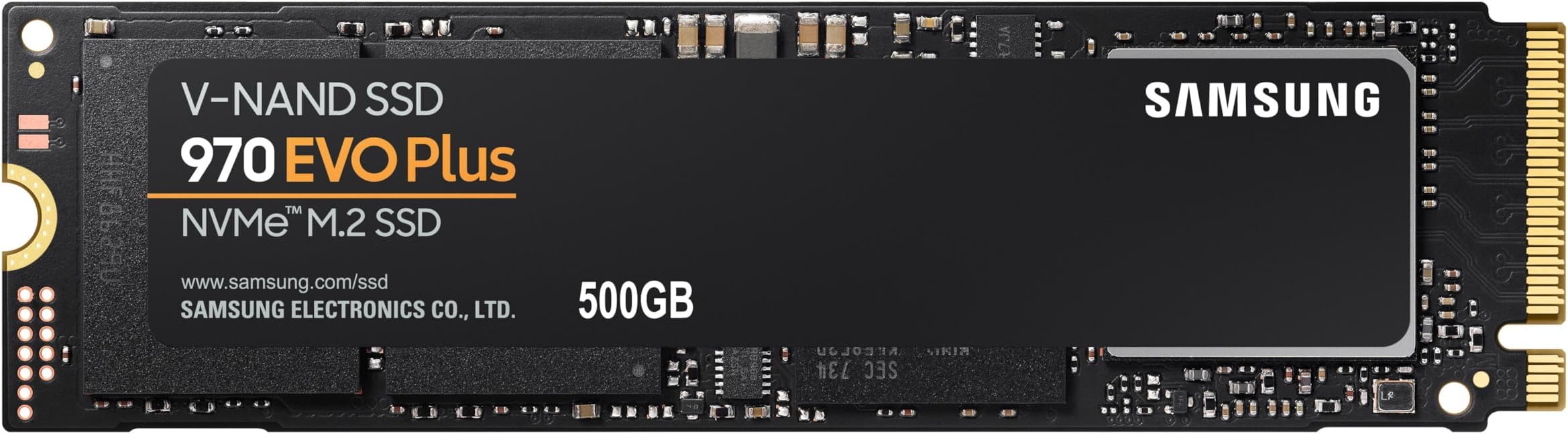


| ASIN | B07MFBLN7K |
| Best Sellers Rank | 80,939 in Computers & Accessories ( See Top 100 in Computers & Accessories ) 393 in Internal Solid State Drives |
| Box Contents | Samsung SSD 970 EVO Plus, installation instructions, user manual |
| Brand | Samsung |
| Brand Name | Samsung |
| Cache Memory Installed Size | 512 |
| Color | Black |
| Compatible Devices | Desktop |
| Connectivity technology | PCIe Gen 3.0 x 4, NVMe 1.3 |
| Customer Package Type | FFP |
| Customer Reviews | 4.8 out of 5 stars 16,198 Reviews |
| Data Transfer Rate | 48 Gigabits Per Second |
| Digital Storage Capacity | 500 GB |
| Digital storage capacity | 500 GB |
| Enclosure Material | V-NAND |
| Form Factor | M.2 |
| Global Trade Identification Number | 08801643628116 |
| Hard Disk Description | Solid State Hard Drive |
| Hard Disk Form Factor | 2.21 Centimetres |
| Hard Disk Interface | PCIE x 4 |
| Hard disk form factor | 2.21 Centimetres |
| Hard disk interface | PCIE x 4 |
| Hard-Drive Size | 500 GB |
| Hardware Connectivity | PCI Express 3.0 |
| Hardware Platform | PC |
| Installation Type | Internal Hard Drive |
| Item Dimensions L x W x Thickness | 8.2L x 2.2W x 0.2Th centimetres |
| Item Type Name | SSD |
| Item Weight | 8 Grams |
| Manufacturer | Samsung |
| Manufacturer Part Number | MZ-V7S500BW |
| Media Speed | Up to 3,300 MB/s |
| Model Name | SSD 970 EVO Plus |
| Model Number | MZ-V7S500BW |
| Network Connectivity Technology | PCIe Gen 3.0 x 4, NVMe 1.3 |
| Number of Items | 1 |
| Product Features | Backward Compatible |
| Product Warranty | Warranty Period 60;Months. Warranty period varies by model.For details about Samsung products specific warranty terms and conditions please follow the manufacturer website.. |
| Read Speed | 3500 Megabytes Per Second |
| Special feature | Backward Compatible |
| Specific Uses For Product | Business, Multimedia, Personal, Gaming |
| UPC | 767531889572 887276302546 887276729114 |
| Unit Count | 1.0 count |
F**K
All good, works after years, in harsh.
Got it for quite few years. Works fine. 60TB load on 500GB drive. Quite impressive. 98% life as reported by drive. Real or not. Time will tell. Full speeds as advertised. However. On the RIGHT drivers. Windows 7 heavily affected by driver quality/ source. Full speed constant 3000+ reads. Writes varies around NOT CONSANT 2000. HOWEVER. Drive's real (write) speeds are ONLY present, when it is been written at least ONCE, and with capacity reached. And overheating. No cooling - forget about any speeds. Reminder. Cooling applies to physical DRIVER chip of the drive, NOT the NVME modules. Driver on the drive wants cool. NVME wants the hot in operation. Hot driver chip will bring down drive to zero stop. ZERO. For several seconds/ minutes. This should be clear in every description. So. Testing must be done on ALL drive, written at least once, and with majority of capacity used. Love - as usually - when people do 0.01% drive size test, as any indication. And on fresh drive. Many of the drives CHEAT. Means. First portion of drive, which is tested is ultra fast, either physically or buffer. Mostly sd cards/ usb drives/ etc. But. Got Crucial nvme first, and it does exactly the same. 10GB ultra fast, then drops down to 1000 for the REST of the drive. As oppose most SSDs will perform 100% all drive day and out. So. Once you REALLY use the drive. Means written, not once, but several times, and used more capacity, drives starts to show REAL LIFE speeds. If you delete a file. Windows MUST physically delete a lot of drive. Not just entry in File allocation table. It will not do it in an instant, but on buffer. Try to switch off computer after deleting/ copying big files, and you wait for several minutes. Try to do massive files deletion, beyond treshold and windows has to do it here and now. For ages. Normally you won't notice, because it's all in background. On long switch on systems, absolutely not noticable. Try to copy serious data on maxed out drive, and you are for a big surprise on real speeds. Because majority of people get massive drives, to what they use, they won't notice. Paying several times for what they use. On Windows 7, due drivers and structure, massive bottle necks on writes. It's much more complicated than just 'test' or 'use', or capacity, or deletion. There is massive bottle necks on pcie resource allocation. If you have fast graphic card in use, your nvme drive is heavily bottlenecked. Only very expensive motherboards have this semi sorted. For majority of people, none of this would matter, they won't notice. But. For those who REALLY get NVMEs for the purpose, it does. Ah yes. Final word for all that lovely misinformation about defraging ssd/ nvme. It does indeed decrease drive's life, by zero point nothing. It does however increase the performance. For regular person, by zero point nothing. For serious use, servers, high capacity data storing, professional high speeds copying, for which all these drives are meant to exist, it does completely. Drives ssd/ nvmes have 'lost capacity', not shown on the tag, exactly for the purpose of internal 'defrag', on idle mode. Use the drive heavy in short bursts and speeds are dropping down. To zero. As drive has to operate on 'loss of power mode'. So. Hard lesson. With power loss or forced resets. Lots of data 'lost', because drive couldn't write it physically on time. As it takes a long while to zero data blocks, and then write tons of data from buffer. So. Defrag of ssds/ nvmes. You can defrag your drive as much as you please. And it will be zero point nothing of drive use. Windows uses drive endlessly and massively and constantly. Reads are not hurting. Writes are where drive's life is. And any windows writes trillions of times. I'm light user of pc. And my 500gb drive has 60'000gb of reads and writes (half half). Majority of which is Windows. Not me. So. If you are doing defrag, whenever you please, you will allocate for zero point nothing of drive's use. 99.9% of drives killing is done by windows. And hm.... Afer quite few years of using drive, and 60'000gb it's still 98% of life, as reported by drive. Real or not. Time will tell. Means you can use drive for 20 years before it will be dead. Majority of people will change drive a lot earlier than that (hdd 3-6 years, ssd 5 years at best, nvme first generation probably few years). In other words, defrag has completely no meaning to drive's life. Zero. It does have serious meaning to performance for serious - designed for - use. And for regular user. Exactly the bottleneck of capacity used and non defraged system, where drive will bottleneck in zeroing data and writing new one. Reading my own words, only high level IT people will understand. Thou - every user is affected, but is not aware. When copied tons of data, deleted tons of data, etc, thinking it's done, when bar is 100%. Reality, windows can still clear the data, hours after instruction, same with copying. Only exception is read only data in big files. Like movies. But then. How many users have data stored in adequate partitions. Read/ write/ rare/ often/ movies/ system/ etc.
M**Y
Great product
I bought this disk for my new build into an MSI X470 gaming motherboard. Coming from a 7200 RPM Hard Disk drive, this is an amazing increase in performance. I found the installation very easy, and the board recognised it with no issues. It advertises 3500/3300 read/write speeds - I'm getting 3578 Mb/s read and just a fraction below advertised write speed at 3281 Mb/s, so no complaints from me. Yes, it's on the expensive side for a 500Mb drive, but nobody is being forced to buy it at just over £100 for 500 Mb. Personally, at this current time (July 2020), I think it's worth every penny. Been using it a few weeks now, and no issues with it at all. Just wish I'd bought it sooner. Now saving the pounds for when the prices drop in the future and I can purchase a 2Tb drive. Definitely worth it.
A**R
awesome
to my shame and stubbornness i am still running windows 7 pro but with the correct install procedure of windows 7 drivers, hot fixes and patches on my gaming rig with multi nvme slotted motherboard this drive worked great out the box as a direct upgrade for what i had already installed (250 960 evo). Using the free migrate software i quickly cloned my hard drive and windows 7 system from my 3/4 full old 250gb Samsung evo 960 "nvme" to my new 500GB 970 EVO PLUS drive in no time at all like just 3 minutes , so this was a no brainier upgrade that has proved very effective. swapping over and fitting the 2 drives once cloned cost me a total of just 10 minute downtime , the computer is running awesome and at a very impressive notable speed upgrade. I am very happy and would recommend the SAMSUNG 970 EVO PLUS I AM GETTING FAST START TIMES, FAST OPENING OF PROGRAM TIMES AND BETTER GAMING PERFORMANCE SEE PICTURES FOR SPEEDS, REMEMBER I AM FORCING THIS DRIVE AND MY MODERN HARDWARE'S COMPATIBILITY TO WORK ON WINDOWS 7 SO YOU MIGHT WELL GET EVEN BETTER PERFORMANCE ON A WINDOWS 10 MACHINE WHERE THESE DRIVES ARE COMPATIBLE OUT THE BOX. ANYHOO I LIKE THIS DRIVE ALL THE BEST
E**.
Best consumer ssd
I recently made a new build and I initially went for an ADATA SSD. I had some issues with it as it was "disappearing" and making the computer crash, it turned out that it's a common issue of that SSD. Considering that I cheaped out the first time, I wanted to buy something better and final, and as I read many reviews of this being one of the best consumer SSD, here I am :) I order this product and arrived promptly, I read of some unfortunate people that received the wrong product, but I can assure you that I received the real one. The installation of the drive was quite easy (pretty much the same for all M.2 SSD), and the window installation was the fastest I ever experienced. The drive is performing very well, and compared to my previous SSD drive is notably faster, doing some benchmarks I was able to reach around 3419 MB/s read - 3096 MB/s write. If you are thinking to buy an SSD, I very much suggest you buy this, I had my fair share of bad SSDs and by experience, I can say that it's better to spend 10-20 £ more for a good SSD than have to change it again soon down the line.
L**U
Would recommend
Good product, price is good and lasted well.
G**G
Ultra-fast boot times
Disclaimer: While this is a review of Samsung 970 EVO, the one I have installed is a 250GB model not 500GB. No need for details, but, props to Amazon for outstanding customer service. As I've said in a couple of my recent reviews on components I've bought, this is the first build I've done in decades, so things have moved on! Not least is the addition of M.2 drives mounted directly to the motherboard. I know these have been around ages, but I've never had need to research or buy. For me it was a toss-up between the Samsung EVO 970 and the Corsair MP600 for my boot drive and basic apps. In the end I went for Samsung for three main reasons: 1. While the MP600 can reach much greater write speeds, the real-world figures for gaming and general use were in favour of the Samsung. Also, regardless, both are really, really fast. 2. The MP600 has its own heatsink, which I don't need. My MoBo has M.2 heatsinks built in so better suited to the Samsung. 3. The Samsung is generally cheaper They [M.2] are simple to install, and as the title suggests they really do offer very fast boot times and silent operation for the everyday stuff. This Samsung EVO 970 is no exception, and among the fastest out there at the time of reviewing. Naturally, in a years time it'll be considered slooooooow! :D
D**T
Very fast on paper but too expensive
Keep reading you may save money or frustration: This M.2 drive comes in fancy packaging which doesn't include a fitting screw... If you have a "stock" PC like HP or Dell chances are you won't have one and will have to get it from somewhere... M.2 screws aren't generic size so you can't just swap one from somewhere else. Luckily I had one in my motherboard box. After installation, you need to partition it (search internet eg. Partition new drive in Win10). You don't need to partition if you're installing a fresh copy of Windows on it - it's going to do it for you. After this drive will benefit from Samsung Magician which is a free software from internet, it manages your drive, keeping it healthy. You may also come across an issue whereby your second or third SSD/HDD doesn't show up in Windows any more. Solution - move data cables around connecting them to different sockets. My Magician was showing "drive not genuine" refusing to set it up. Solution - update software, my app was one year old and drive is new technology. Testing - this drive on paper is massively faster then generic SSD and significantly faster then older 860 M.2 drive. Can I see a difference in gaming - no. Can I see a difference in load speeds, data write/read - no. Does it benefit me over other cheaper drives - no. Should I have bought a cheaper M.2 with more capacity - yes. I honestly made a mistake by investing in this M.2, should have gone for a cheaper bigger 1GB drive for a similar price - for gaming and office use. Hopefully this will save you some money or get you a bigger drive for similar price! 4 stars as too expensive in comparison to other products. 5 stars if you don't care about value for money or have specialist interest in extra speeds (comment if image/video processing or 3d work show you VISIBLY better processing rates over slower 860 drive or other M.2 drives)
K**N
Excellent Speed, Durability, Overall Quality
I have Been useing the 970 EVO Plus for a couple months now, It has helped with the speed of my computer so much i was useing a Seagate HDD for boot and desktop task's in general with an M.2 or any kind of ssd and my computer with really slow. After Getting This M.2 the High Speed Read/Write Speeds have really helped my build alot. I can open usual task so much faster like Spotify, Google Chrome, Steam, ETC and general boot time are between 10 - 14 Seconds for Bios. The Samsung Magician Software which comes with the M.2 Is also very helpful to inform you of Speed, Temperature and Health of the drive. I cannot fault this drive definitly worth the extra money and Premium Brand of Samsung. Currently Being Used with: MB: Msi Z370 Gaming Pro Carbon Ram: 16GB 2400Mhz Trident Z RGB GPU: Msi Gaming Z RTX 2060 Cpu: Intel i5 9600k
M**A
El empaque tiene etiquetas dudosas
Se ve bien por dentro pero la caja y esas etiquetas me hacen dudar, ya qué hay muchos productos chinos que simulan ser originales y me ha tocado que hasta las antenas ubiquiti son chinas y se parecen bastante a las originales, ya el tiempo dirá si es original o no
P**V
Amazing SSD
Amazing SSD by samsung bit expensive but what a speed man and performance seriously my editing render and games and pc overall got very speed up go for it.
A**I
Very satisfied!
A reliable and affordable product. I would definitely buy it again.
U**K
Perfectly working to my acer nitro 5
Very good product
M**K
Ottimo SSD ad un prezzo non troppo esagerato
Ho acquistato l'SSD da 500Gb durante il black friday a 85€, che per un NVMe di fascia alta da 500Gb non è neanche così male (tra l'altro ora ad un mese dal black friday costa anche meno, com'è sta storia?) L'SSD è destinato a un nuovo computer con slot NVMe nativo (PCIE4). L'SSD è PCIE3 x4 e arriva ad una velocità davvero elevata, secondo il mio modesto parere è uno dei migliori come velocità per quanto riguarda gli SSD PCIE Gen3. INFORMAZIONI GENERALI Questo SSD utilizza l'ultima generazione dei chip di memoria Samsung V-NAND di quinta generazione a 96 strati. In parole comprensibili ai comuni mortali, signfica che secondo Samsung l'SSD può reggere fino a 1200TBW (ovvero Terabytes Written, che con un uso normale del computer li raggiungerete magari in 20 anni, magari 10 se reinstallate il sistema operatvo ogni giorno per diletto), con una velocità di lettura e scrittura massima teorica di 3000 e passa Megabytes al secondo (lettura e scrittura sequenziale quindi quella che non capita quasi mai durante l'uso normale del computer) come potete leggere dalle caratteristiche e dai vari CrystalDiskMark che ci sono in giro. Il disco supporta tutte le faccende solite di Samsung, come la crittografia hardware (è necessario attivarla dal Samsung Magician e reinstallare il sistema operativo), e il TurboWrite. Generalmente considero abbastanza inutile l'uso di Samsung Magician, io lo installo solo per aggiornare il firmware (anche se questo disco è arrivato già con l'ultimo firmware) e poi lo disinstallo, in quanto è totalmente inutile. NE VALE LA PENA? La differenza tra uno di questi dischi fighi NVMe e un disco SSD SATA3 decente (quindi per esempio i vecchi Samsung 8xx Evo, o i WD BLUE) si nota? Secondo il mio modesto parere NO! Nell'uso normale non sfrutterete praticamente mai la lettura e scrittura sequenziale, bensì la lettura e scrittura randomica o comunque di file davvero piccoli, pertanto la differenza tra questi dischi fighi e quelli vecchi non è così marcata, in altre parole, io personalmente non noto differenze tra un 850 EVO (anno 2014) e questo nell'uso normale (!) del computer. Un hard disk di questa portata lo sfrutterete in situazioni di letture e scritture davvero pesanti, specialmente nello spostamento o elaborazione di file di grosse dimensioni. I caricamenti più frequenti come l'avvio di Windows o dei programmi non giovano particolarmente da questo tipo di dischi, anche perché sono caricamenti piuttosto brevi, quindi non si nota la differenza tra un caricamento che magari dura 3 secondi su un disco vecchio e 1.5 secondi su un disco nuovo, ammesso che il nuovo sia il doppio più veloce. Nel gaming la differenza si nota ma è nell'ambito di pochi secondi, diciamo che in un gioco pesante come Cyberpunk 2077 il caricamento da questo disco mi dura una decina di secondi mentre sul mio hard disk meccanico 7200RPM che uso per i giochi magari mi dura 15-20 secondi. È comunque giusto e comprensibile acquistare uno di questi dischi per un nuovo computer, diciamo che se invece state considerando l'acquisto per un PC che già gira bene con un SSD SATA3, potrebbe non valerne la pena. Uno dei motivi per cui ho scelto di prendere un nuovo disco NVMe anziché riciclare il mio vecchio 850 EVO è stato il fatto che avendo assemblato in un case mini itx, ho preferito risparmiare lo spazio che avrebbe occupato il disco SATA sfruttando la porta NVMe sulla scheda madre. PCIE3 o PCIE4? Sicuramente se utilizzate una nuova scheda madre AMD avrete gli NVMe nativi di quarta generazione (PCIe GEN4), quindi starete sicuramente considerando se potrebbe valere la pena o meno acquistare un SSD GEN4 al doppio del prezzo. Diciamo che considerando il fatto che nell'uso generico del computer non noterete la differenza tra uno di questi dischi e un SSD SATA3, la differenza tra un NVMe GEN3 come questo e un GEN4 (come per esempio il 980 Pro che costa il doppio) sarà ancora più impercettibile, al punto che la differenza al di fuori dei benchmark è quantificabile solo in operazioni altamente specifiche, come il trasferimento di dati diretto tra due SSD NVMe. Pertanto secondo il mio modesto parere con un SSD NVMe Gen3 come questo avrete già il massimo delle prestazioni possibili per la stragrande maggioranza delle applicazioni. Magari fra qualche anno varrà la pena prendere un SSD PCIe Gen4 per un computer da gaming o per l'uso generale, ma al momento non ne vale per niente la pena quindi andate tranquilli su uno di questi dischi Gen3 di fascia alta. TEMPERATURE Sicuramente se avete installato il programmino di Samsung (Magician, che è totalmente inutile tra l'altro) avrete notato che segnala temperature piuttosto elevate per questo disco, ma nulla di preoccupante perché secondo le specifiche tecniche di Samsung il disco regge fino a 70-80C e poi la velocità viene ridotta, non ci sono grossi problemi anche se il loro programmino dice che la temperatura è troppo elevata. Diciamo quindi che potrete seguire questo schema mentale per quanto riguarda le temperature di questo disco T<60C - Tutto ok T>=70C - Un po' altina ma dovrebbe essere comunque tutto ok T>80C - Se non state sforzando il disco a livelli estremi o se non state lavorando di fianco a un vulcano in eruzione, c'è qualcosa che non va Pertanto, io non mi preoccuperei molto della temperatura, non è necessario utilizzare un dissipatore per questo disco, ma se la vostra scheda madre ha il dissipatore integrato ben venga. Non è necessario togliere le etichette dal disco, mi risulta siano termoconduttive quindi potrete appiccicare eventuali dissipatori direttamente sopra il disco senza togliere le etichette. CONCLUSIONE Il disco fa il suo sporco lavoro, la velocità è notevole, e il prezzo è decisamente accettabile. Secondo me non vale la pena spendere di più, se avete bisogno di un nuovo SSD e volete passare all'NVMe questo va più che bene, il resto sono solo pippe mentali.
Trustpilot
4 days ago
3 weeks ago